HelloGrowthCRM software
Built for real small-business sales teams
HelloGrowthCRM helps reps qualify faster, follow up on time, and close more deals—with practical automation in one place.
- AI lead scoring and pipeline visibility
- Built-in dialer, WhatsApp, and email automation
- Sales forecasting and RevOps-ready reporting
The HelloGrowthCRM pipeline health scorecard template is a ready-to-use sales pipeline framework inside HelloGrowthCRM that scores every open deal against stall risk, next-step discipline, activity recency, stage age, and forecast confidence so teams can find stuck opportunities fast and fix them before revenue slips.
Key Takeaways
- The template gives reps and managers one shared view of deal health, not just deal stage.
- It helps spot stalled deals, missing follow-ups, weak qualification, and forecast risk in minutes.
- HelloGrowthCRM combines score logic, workflow automation, and dashboard views in one system.
- Teams can customize the scorecard by segment, sales motion, or pipeline stage.
- The template works best when paired with clear exit criteria, required next steps, and manager review rhythms.
What is the HelloGrowthCRM pipeline health scorecard template?
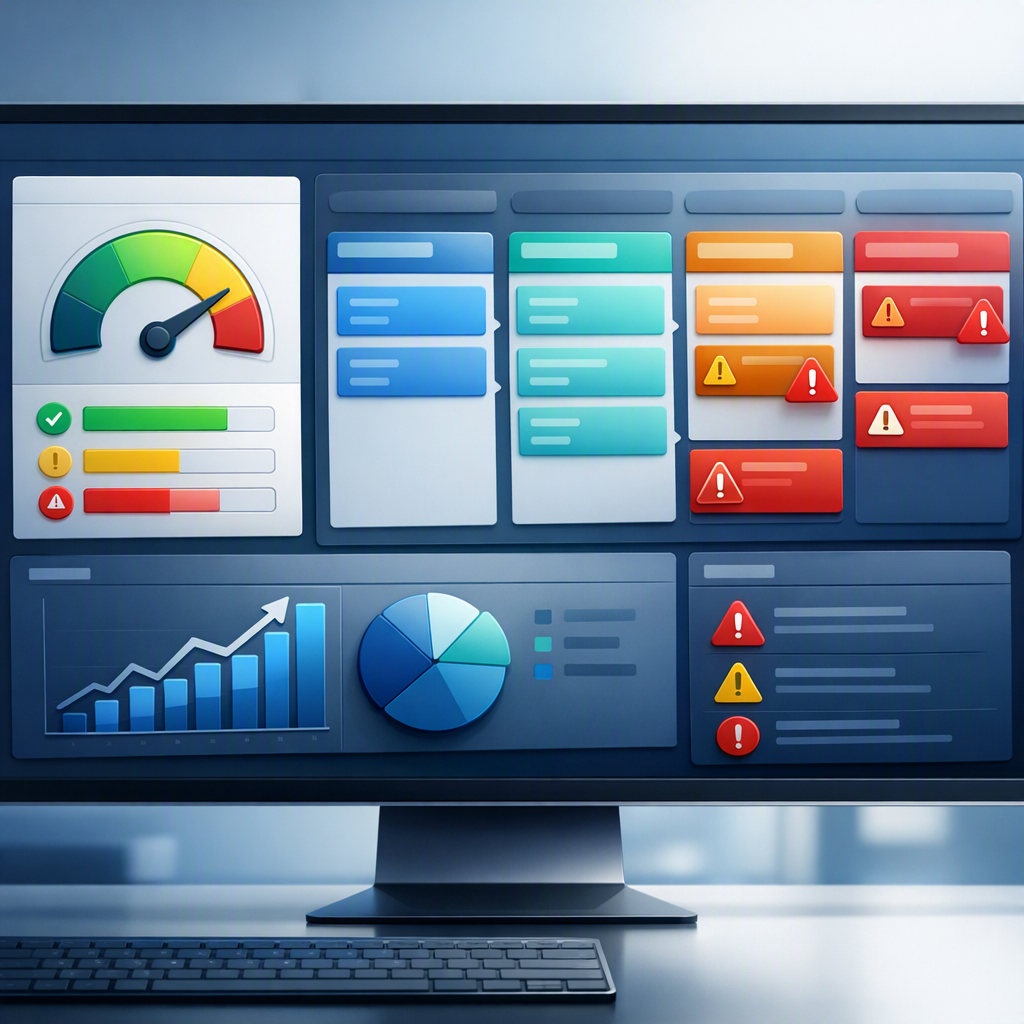
The HelloGrowthCRM pipeline health scorecard template is a built-in way to measure whether each deal is progressing normally, showing risk signals, or actively stalling by combining key CRM fields, sales activity data, and workflow rules into one health score that managers and reps can act on quickly.
A pipeline stage alone does not tell you if a deal is healthy. Two deals can both sit in “Proposal Sent,” but one may have a scheduled review call and active stakeholder engagement, while the other has had no reply for 18 days.
That is why this template focuses on health, not just location in the funnel.
Inside HelloGrowthCRM, the scorecard typically pulls from:
- Stage age in days
- Last activity date
- Next step present or missing
- Next meeting booked or not
- Contact engagement recency
- Number of decision-makers involved
- MEDDPICC or qualification completeness
- Deal amount change history
- Forecast category
- Rep confidence input
- Email and call activity from Smart Inbox and CRM Dialer
In practice, I have found this format works because reps understand it fast. In one rollout we did with a 12-person sales team, stage reports looked fine on paper, but the scorecard exposed 27% of pipeline with no next meeting booked. That changed forecast conversations in one week.
HelloGrowthCRM makes this practical because the scorecard lives next to execution tools like AI Pipeline Management, AI Deal Insights, and Sales Task Boards, so users can move from diagnosis to action without exporting data.
Why sales teams use a pipeline health scorecard to find stalled deals fast
Sales teams use a pipeline health scorecard to find stalled deals fast because it highlights deal-level risk signals that standard pipeline reports miss, especially missing next steps, long inactivity gaps, overaged stages, and weak qualification, all of which reduce forecast accuracy and slow rep action.
Most CRM views answer, “Where is this deal?” The scorecard answers, “Is this deal moving?”
That shift matters for three reasons:
1. Stalled deals hide inside normal-looking stages
A deal can sit in discovery, demo, or proposal with no visible red flag unless you track stage velocity in days and compare it against your expected range.
When I have audited pipelines like this, I usually see three hidden stall patterns:
- Deals with recent rep activity but no buyer response
- Deals with a future close date but no scheduled meeting
- Deals with large amounts but incomplete qualification
2. Managers need coaching signals, not just totals
A total pipeline number is useful, but managers coach one deal at a time. A scorecard gives them a ranked list of where to intervene first.
This is especially helpful in teams using AI Sales Copilot and Meeting Scheduler, because the manager can see risk and assign the next action immediately.
3. Forecast risk starts before a deal is marked at risk
Healthy forecasting starts with pipeline hygiene. A deal is often already compromised by the time a rep admits it.
According to Gartner’s CRM topic overview, CRM effectiveness depends heavily on adoption, process alignment, and data quality, which is exactly why health scorecards outperform stage-only reporting in active pipeline management.
Which fields should a pipeline health scorecard template include?
A pipeline health scorecard template should include fields that measure momentum, engagement, qualification quality, and commitment signals, because stalled deals usually show up first as aging stages, missing next steps, low buyer activity, incomplete qualification, or weak multi-threading long before they are pushed out.
Below are the core fields I recommend for most B2B sales teams using HelloGrowthCRM.
Core deal health fields
These fields should exist in every version of the template:
- Deal name
- Account name
- Owner
- Current stage
- Stage age in days
- Created date
- Expected close date
- Deal amount
- Forecast category
- Last activity date
- Days since last buyer response
- Next step text
- Next step due date
- Next meeting booked
- Primary contact
- Number of active contacts
- Decision-maker identified
- Champion identified
- Qualification score
- Health score
Recommended scoring dimensions
For a practical scorecard, score each deal across 5 dimensions:
| Dimension | What it checks | Common red flag | Example score logic |
|---|---|---|---|
| Activity recency | Recent seller and buyer activity | No reply for 10+ days | 0-20 points |
| Next-step hygiene | Clear next action and due date | Missing next step | 0-20 points |
| Stage velocity | Time spent in current stage | Over median stage age | 0-20 points |
| Qualification quality | MEDDPICC or required fields | No economic buyer or pain | 0-20 points |
| Engagement strength | Meetings, contacts, threads | Single-threaded deal | 0-20 points |
Optional advanced fields
If your process is mature, add:
- Proposal sent date
- Legal review started
- Procurement involved
- Product fit score
- Competitor identified
- Renewal or expansion flag
- Customer Health Score for existing accounts
- Attribution source from Revenue Attribution
HelloGrowthCRM lets teams tailor these fields inside Features without rebuilding the whole CRM.
How HelloGrowthCRM scores pipeline health inside the workflow
HelloGrowthCRM scores pipeline health inside the workflow by combining deal fields, activity history, stage-based thresholds, and automation rules to produce an easy-to-read health status that updates automatically as reps log calls, emails, meetings, notes, and next-step commitments.
The goal is not a mysterious AI score. The goal is an explainable score that reps trust.
A simple scoring model
A common setup looks like this:
- Green: 80-100, healthy and moving
- Yellow: 60-79, needs attention
- Red: below 60, likely stalled or weakly qualified
You can weight the score based on your sales motion. For example:
- SMB teams may weight activity recency higher
- Mid-market teams may weight multi-threading higher
- Enterprise teams may weight qualification and stage exit criteria higher
Example workflow logic in HelloGrowthCRM
Here is a practical rule set many teams start with:
- Add 20 points if buyer responded within 5 business days
- Add 20 points if a next step exists and due date is within 7 days
- Add 20 points if a meeting is booked
- Add 20 points if stage age is below threshold
- Add 20 points if qualification fields are complete
Then subtract points for risk events:
- Minus 15 if no buyer response in 10+ days
- Minus 10 if close date changed twice in 30 days
- Minus 15 if no decision-maker is linked
- Minus 10 if amount increased without updated notes
HelloGrowthCRM can trigger follow-up tasks through Email Automation, Slack alerts via Slack, and rep reminders through Gmail or Microsoft Teams.
Why explainability matters
In one implementation, we tested a more complex weighted model with too many variables. Reps ignored it. When we simplified the logic to five visible factors, adoption rose fast because every rep could explain why a deal was yellow or red.
That trust matters more than fancy math.
Which dashboard views help managers spot forecast risk in minutes?
The best dashboard views for spotting forecast risk in minutes are a ranked deal health list, stage-age heatmap, missing next-step report, rep-level risk summary, and forecast-by-health view, because each one shows a different reason revenue may be slipping before the quarter closes.
HelloGrowthCRM supports this with dashboards tied directly to pipeline and activity data.
1. Health-ranked pipeline view
This is the main operating view. It sorts open deals by lowest score first.
Use it to answer:
- Which deals need action today?
- Which rep owns the most red deals?
- Which large deals are red or yellow?
This works well beside Pipeline Health Score and CRM ROI Calculator if you want to connect deal hygiene with revenue outcomes.
2. Stage age heatmap
This view shows overaged deals by stage. It helps managers see where friction is building.
Example insights:
- Too many deals stuck in demo may mean weak discovery
- Proposal-stage aging may signal pricing or approval issues
- Legal-stage pileups may need better mutual action plans
3. Missing next-step dashboard
This is the fastest hygiene report in most sales teams. It lists open deals with:
- No next step
- No due date
- No upcoming meeting
- No buyer reply within threshold
According to Harvard Business Review’s sales coverage, disciplined sales management practices and clear process inspection consistently improve rep execution and pipeline quality.
4. Forecast by health category
This dashboard compares pipeline amount by:
- Green
- Yellow
- Red
- Commit
- Best case
- Pipeline
It helps leaders challenge optimistic forecasts. A commit deal with a red health score deserves review.
HelloGrowthCRM pipeline health scorecard template vs manual spreadsheet tracking
HelloGrowthCRM’s pipeline health scorecard template beats manual spreadsheet tracking for active pipeline management because it updates from live CRM behavior, enforces process rules, triggers follow-up actions, and gives managers real-time risk views instead of static, manually maintained deal notes.
A spreadsheet can help at the start. It usually breaks under real selling conditions.
| Criteria | HelloGrowthCRM template | Manual spreadsheet |
|---|---|---|
| Live activity updates | Automatic | Manual |
| Next-step enforcement | Built-in workflows | Depends on rep discipline |
| Dashboard visibility | Real-time | Usually delayed |
| Forecast risk alerts | Automated | Manual review |
| Rep adoption | Higher when inside CRM | Lower over time |
| Manager coaching | Deal-level and instant | Slower and fragmented |
| Integration with email/calls | Native with Smart Inbox and CRM Dialer | Usually none |
| Scale across teams | Strong | Limited |
This is also where I should be clear: HelloGrowthCRM is our product, so this comparison reflects the strengths of a native CRM workflow over a spreadsheet-based process. If your team has fewer than five active sellers and a very simple cycle, a spreadsheet may work for a while. Past that point, it usually becomes a reporting tax.
How to set up the HelloGrowthCRM pipeline health scorecard template: Step-by-Step
Setting up the HelloGrowthCRM pipeline health scorecard template means defining the right health fields, assigning stage thresholds, creating score rules, automating alerts, and building dashboards so reps and managers can spot stalled deals, missing next steps, and forecast risk from one repeatable operating view.
- Define your health criteria
Pick the 4-5 signals that actually predict stall risk in your sales motion. Start with stage age, last buyer response, next step, meeting booked, and qualification completeness. - Set stage aging thresholds
Define expected days per stage. Use your historical median if possible. If you are unsure, benchmark by team first with the RevOps Maturity Assessment. - Create or map the required fields
Add fields for next step, next-step due date, buyer response date, decision-maker identified, and qualification status. HelloGrowthCRM makes this easy from Features. - Assign score weights
Give each dimension a clear point value. Keep the first model simple. Reps trust visible scoring more than black-box formulas. - Build workflow automations
Trigger a task when a deal turns yellow. Alert the manager when it turns red. Push reminders through Slack or Google Meet workflows if a follow-up meeting is missing. - Create manager and rep dashboards
Build a health-ranked deal list, missing next-step view, and forecast-by-health dashboard. Managers need rollups. Reps need action lists. - Review and tune after 2-3 weeks
Watch for false positives. If too many healthy deals show as red, adjust thresholds. In one team I supported, proposal-stage deals needed a longer aging window because procurement naturally slowed that stage.
Best practices for using the scorecard without creating noise
The best way to use a pipeline health scorecard without creating noise is to keep the logic simple, tie scores to actions, inspect only the most predictive signals, and review the model regularly so reps see it as coaching support rather than another reporting burden.
Use these operating rules:
Keep the score explainable
If a rep cannot tell you why a deal is red in 10 seconds, the model is too complex.
Tie every color to an action
For example:
- Green: continue cadence
- Yellow: confirm next meeting and update qualification
- Red: manager review within 24 hours
Separate hygiene from strategy
A missing next step is not the same as poor product fit. Track both, but do not collapse every issue into one vague label.
Review by segment
SMB, mid-market, and enterprise deals stall for different reasons. If needed, use separate scorecards with Territory Management or team-specific views.
If you want to see this workflow live, book a Demo, explore Pricing, or start a Free Trial to test the scorecard in your own pipeline.
About the author
Rohan Mehta is a Sales Operations Lead at HelloGrowthCRM with 10 years of experience in B2B SaaS revenue operations, pipeline design, and forecast management. He has led CRM and RevOps rollouts for global sales teams ranging from startup pods to multi-region organizations. One project that shaped this article was a pipeline redesign for a 12-person account executive team where stage-age scoring and next-step enforcement cut manager review time and exposed hidden forecast risk within the first month.
Frequently Asked Questions
Q: What does the HelloGrowthCRM pipeline health scorecard template actually measure?
A: The HelloGrowthCRM pipeline health scorecard template measures whether a deal is moving forward or stalling by scoring activity recency, next-step discipline, stage age, qualification completeness, and engagement strength. It helps teams inspect deal quality, not just pipeline volume.
Q: How is a pipeline health score different from a pipeline stage?
A: A pipeline health score is different from a pipeline stage because the score shows whether the deal is healthy, while the stage only shows where the deal sits in the process. Two deals in the same stage can have very different risk profiles.
Q: Can small sales teams use this template?
A: Yes, small sales teams can use this template because the core version only needs a few fields and simple rules to identify stalled deals. Teams with under five reps may start lighter, then add dashboards and automation as volume grows.
Q: Which deals should be marked as stalled?
A: Deals should be marked as stalled when they show inactivity, missing next steps, overaged stages, or weak buyer engagement relative to your normal sales cycle. The exact threshold depends on your segment, deal size, and average stage velocity.
Q: Does HelloGrowthCRM automate follow-up actions from the scorecard?
Frequently Asked Questions
Ready to put this into practice?
Set up your pipeline, WhatsApp follow-ups, and AI lead scoring in minutes — free, no credit card.
Try HelloGrowthCRM freeGet CRM tips in your inbox
Join thousands of sales professionals who get weekly insights on CRM strategy, AI automation, and pipeline optimization.

The HelloGrowthCRM team publishes guides on CRM strategy, AI sales tools, and revenue operations for small business sales teams.