HelloGrowthCRM software
Built for real small-business sales teams
HelloGrowthCRM helps reps qualify faster, follow up on time, and close more deals—with practical automation in one place.
- AI lead scoring and pipeline visibility
- Built-in dialer, WhatsApp, and email automation
- Sales forecasting and RevOps-ready reporting
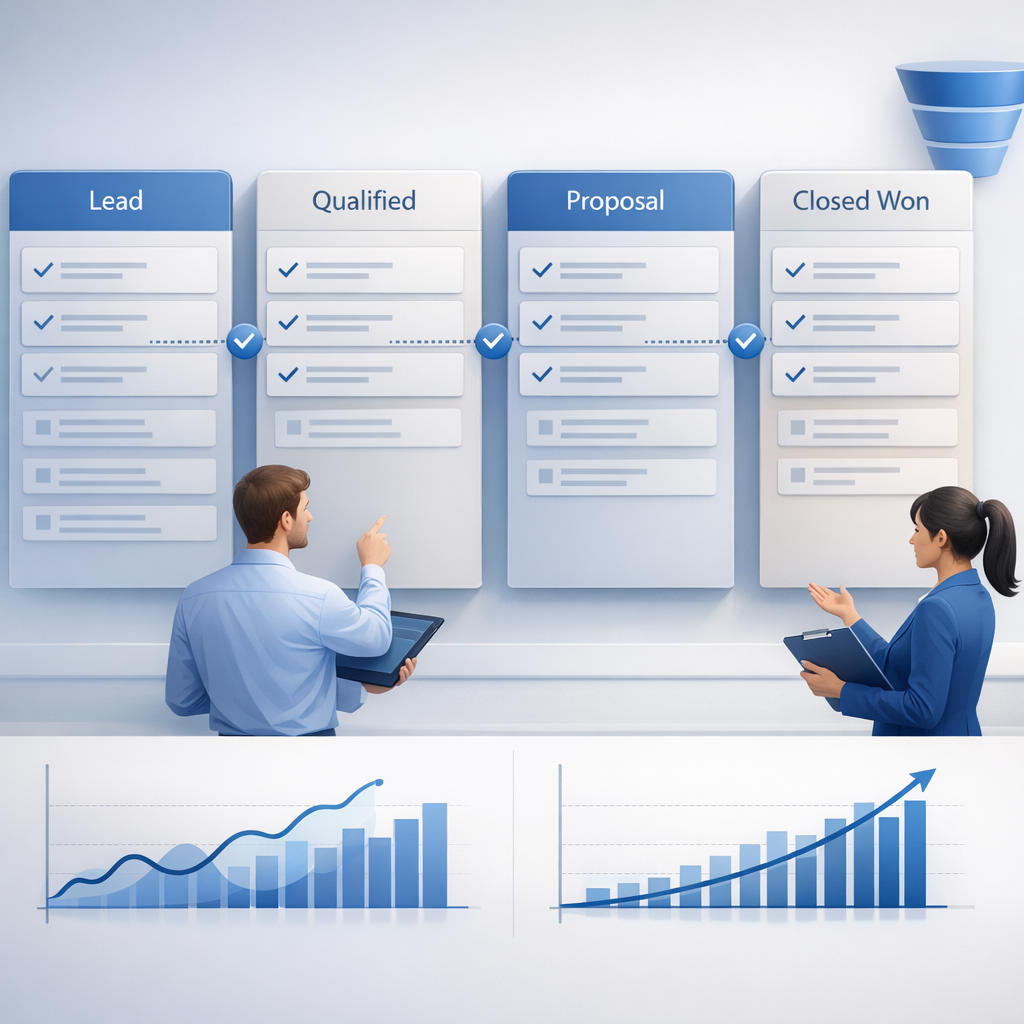
HelloGrowthCRM pipeline stage template is a repeatable sales workflow that standardizes deal stages, exit criteria, required fields, and automation rules inside HelloGrowthCRM so teams can keep pipeline data clean, improve forecast visibility, and help reps move deals forward without forcing a heavy CRM rebuild or extra admin work.
Key Takeaways
- HelloGrowthCRM’s pipeline stage template gives every stage a clear purpose, entry rule, exit rule, and required data.
- Standard stages improve forecast quality because managers review the same signals across every rep and deal.
- The best templates reduce rep effort by pairing stage changes with Sales Task Boards, Meeting Scheduler, and Email Automation.
- Required fields should stay minimal. Ask only for the data needed for qualification, next steps, and forecasting.
- Automation matters as much as stage names. Triggers, alerts, and scoring rules make the template stick in daily use.
- HelloGrowthCRM is best for teams that want consistency fast without a full reimplementation. You can explore the setup in a Demo or start a Free Trial.
What is the HelloGrowthCRM pipeline stage template?
The HelloGrowthCRM pipeline stage template is a practical framework for defining each sales stage with clear criteria, mandatory fields, owner actions, and automation logic inside the CRM, so teams can run one consistent pipeline process without slowing down sellers or rebuilding their whole system.
Most sales teams do not struggle because they lack stage names. They struggle because stage names mean different things to different reps.
One rep marks a deal as “Qualified” after one discovery call. Another waits for budget and timeline. A manager then reviews a pipeline that looks full but is impossible to trust.
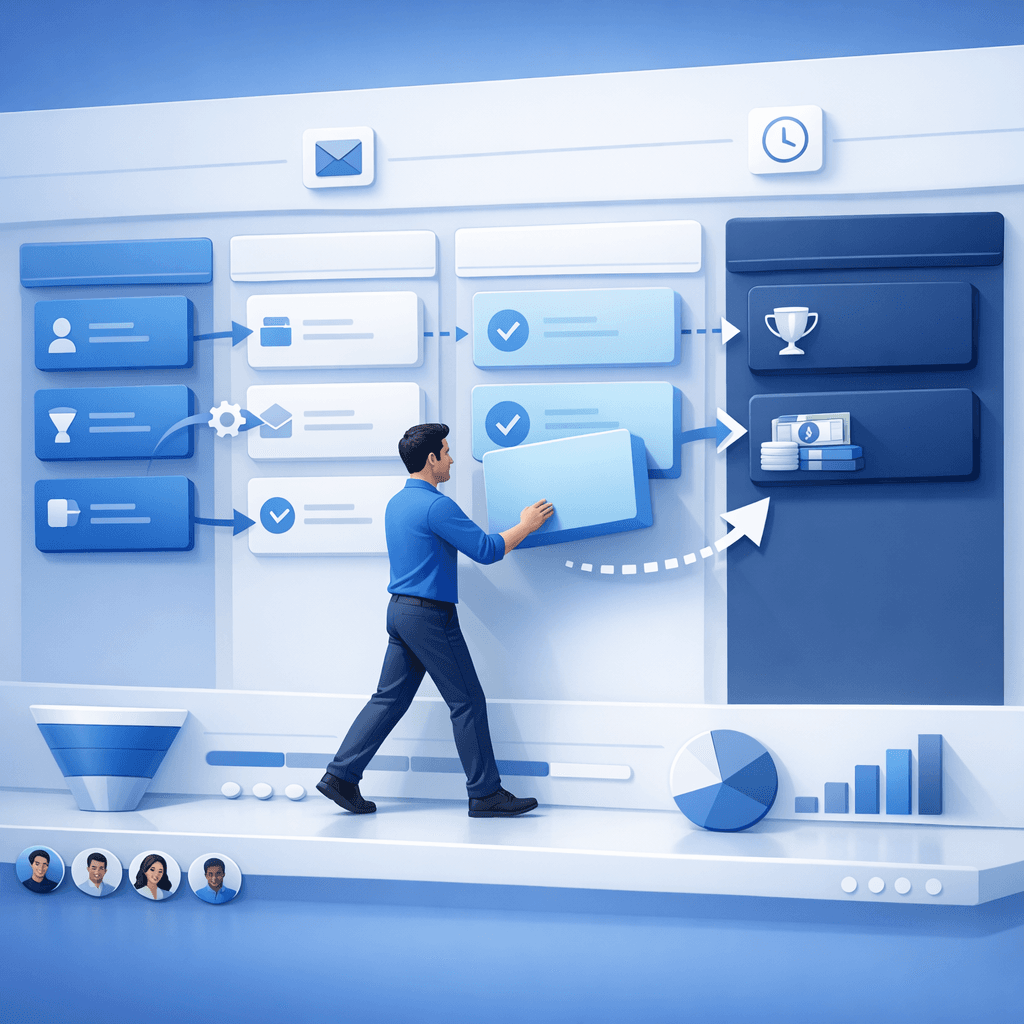
That is the exact problem the HelloGrowthCRM template solves. It connects four pieces in one workflow:
- Stage definition: what the stage means
- Entry and exit criteria: what must happen before a deal enters or leaves
- Required fields: what data reps must capture
- Automation rules: what the system should do next
In practice, this turns a loose pipeline into an operating system. If your team already uses AI Pipeline Management, the template becomes even more useful because stage hygiene feeds cleaner pipeline alerts and better deal-level coaching. If you also use AI Deal Insights, managers can see which opportunities are truly advancing versus just being moved manually.
A stage template is not a theory document. It is a live setup inside the CRM. That matters because reps follow workflows they see in the moment, not PDFs buried in enablement folders.
Why pipeline stage standardization matters for adoption and forecasting
Pipeline stage standardization matters because it gives every rep and manager the same definition of deal progress, which reduces subjective updates, improves inspection quality, and makes forecasts more believable without adding unnecessary process steps that sellers will ignore or work around.
When I have audited pipelines like this, the biggest issue is usually not low activity. It is inconsistent meaning. Teams may have seven stages, but no two reps use them the same way.
That creates three downstream problems.
Reps lose confidence in the CRM
If stage movement does not trigger useful next actions, sellers treat updates as admin work. Adoption drops fast. This is why HelloGrowthCRM ties pipeline design to execution tools like Smart Inbox, CRM Dialer, and WhatsApp & SMS CRM. A good template should help reps act, not just report.
Managers inspect the wrong deals
Without exit criteria, pipeline reviews become opinion-based. Instead of checking MEDDPICC evidence, next meeting dates, stakeholder coverage, and stage velocity, managers debate whether a rep “feels good” about the deal.
Forecasts become noisy
Forecasting depends on stage quality. If “Proposal Sent” includes both active evaluations and stalled quotes, weighted forecasts lose value.
According to Harvard Business Review, better sales process discipline is strongly linked to more predictable commercial execution. That matches what I have seen in RevOps rollouts. Cleaner stage rules almost always improve forecast conversations before teams change anything else.
In one rollout we did with a 12-person sales team, simply redefining qualification and proposal stages cut weekly forecast debate time by almost half. We did not change headcount or territory design. We only changed what each stage required and what happened after a rep moved a deal.
What should a good pipeline stage template include?
A good pipeline stage template should include a stage purpose, entry trigger, exit criteria, required fields, owner actions, and automation rules, because standardization only works when reps know what the stage means, what proof is needed, and what the CRM will do next.
The most effective templates stay simple. They define just enough structure to improve consistency. They do not try to model every possible edge case.
Here are the core elements to include.
1. Stage objective
Write one sentence that explains why the stage exists. Example: “Qualification confirms fit, pain, authority, and a live next step.”
2. Entry criteria
Define what must be true before a deal can move into the stage.
Examples:
- Discovery call completed
- Lead score above threshold via AI Lead Scoring
- Account matched to ICP
- Opportunity owner assigned
3. Exit criteria
This is the most important part. Exit criteria should be observable, not emotional.
Strong examples:
- Budget range confirmed
- Economic buyer identified
- Demo completed with decision stakeholders
- Proposal sent and review meeting booked
Weak examples:
- Prospect seemed interested
- Good conversation
- Deal feels active
4. Required fields
Require only the fields needed to qualify, forecast, or automate.
Common required fields include:
- Close date
- Deal amount
- Next step
- Next meeting date
- Primary contact
- Use case
- Competitive status
If you ask for too much, reps will add junk values. If you ask for too little, managers cannot inspect pipeline health.
5. Automation rules
This is where HelloGrowthCRM becomes practical. You can pair each stage with actions such as:
- Create follow-up tasks in Sales Task Boards
- Trigger sequences in Email Automation
- Route meeting booking through Meeting Scheduler
- Alert managers through the Slack integration
- Flag risk using the Deal Risk Agent
6. Reporting logic
Your template should also decide how the stage appears in dashboards, forecasting, and pipeline health reports. Teams using Sales Forecasting benefit most when stage logic is locked down early.
HelloGrowthCRM pipeline stage template vs a custom CRM rebuild
HelloGrowthCRM pipeline stage template is different from a custom CRM rebuild because it gives teams a ready-to-use structure for stage rules, required data, and automation, while a rebuild often takes longer, costs more, and creates more change management risk before reps see value.
For most growing teams, the real choice is not “template or nothing.” It is “template now or rebuild later.”
Here is the practical difference:
| Approach | Speed to launch | Rep effort | Admin complexity | Forecast impact | Best fit |
|---|---|---|---|---|---|
| HelloGrowthCRM pipeline stage template | Fast | Low | Low to medium | High if criteria are clear | Teams that need consistency quickly |
| Fully custom CRM rebuild | Slow | Medium to high | High | High eventually | Large teams with complex governance |
| Spreadsheet or playbook-only stage guide | Fast initially | High over time | Low | Low | Very early teams |
| Generic off-the-shelf pipeline | Medium | Medium | Medium | Medium | Teams with simple deals |
This is also where I should be clear: HelloGrowthCRM is our product, so this article reflects that perspective. The advantage is speed and usability. The limitation is that very large enterprises with heavily layered approvals may still need deeper custom object design or broader Managed RevOps support.
That said, many B2B teams do not need a ground-up redesign. They need cleaner operating rules inside the CRM they can actually roll out. The Features page shows how HelloGrowthCRM combines pipeline setup with AI assistance, automation, and reporting instead of treating them as separate projects.
How HelloGrowthCRM helps standardize stages without slowing reps down
HelloGrowthCRM helps standardize stages without slowing reps down by combining lightweight required fields, embedded automation, guided next actions, and AI-based deal inspection, so reps spend less time guessing what to update and more time moving opportunities to the next real milestone.
This product-led approach matters. Most failed pipeline cleanups come from overdesign. Sales ops builds a perfect model on paper, then reps ignore it because every update takes too long.
HelloGrowthCRM avoids that in a few ways.
Minimal but enforced data capture
Only ask for fields that change the workflow or improve forecast accuracy. For example, if a stage change should trigger a follow-up sequence, then the system should collect the right trigger field once and use it everywhere else.
Stage-based action prompts
When a rep moves a deal, the next action should be obvious. HelloGrowthCRM can prompt tasks, reminders, meeting scheduling, and communications. This is more effective than relying on memory or side spreadsheets.
AI-supported inspection
With AI Sales Copilot and Post-Call Agent, managers can inspect whether the evidence behind stage movement is strong. That makes coaching more objective.
Integration into the rest of the stack
The template gets stronger when connected to tools teams already use. HelloGrowthCRM supports Gmail, Google Meet, Microsoft Teams, Calendly, and Zapier, which helps stage updates stay close to the rep’s real workflow.
According to Gartner’s CRM topic overview, CRM effectiveness depends on adoption and usable process design as much as system capability. That is why template design should always start with rep behavior, not admin preference.
How to use the HelloGrowthCRM pipeline stage template: Step-by-Step
Using the HelloGrowthCRM pipeline stage template starts with mapping your real sales milestones, then defining evidence for each stage, limiting required fields, adding automation, and testing the workflow with reps so the final setup improves consistency and forecast visibility without adding unnecessary friction.
- Map your current stages
List your existing stages and note where reps interpret them differently. Look for vague labels like “Qualified” or “Proposal” that hide multiple milestones. - Define the buyer milestone for each stage
Write one sentence per stage based on observable progress. Tie the stage to buyer action, not seller optimism. - Set entry and exit criteria
For each stage, define what must be true before a deal enters and what proof is needed to move forward. Use concrete signals like “next meeting booked” or “decision process confirmed.” - Choose required fields carefully
Add only the data needed for qualification, routing, forecasting, or automation. You can validate ROI impact with the CRM ROI Calculator or inspect process gaps with the RevOps Maturity Assessment. - Add automation by stage
Trigger tasks, reminders, alerts, and outreach from each stage. Pair qualification stages with AI Lead Scoring and later stages with Revenue Attribution or deal-risk checks where needed. - Pilot with a small rep group
Test the workflow with a few active sellers first. In one deployment I led, a five-rep pilot exposed that we had too many required fields in demo and proposal stages. We removed three fields and adoption improved immediately. - Train managers before full rollout
Managers must inspect the new criteria consistently. If they coach against old habits, reps will revert fast. - Track stage hygiene and velocity
Watch stage conversion, stage age, pushed close dates, and missing next steps. Teams can use Pipeline Health Score to spot where the template is being followed and where it is slipping.
Common mistakes teams make when building pipeline stages
Teams make pipeline stage mistakes when they create vague definitions, require too many fields, ignore manager inspection, and separate automation from stage logic, because a stage template only works when the workflow is simple, enforced, and useful in daily selling.
Here are the most common issues I see:
Too many stages
More stages do not always mean better visibility. They often create fake precision. For teams under 50 reps, six to eight customer-facing milestones is usually enough.
Stages based on internal actions
“Proposal Created” is less useful than “Proposal Reviewed With Buyer.” Use buyer progress whenever possible.
Required fields with no purpose
If a field does not change routing, coaching, forecasting, or reporting, remove it.
No manager enforcement
A clean stage model dies quickly if managers do not inspect deals using the new criteria. This is why stage reviews should include specific checks:
- Is the next step dated?
- Is the close date still realistic?
- Are required contacts present?
- Does the stage match the evidence?
No automation support
Reps adopt workflows that save time. If stage changes do not trigger useful actions, compliance drops.
If you want a lighter way to test this before a full rollout, review Pricing, start a Free Trial, or book a Demo to see the template in a live pipeline.
If your team wants cleaner deal stages, better rep adoption, and more trustworthy forecasts without a heavy CRM rebuild, HelloGrowthCRM is built for exactly that use case. Start with a Free Trial or book a Demo to see how the pipeline stage template works inside a real sales workflow.
About the author
Arjun Mehta is a Sales Operations Lead at HelloGrowthCRM with 11 years of experience in B2B SaaS revenue operations, pipeline design, and forecasting. He has led CRM and RevOps rollouts for sales teams ranging from 8 to 120 reps across mid-market and enterprise motions. One project that shaped this article was a multi-region pipeline redesign that standardized MEDDPICC stage criteria, manager inspection, and forecast categories across three sales teams in under 60 days. He now helps growth-stage companies use HelloGrowthCRM to improve process consistency without adding seller friction.
Frequently Asked Questions
Q: What is the HelloGrowthCRM pipeline stage template used for?
A: The HelloGrowthCRM pipeline stage template is used to standardize deal stages, required fields, and automation rules so every rep updates opportunities the same way. This helps managers inspect pipeline quality faster and makes forecasts more reliable.
Q: How many pipeline stages should a sales team have?
A: A sales team should usually have six to eight pipeline stages because that range gives enough visibility without creating unnecessary complexity. Teams with simple SMB deals may need fewer stages, while complex enterprise motions may need more.
Q: Does a pipeline stage template slow sales reps down?
A: A pipeline stage template should not slow sales reps down if it uses minimal required fields and useful automation. In HelloGrowthCRM, the goal is to reduce manual admin by connecting stage changes to tasks, reminders, and next-step workflows.
Q: What fields should be required at each pipeline stage?
A: The fields required at each pipeline stage should be the minimum needed for qualification, forecasting, and workflow automation. Common examples include amount, close date, next step, next meeting date, key contact, and use case.
Q: Can HelloGrowthCRM improve forecast visibility with stage templates?
Frequently Asked Questions
Ready to put this into practice?
Set up your pipeline, WhatsApp follow-ups, and AI lead scoring in minutes — free, no credit card.
Try HelloGrowthCRM freeGet CRM tips in your inbox
Join thousands of sales professionals who get weekly insights on CRM strategy, AI automation, and pipeline optimization.

The HelloGrowthCRM team publishes guides on CRM strategy, AI sales tools, and revenue operations for small business sales teams.