HelloGrowthCRM software
Built for real small-business sales teams
HelloGrowthCRM helps reps qualify faster, follow up on time, and close more deals—with practical automation in one place.
- AI lead scoring and pipeline visibility
- Built-in dialer, WhatsApp, and email automation
- Sales forecasting and RevOps-ready reporting
Automating WhatsApp lead follow ups helps small businesses in New Zealand respond quickly and consistently to enquiries, increasing chances of conversion and saving time. Many businesses still manage leads manually using text messages, email threads or spreadsheets, which leads to slow or missed follow ups.
Why this comes up / what goes wrong
Small business owners often receive leads through various sources like web forms, calls or WhatsApp messages. Without automation, these leads can get lost in notebooks or scattered notes. Follow ups might be delayed or forgotten, especially if the sales team is small or busy. This slows down lead conversion and wastes potential revenue. Automating WhatsApp follow ups ensures every lead is contacted promptly with the right message at the right time.
Step-by-step
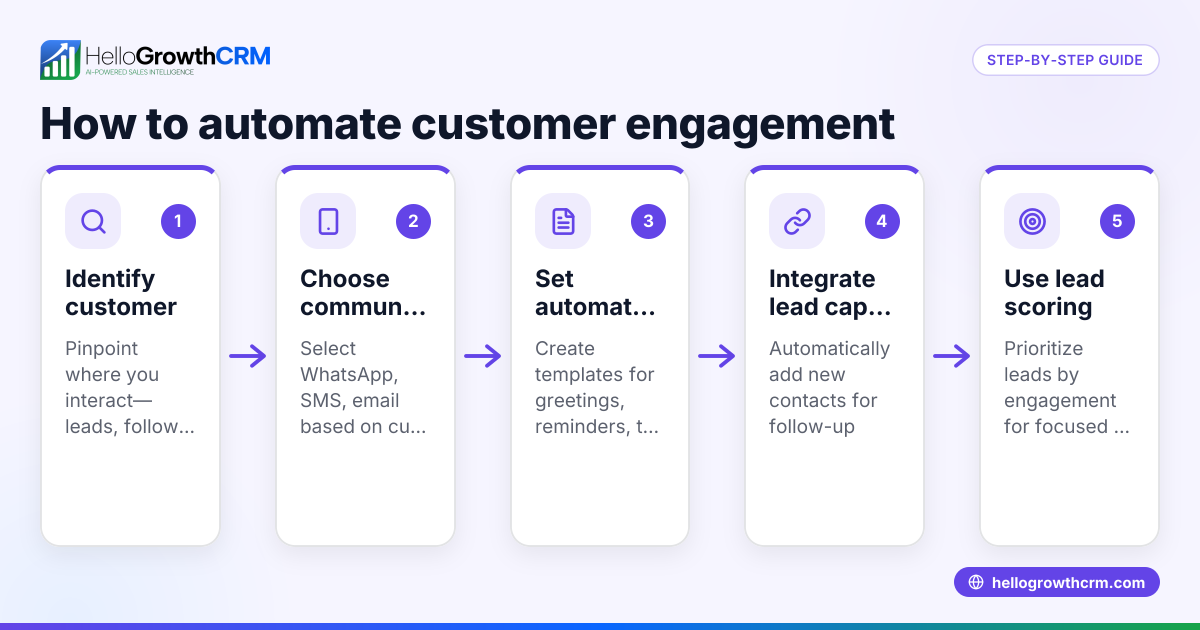
- Choose a CRM that supports WhatsApp lead capture and messaging. Check it can automatically capture leads from your website forms, calls or WhatsApp chats and assign an owner and next step to each lead.
- Import or connect your existing WhatsApp business number to the CRM. Confirm the CRM logs WhatsApp conversations on each lead record.
- Set up lead qualification rules or use AI lead scoring if available. This helps prioritise which leads to follow up first.
- Create automated WhatsApp message sequences for follow ups. Define the messages, timing (e.g., immediately after enquiry, then 2 days later), and triggers (e.g., no reply, lead status change).
- Test your automation with a few leads to confirm messages send correctly and responses are tracked.
- Train your sales or telecalling team to monitor the CRM for new leads, reply to WhatsApp messages, and update lead status.
- Regularly review follow up task boards and reports to ensure leads are progressing through the pipeline. Adjust message sequences or lead scoring as needed.
For more on managing follow ups and tasks, see sales task boards. To learn about sending messages, see WhatsApp and SMS CRM.
Example (fictional figures)
A building company in Christchurch receives 50 enquiries per month via their website and WhatsApp. They want to automate follow ups to save time and improve conversion.
- They use a CRM that captures all 50 leads with an owner and next step.
- They create a WhatsApp sequence:
- Message 1: "Hi, thanks for your enquiry. Can we assist with your building project?" sent immediately.
- Message 2: "Just checking in to see if you have any questions?" sent 2 days later if no reply.
- Message 3: "We’d love to help you get started. Can we schedule a call?" sent 5 days later if still no reply.
Monthly leads = 50
Assumed conversion without automation = 10%
Expected conversion with automation = 15% (example assumption) NEEDS EXPERT REVIEW
Without automation:
Leads converted = 50 × 10% = 5
With automation:
Leads converted = 50 × 15% = 7.5 (rounded to 8)
Value per converted lead = NZ$20,000 (average project size)
Additional revenue from automation = (8 - 5) × NZ$20,000 = NZ$60,000
This example shows how automated WhatsApp follow ups can increase conversions and revenue by ensuring timely contact.
Common mistakes
- Not assigning a lead owner or next step: Prevent by always capturing leads with an owner and defined next step in your CRM.
- Sending generic messages that don’t match lead interest: Prevent by tailoring message sequences based on lead source or qualification.
- Ignoring replies or delays in responding: Prevent by training your team to monitor WhatsApp conversations logged in the CRM.
- Overloading leads with too many follow ups: Prevent by spacing messages reasonably and stopping sequences once a reply is received.
- Not reviewing follow up effectiveness: Prevent by regularly checking task boards and reports to refine your automation.
For help prioritising leads, see AI lead scoring.
Doing this in HelloGrowthCRM
HelloGrowthCRM captures every enquiry from forms, calls or WhatsApp as a lead with an owner and next step, so leads don’t get lost in notebooks. WhatsApp conversations with leads are logged on their records, and follow ups can be sent as automated WhatsApp messages. The AI lead scoring feature helps sales teams focus on leads most likely to convert first. Learn more about these features at HelloGrowthCRM for New Zealand.
Frequently asked questions
Can I automate WhatsApp follow ups without a CRM? You can send WhatsApp messages manually, but automating follow ups without a CRM is difficult and error-prone. A CRM centralises leads, tracks conversations, and schedules follow ups automatically.
How soon should I send the first WhatsApp follow up? Send the first follow up as soon as possible, ideally immediately after the lead enquiry, to maximise engagement.
Can I personalise automated WhatsApp messages? Yes, most CRMs let you insert lead details like name or enquiry type into message templates for personalisation.
Is it legal to send automated WhatsApp messages to leads? You must comply with privacy and spam laws, including obtaining consent to message leads. Check New Zealand's Commerce Commission guidelines. NEEDS EXPERT REVIEW
How do I measure if my WhatsApp follow ups are working? Track metrics like reply rates, lead progression in the pipeline, and conversions. Use CRM reports and task boards to monitor performance.
Key takeaways
- Automate WhatsApp lead follow ups by capturing leads into a CRM with WhatsApp messaging.
- Set up message sequences triggered by lead status and timing.
- Use AI lead scoring to prioritise high-potential leads.
- Regularly review follow up tasks and reports to improve automation.
- Avoid common mistakes like missing owners, generic messages, and ignoring replies.
Start automating your WhatsApp lead follow ups today with HelloGrowthCRM. Start on the Free Forever plan (200 leads, no credit card).
Ready to put this into practice?
Set up your pipeline, WhatsApp follow-ups, and AI lead scoring in minutes — free, no credit card.
Try HelloGrowthCRM freeGet CRM tips in your inbox
Join thousands of sales professionals who get weekly insights on CRM strategy, AI automation, and pipeline optimization.

The HelloGrowthCRM team publishes guides on CRM strategy, AI sales tools, and revenue operations for small business sales teams.