HelloGrowthCRM software
Built for real small-business sales teams
HelloGrowthCRM helps reps qualify faster, follow up on time, and close more deals—with practical automation in one place.
- AI lead scoring and pipeline visibility
- Built-in dialer, WhatsApp, and email automation
- Sales forecasting and RevOps-ready reporting
An SDR email is a message sent by a sales development representative (SDR) to a prospect or lead to initiate contact and qualify interest in a product or service. It is typically the first step in the sales outreach process, designed to capture attention and encourage a response. This article covers why SDR emails are important, how to create and manage them effectively, examples with figures, common pitfalls, and how HelloGrowthCRM supports your email outreach.
Why this comes up / what goes wrong
Small and mid-sized business owners often rely on their sales teams or themselves to generate leads and close deals. SDR emails become critical because they are the first direct contact point with potential customers. However, many small businesses struggle with slow follow-up, inconsistent messaging, or losing track of conversations when running sales through text messages, email, and spreadsheets. This scattered approach leads to lost leads and missed opportunities. Understanding how to write, send, and manage SDR emails effectively can improve response rates and sales pipeline health.
Step-by-step
- Identify your target prospects: Collect leads from your website, referrals, or purchased lists. Check that you have valid email addresses and relevant contact details.
- Craft your initial SDR email: Write a concise, personalized message that introduces your company, states the value proposition, and includes a clear call to action (e.g., scheduling a call).
- Set up follow-up sequences: Plan a series of follow-up emails spaced over days or weeks to gently remind prospects without overwhelming them. Each follow-up should add value or new information.
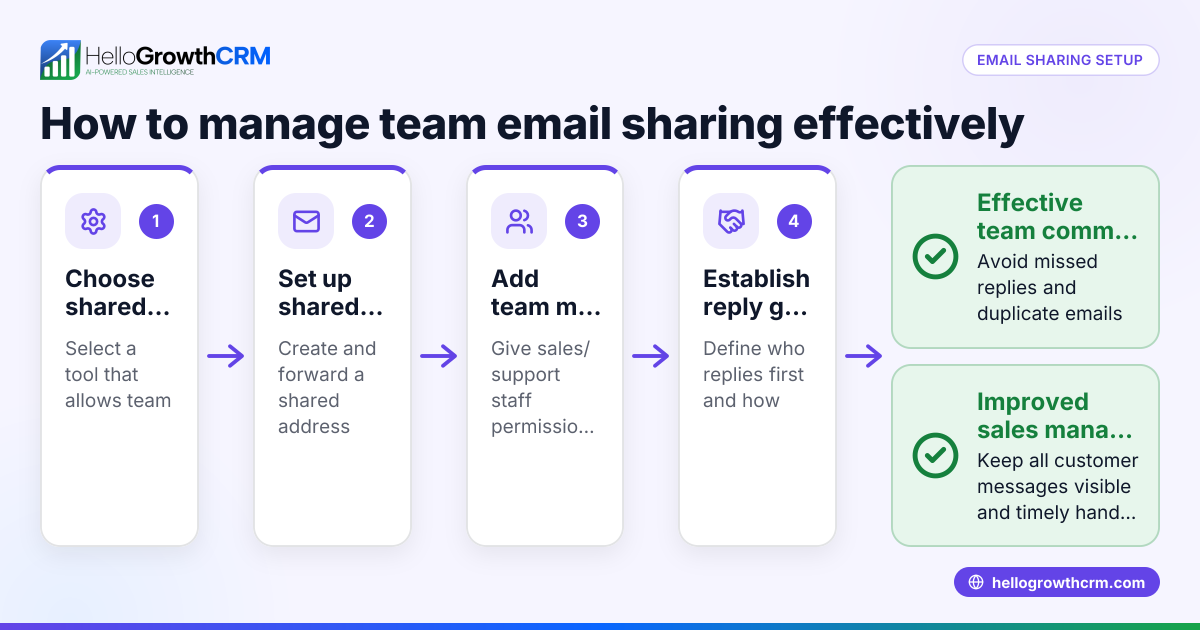
- Send emails using a shared inbox or CRM tool: Use a system that centralizes replies so the entire sales team can see responses and avoid duplicate outreach.
- Track responses and update your pipeline: Log replies and move interested prospects through your sales funnel. If no response after several attempts, consider marking the lead as inactive.
- Analyze and refine your emails: Review open rates, reply rates, and conversion to improve your messaging and timing.
Check out email automation and sequences for tools that help with steps 3 and 4.
Example (fictional figures)
A B2B software reseller in Denver, Colorado, sends SDR emails to 500 new leads on 05/01/2026.
- Initial email open rate: 40% of 500 = 200 opens
- Response rate: 50 replies received (actual number, no percentage stated)
- Conversion rate from replies to demos: 30 demos booked (actual number, no percentage stated)
Calculations: 500 × 40% = 200 opens Replies received = 50 Demos booked = 30
If each demo has a potential deal size of $15,000, potential pipeline value is: 30 × $15,000 = $450,000
This example shows how effective SDR emails can generate significant sales opportunities.
Common mistakes
- Using generic, non-personalized emails: Prevent by researching prospects and tailoring your message.
- Failing to follow up consistently: Prevent by automating sequences to ensure timely follow-ups.
- Ignoring replies or losing track of conversations: Prevent by using a shared inbox so the team can see all email replies.
- Overloading prospects with too many emails too quickly: Prevent by spacing out follow-ups over days or weeks.
- Not tracking email performance metrics: Prevent by regularly reviewing open and reply rates to improve content.
Learn how to avoid these with email automation and sequences.
Doing this in HelloGrowthCRM
HelloGrowthCRM offers a HelloMail shared inbox that lets your team manage inbound emails from leads and customers without switching apps. Replies to a quotation email are visible to the whole team on the deal, reducing missed responses. You can also set up sequences and campaigns where a five-step follow-up runs automatically over two weeks and stops as soon as the prospect replies. These features help small and mid-sized businesses keep SDR email outreach organized and efficient. See more at email automation and sequences.
Frequently asked questions
What should I include in an SDR email? An SDR email should be brief, personalized, and focused on the prospect’s needs. Include a clear introduction, a value proposition, and a call to action such as scheduling a call or demo.
How many follow-up emails should I send after the initial SDR email? A typical sequence includes 3 to 5 follow-ups spaced over one to two weeks. The goal is to stay top of mind without overwhelming the prospect.
Can I use the same SDR email template for all prospects? While templates save time, personalization improves response rates. Customize your message based on the prospect’s industry, role, or pain points.
How do I track SDR email effectiveness? Track open rates, reply rates, and conversions using your email tool or CRM. Use this data to refine your messaging and timing.
Is it better to use email or WhatsApp/SMS for SDR outreach? Email is often preferred for initial formal outreach, but using multi-channel sequences including WhatsApp and SMS can increase engagement. HelloGrowthCRM supports all these channels for coordinated outreach. See WhatsApp and SMS CRM.
Key takeaways
- SDR emails are the first step to engage potential leads and start sales conversations.
- Personalization and clear calls to action increase email effectiveness.
- Automate follow-up sequences to maintain consistent outreach without manual effort.
- Use a shared inbox to keep the whole sales team informed of replies and avoid lost leads.
- Track and analyze email metrics to continuously improve your SDR emails.
Start improving your sales outreach by using a CRM that supports shared inboxes and automated sequences. Start on the Free Forever plan (200 leads, no credit card) with HelloGrowthCRM to try these features today.
Ready to put this into practice?
Set up your pipeline, WhatsApp follow-ups, and AI lead scoring in minutes — free, no credit card.
Try HelloGrowthCRM freeGet CRM tips in your inbox
Join thousands of sales professionals who get weekly insights on CRM strategy, AI automation, and pipeline optimization.

The HelloGrowthCRM team publishes guides on CRM strategy, AI sales tools, and revenue operations for small business sales teams.