Overview
Klaviyo is built around profiles and events: every flow, segment, and campaign it runs is triggered by something a profile did. The CRM integration's job is to make sales activity part of that event stream. When a lead is created, a deal advances, or a customer is marked won in HelloGrowthCRM, that event lands on the matching Klaviyo profile — so lifecycle email and SMS stop being driven only by website behaviour and start reflecting what your sales team actually knows about the relationship.
For teams that sell with humans in the loop — demos, quotes, site visits — this closes the most common gap in Klaviyo setups: marketing flows that keep nurturing someone who already bought, or go silent on someone a rep just qualified. Push the CRM lifecycle stage into Klaviyo and your suppression logic, win-back flows, and post-sale onboarding sequences all key off the stage that is actually true.
What data is involved
- CRM contacts pushed to Klaviyo profiles with email, phone, and mapped custom properties.
- Lifecycle events — lead created, stage changed, deal won, deal lost — sent as Klaviyo metrics usable as flow triggers.
- CRM tags and owner fields mapped to profile properties for segmentation.
- Deal value passed with won events so revenue-based segments and flows work.
- Unsubscribes honoured in both directions: suppressed Klaviyo profiles are not emailed from CRM sequences.
- One profile per contact: the sync matches on email to avoid duplicate profiles.
Step-by-step setup
Setup at a glance (3-5 bullets)
- Open Settings → Integrations → Klaviyo.
- Enter your private API key.
- Map profile fields between CRM and Klaviyo.
- Choose which CRM events to send (e.g. lead created, deal won).
- Enable sync and verify events in Klaviyo.
Sign in or sign up at HelloGrowthCRM. Open the login page, enter your credentials (or use Google), or choose Sign up if you need a new account. You must be signed in before you can open Settings and connect this integration.
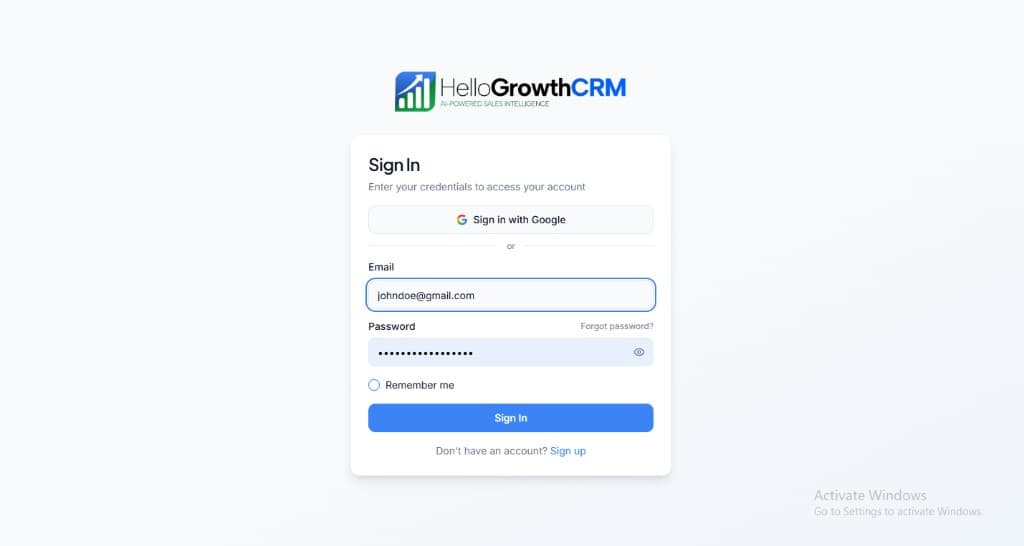
Open login page(opens in a new tab)app.hellogrowthcrm.com/login
Open Settings. In the left sidebar, under Admin, click Settings (you will land on the Settings area; the URL is app.hellogrowthcrm.com/settings).
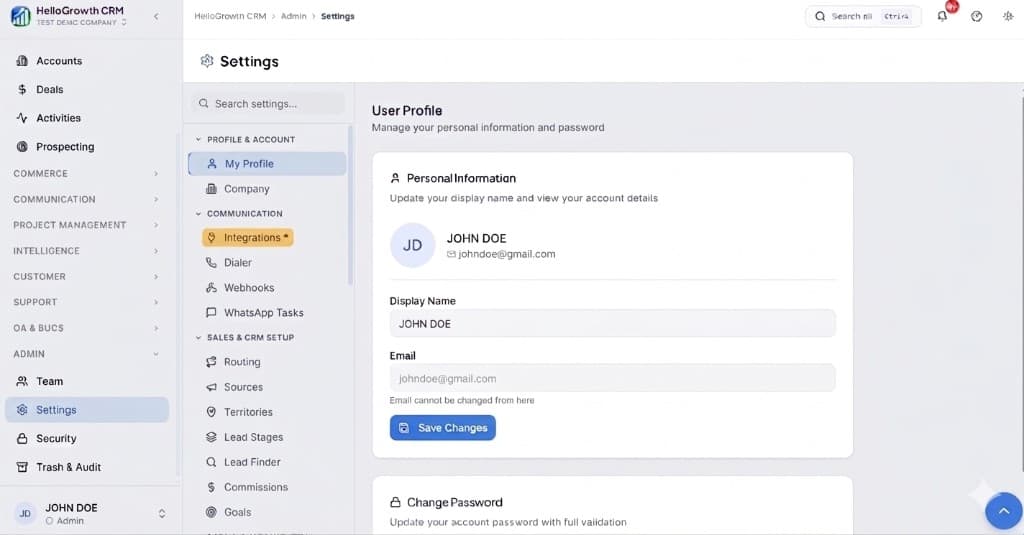
Open Settings(opens in a new tab)app.hellogrowthcrm.com/settings
Go to Integrations. On the Settings screen, use the middle settings menu. Under COMMUNICATION, click Integrations (star icon). Then find and configure this connector—the connector-specific steps below pick up from here.
Open Settings (Integrations)(opens in a new tab)app.hellogrowthcrm.com/settings
- Open Settings → Integrations → Klaviyo.
- Enter your private API key.
- Map profile fields between CRM and Klaviyo.
- Choose which CRM events to send (e.g. lead created, deal won).
- Enable sync and verify events in Klaviyo.
Best practices
- Decide which system owns marketing consent before the first sync, and map only that field — consent conflicts are the most painful thing to unwind later.
- Trigger post-sale flows off the CRM deal-won event, not off a purchase metric that human-sold deals never fire.
- Use CRM stage properties to suppress active sales conversations from promotional campaigns — reps should not compete with a discount email mid-negotiation.
- Start with one flow (for example, lead-created welcome) and verify events on a handful of test profiles before wiring the whole lifecycle.
- Keep property names identical across CRM custom fields and Klaviyo profile properties so segment builders stay readable.
Best for & common use cases
Advanced ecommerce-style email and SMS flows, behavior-based automation, and segmentation using CRM events.
- Build flows off pipeline milestones and product usage signals.
- Align revenue teams with lifecycle marketing in Klaviyo.
Expected outcomes
- Faster lead handoff between tools and CRM owners
- Cleaner activity history for follow-up and reporting
- Lower manual copy-paste errors in the pipeline
Troubleshooting
- Events not appearing in Klaviyo: confirm the private API key has full-access scopes and that the event types are enabled in the CRM integration settings.
- Duplicate profiles: two CRM records share variants of the same email (aliases, plus-addressing) — dedupe in the CRM and re-sync.
- Flows firing for existing customers: add a CRM lifecycle-stage condition to the flow filter so only the intended stage triggers it.
FAQ
Governance
Treat API keys and webhooks as production secrets. Align field mapping with your privacy policy and regional regulations (GDPR, marketing consent, telemarketing rules). Your admin controls which roles can install or edit integrations.
Related integrations in this category
Syncs CRM contacts to Constant Contact lists for email campaigns, event marketing, and list segmentation with field mapping.
High-volume transactional and marketing email delivery with CRM-triggered sends and bounce/engagement webhooks.
Contact sync and marketing automation triggers so CRM stages and tags drive ActiveCampaign automations.
Developer-friendly transactional email API with high deliverability for CRM notifications and system mail.
Syncs CRM leads and contacts to Mailchimp audiences with a one-way push.
Creates and updates contacts in Brevo lists with field mapping and tags.
Rich CRM notifications in Slack channels (new leads, deal updates, task reminders).
CRM notifications with rich embeds via webhook to your server channels.