HelloGrowthCRM software
Built for real small-business sales teams
HelloGrowthCRM helps reps qualify faster, follow up on time, and close more deals—with practical automation in one place.
- AI lead scoring and pipeline visibility
- Built-in dialer, WhatsApp, and email automation
- Sales forecasting and RevOps-ready reporting
A crm for hvac contractors is a customer relationship management system built to capture service inquiries, track estimates, coordinate technician dispatch follow-up, and renew maintenance agreements from one shared workflow, so sales, service, and office teams can respond faster, reduce missed jobs, and grow recurring revenue without extra admin work.
Key Takeaways
- HVAC teams need one pipeline for inbound calls, estimates, booked jobs, completed work, and maintenance renewals.
- A generic CRM often breaks when office staff, sales reps, and field technicians all touch the same customer journey.
- HelloGrowthCRM helps HVAC contractors centralize leads, automate reminders, and keep follow-up consistent with Email Automation, Meeting Scheduler, and Smart Inbox.
- Clean revenue operations matter as much as features. Managed RevOps helps HVAC businesses keep stages, handoffs, and reporting accurate.
- The best HVAC CRM setup should reduce admin time, improve estimate conversion, and increase maintenance contract renewals.
Why HVAC contractors need a specialized CRM
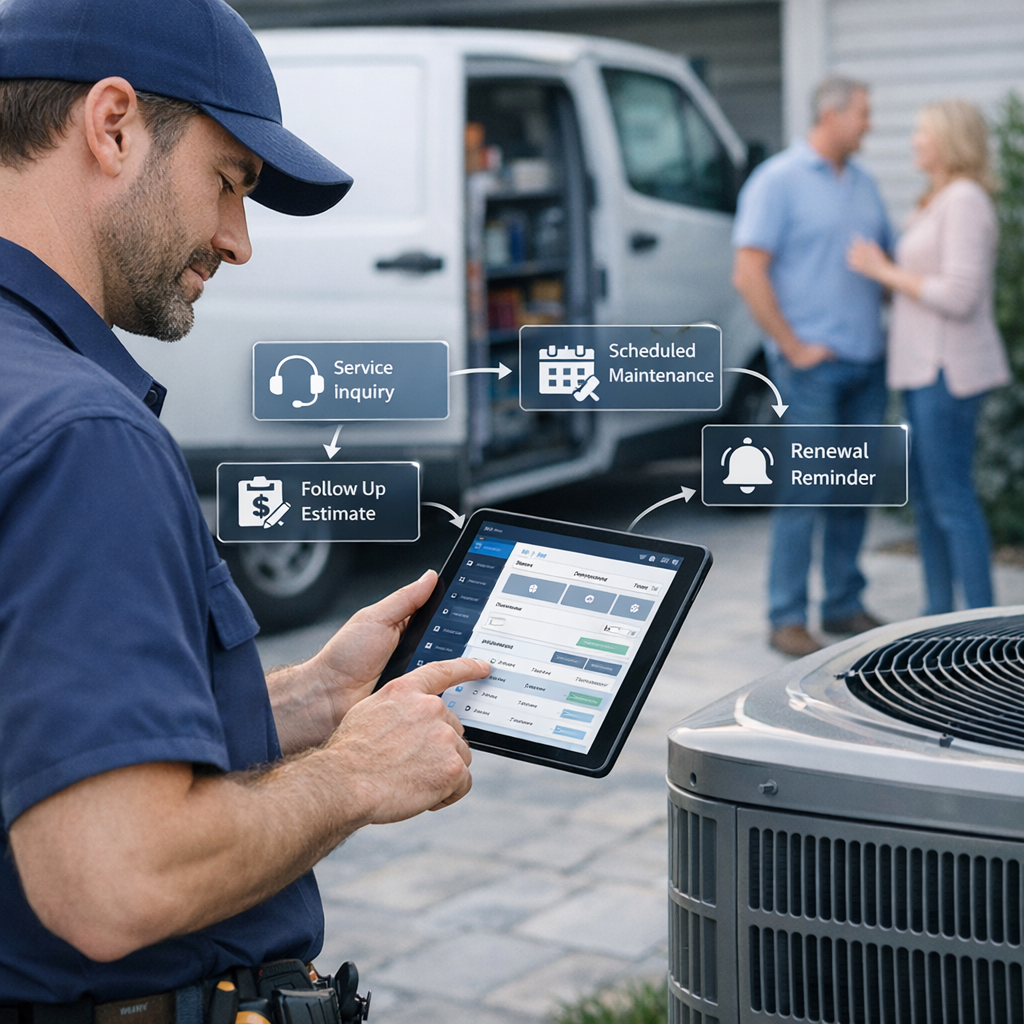
A CRM for HVAC contractors matters because HVAC revenue does not follow a simple one-call-close process. It includes urgent service inquiries, on-site estimates, dispatch coordination, post-visit follow-up, and recurring maintenance renewals, which means the system must handle both sales and service workflows without losing customer context.
Most HVAC businesses do not struggle because they lack leads. They struggle because lead handling is fragmented. Calls sit in one tool. Estimate notes live in email. Dispatch updates happen in chat. Renewal reminders depend on memory.
That creates four common problems:
- Slow response to inbound inquiries
- Missed estimate follow-up
- Poor visibility between office and field teams
- Lost maintenance renewals
In pipeline audits I have done for service businesses, the biggest leak was rarely top-of-funnel volume. It was handoff failure between the first inquiry, the estimate, and the next action after the technician visit. If nobody owns that next step, revenue stalls.
A specialized HVAC CRM should support:
Service inquiry capture
Every inbound call, web form, WhatsApp message, and referral should land in one place. That is easier when your CRM connects with channels like WhatsApp, Gmail, and All Integrations.
Estimate and job pipelines
HVAC teams need stages that reflect the real buying cycle, such as:
- New inquiry
- Qualified service request
- Site visit scheduled
- Estimate sent
- Follow-up due
- Won
- Job completed
- Maintenance renewal due
Service-to-renewal continuity
The real value is not just winning today’s job. It is turning one repair or install into ongoing service revenue. A good AI CRM keeps the full customer history visible, so renewal outreach happens on time.
What features matter most in a CRM for HVAC contractors
The most important features in a CRM for HVAC contractors are lead capture, shared inboxes, estimate tracking, dispatch follow-up, service reminders, renewal automation, and reporting by source, stage, and technician outcome. These features help HVAC businesses manage both urgent service work and longer-cycle replacement opportunities.
Not every HVAC contractor needs enterprise complexity. Most need simple workflows that the office team will actually use daily.
1. Centralized lead capture
Your CRM should pull inquiries from calls, web forms, referrals, and messaging channels into one queue. With Smart Inbox, teams can track customer conversations without switching between tools.
2. Automated follow-up for estimates
Many HVAC estimates are not lost because of price. They are lost because nobody followed up at the right time. Email Automation helps schedule estimate reminders, post-visit check-ins, and nurture sequences without manual chasing.
3. Technician and office handoff visibility
Dispatch and sales need shared records. Notes from the field should update the account fast. If a technician spots a replacement opportunity, that should trigger a follow-up task or deal stage change, not stay buried in a text message.
4. Renewal and service agreement tracking
Maintenance plans often deliver the most predictable revenue. Customer Health Score and Revenue Attribution help teams track engagement and renewal value more clearly over time.
5. Simple reporting
HVAC owners need fast answers to questions like:
- Which lead sources produce booked jobs?
- How long do estimates sit before follow-up?
- Which technicians generate upsell opportunities?
- What percentage of maintenance contracts renew?
According to the U.S. Small Business Administration, poor cash flow management is one of the most common reasons small businesses fail, which makes timely follow-up and renewal management especially important for service contractors (SBA).
How HelloGrowthCRM fits HVAC sales and service workflows
HelloGrowthCRM fits HVAC workflows by combining lead management, communication tracking, automation, and revenue operations support in one system, so contractors can move from first inquiry to booked service, estimate follow-up, and maintenance renewal without relying on spreadsheets, inbox searches, or disconnected dispatch notes.
HelloGrowthCRM is our product, so that should be clear. This article reflects that perspective. Still, the reason HVAC contractors choose us is practical. They want one operating system for revenue work, not another tool that creates admin.
From inbound inquiry to booked appointment
When a customer calls about a breakdown or submits a form for a replacement quote, the lead should be captured and routed fast. HelloGrowthCRM can centralize inquiries and assign follow-up tasks using Sales Task Boards and Meeting Scheduler.
From site visit to estimate follow-up
After the visit, office staff need to know:
- Was an estimate promised?
- When was it sent?
- When is the next follow-up due?
- Is financing or approval blocking the deal?
This is where AI Pipeline Management and AI Deal Insights help teams spot stalled opportunities before they go cold.
From completed job to long-term revenue
A closed install or repair should trigger future plays, not end the relationship. HelloGrowthCRM can create reminders for seasonal service, filter customers due for maintenance outreach, and support cross-sell campaigns through AI Lead Scoring.
In one rollout we did with a 12-person sales team, the biggest gain came from a simple rule: every completed install automatically created a timed renewal and referral follow-up. That removed the need for reps to remember next steps, and the pipeline became far more predictable.
Typical HVAC pipeline stages to use
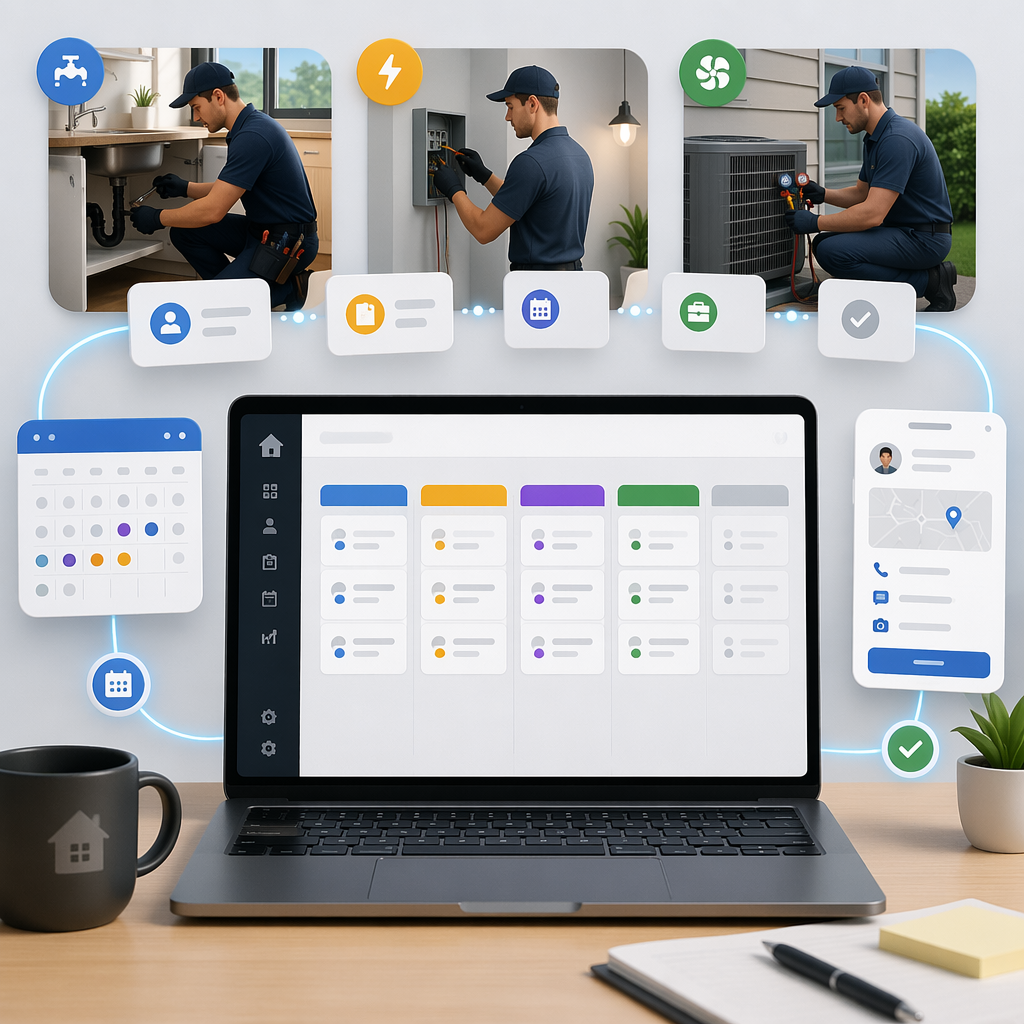
The best HVAC pipeline stages mirror how HVAC work actually moves from inquiry to revenue, with clear ownership at each step. A practical pipeline helps office staff, comfort advisors, and technicians see the same status, next action, and deadline without guessing or duplicating follow-up.
Below is a simple pipeline structure many HVAC contractors can start with.
| Pipeline Stage | Owner | Main Goal | Typical Trigger |
|---|---|---|---|
| New Inquiry | Office team | Log and respond fast | Call, form, message, referral |
| Qualified Request | Office team | Confirm need, location, urgency | Contact made |
| Visit Scheduled | Dispatch/office | Book inspection or service call | Time confirmed |
| Visit Completed | Technician/advisor | Capture findings and recommendation | Field update submitted |
| Estimate Sent | Sales/office | Send quote and timeline | Quote delivered |
| Follow-Up Due | Sales/office | Re-engage and handle objections | No response after estimate |
| Won / Booked Job | Operations | Confirm work and payment process | Customer approval |
| Job Completed | Service/finance | Close loop and request review | Work done |
| Maintenance Renewal Due | Account/office | Renew agreement or schedule service | Contract date approaching |
When to split pipelines
Some HVAC businesses should use two connected pipelines:
- Service pipeline for urgent repair and maintenance jobs
- Replacement pipeline for larger install and upgrade estimates
This works well for teams with separate dispatch and comfort advisor roles. For smaller companies, one unified pipeline is usually enough.
When I have audited pipelines like this, the biggest improvement came from reducing stage clutter. If you have 15 stages, staff stop updating records. Keep the pipeline short. Use required fields and tasks to capture detail instead.
How to set up a CRM for HVAC contractors: Step-by-Step
Setting up a CRM for HVAC contractors means mapping your real customer journey, creating clear stages, assigning ownership, automating reminders, and measuring conversion and renewal outcomes, so the system supports daily office and field work instead of becoming another tool that people avoid.
- Map your revenue workflow
- Create simple pipeline stages
- Define owner and SLA for each stage
- Connect communication channels
- Automate estimate follow-up
- Trigger post-job and renewal workflows
- Track core HVAC metrics
- Review pipeline hygiene weekly
Common mistakes HVAC contractors make with CRM
HVAC contractors often fail with CRM when they overcomplicate setup, track too few service details, or rely on staff memory for follow-up. A CRM only works when stages are clear, tasks are automated, and office and field teams trust the same customer record.
Here are the mistakes I see most often:
Treating CRM as a contact database
A list of names is not a workflow. Your CRM should answer what happens next and who owns it.
Mixing dispatch notes with sales stages badly
Dispatch data matters, but too much operational detail can clutter the sales view. Use structured fields and notes, not endless custom stages.
Failing to automate renewals
Maintenance contracts should never depend on someone remembering next month’s call list. Timed automation is essential.
Ignoring adoption
If technicians and office staff cannot update records quickly, data quality collapses. AI Sales Copilot and lightweight workflows help teams keep records current without heavy typing.
According to Harvard Business Review, sales process clarity and manager inspection are major drivers of consistent performance. That lesson applies directly to HVAC follow-up and renewal workflows too.
Should HVAC contractors use spreadsheets, field service software, or a CRM?
HVAC contractors should use a CRM when they need consistent lead handling, estimate follow-up, and renewal management across office and service teams. Spreadsheets and field service tools can support parts of the workflow, but they usually do not provide the full revenue pipeline visibility needed to scale.
This is not an all-or-nothing decision. Many HVAC businesses already have dispatch or field service software. The issue is whether those tools also manage sales follow-up and recurring revenue well.
| Option | Best For | Limits | Best Use Case |
|---|---|---|---|
| Spreadsheets | Very small teams | No automation, weak visibility, easy to break | Temporary tracking |
| Field service software only | Dispatch-heavy operations | Often weak for estimate nurturing and renewals | Job execution |
| Generic CRM | Basic sales tracking | Needs custom work for HVAC workflows | Small inside sales teams |
| HelloGrowthCRM | Unified sales, service follow-up, renewals | Requires process setup and stage discipline | HVAC growth teams that want one revenue workflow |
A fair limitation: if you run a very small owner-operated HVAC business with low lead volume, a full CRM may feel heavy at first. But once multiple people touch the customer journey, a shared system becomes far more valuable.
If you want help designing that system instead of managing it yourself, HelloGrowthCRM combines software with Managed RevOps. That is useful for teams that want cleaner process without hiring a full-time operations specialist.
Ready to centralize service inquiries, estimate follow-up, maintenance renewals, and dispatch-related revenue work in one place? Explore HelloGrowthCRM’s Features, review Pricing, or start a Free Trial. If you want a tailored walkthrough for your HVAC workflow, book a Demo.
About the author
Jordan Malik is a Sales Operations Lead at HelloGrowthCRM with 10 years of experience in B2B SaaS, revenue operations, and service-business pipeline design. He has led CRM rollouts for sales and field-service teams across HVAC, facilities, and home services. One project that shaped this article was a multi-location service workflow rebuild that connected estimate follow-up, technician notes, and maintenance renewals into one shared pipeline. He writes practical guides focused on process clarity, adoption, and measurable revenue outcomes.
Frequently Asked Questions
Q: What is the best CRM for HVAC contractors?
A: The best CRM for HVAC contractors is one that manages service inquiries, estimates, dispatch follow-up, and maintenance renewals in one workflow. For growing teams, HelloGrowthCRM is a strong fit because it combines automation, visibility, and RevOps support without forcing heavy admin work.
Q: Do HVAC contractors really need a CRM if they already have dispatch software?
A: Yes, HVAC contractors often still need a CRM even if they already have dispatch software. Dispatch tools handle scheduling and job execution well, but many do not manage estimate nurturing, lead routing, and renewal workflows with enough depth.
Q: How does a CRM help HVAC estimate follow-up?
A: A CRM helps HVAC estimate follow-up by tracking when quotes were sent, assigning the next task, and automating reminders. That keeps opportunities from going cold and helps office staff follow a repeatable cadence instead of relying on memory.
Q: Can a CRM track HVAC maintenance contract renewals?
A: Yes, a CRM can track HVAC maintenance contract renewals by storing contract dates, triggering reminders, and segmenting accounts due for outreach. This makes recurring revenue more predictable and reduces missed renewal opportunities.
Q: What features should HVAC companies look for in a CRM?
A: HVAC companies should look for lead capture, pipeline tracking, shared inboxes, automation, reporting, and renewal management in a CRM. They should also look for easy adoption, since office and field teams need fast updates without extra complexity.
Q: Is HelloGrowthCRM only for sales teams, or can office staff use it too?
A: HelloGrowthCRM is not only for sales teams; office staff can use it too for intake, scheduling coordination, follow-up, and renewals. It works best when everyone who touches the customer journey shares the same record and next-step view.
Q: How long does it take to set up a CRM for an HVAC business?
A: Setting up a CRM for an HVAC business usually takes a few days to a few weeks, depending on process complexity and integrations. Small teams can start quickly with a simple pipeline, then refine automations and reporting over time.
Q: What if my HVAC team does not have time to manage CRM data quality?
Frequently Asked Questions
Ready to put this into practice?
Set up your pipeline, WhatsApp follow-ups, and AI lead scoring in minutes — free, no credit card.
Try HelloGrowthCRM freeGet CRM tips in your inbox
Join thousands of sales professionals who get weekly insights on CRM strategy, AI automation, and pipeline optimization.

The HelloGrowthCRM team publishes guides on CRM strategy, AI sales tools, and revenue operations for small business sales teams.