HelloGrowthCRM software
Built for real small-business sales teams
HelloGrowthCRM helps reps qualify faster, follow up on time, and close more deals—with practical automation in one place.
- AI lead scoring and pipeline visibility
- Built-in dialer, WhatsApp, and email automation
- Sales forecasting and RevOps-ready reporting
If your B2B sales team in India uses Tally for accounts and Razorpay for collections, the best CRM is one that connects sales activity with finance reality. It should capture leads, track deals, automate follow-ups, and give your team a clear view of payments, invoices, and pipeline without manual updates.
A good fit is not just about features. It is about adoption. Your sales team should use it daily, your finance team should trust the data, and your RevOps process should work across WhatsApp, email, calls, Tally, and Razorpay.
Key takeaways
- The best CRM for Tally and Razorpay in India connects sales, collections, and reporting in one workflow.
- Look for strong lead capture, pipeline management, payment visibility, and practical integrations before you buy.
- WhatsApp, mobile usage, and fast follow-up matter more for Indian B2B teams than a long feature list.
- Your CRM should support finance handoffs, GST-related workflows, and clean customer data without extra spreadsheets.
- AI is useful when it improves lead scoring, follow-up timing, forecasting, and rep productivity.
- A CRM your team actually updates is better than a complex tool nobody opens after week one.
Why this matters for Indian B2B sales teams
In many Indian companies, sales and finance still work in separate systems. Leads come from IndiaMART, JustDial, website forms, referrals, and WhatsApp. Sales teams track follow-ups in spreadsheets. Finance teams manage invoicing and books in Tally. Collections are checked in Razorpay dashboards or shared over calls and screenshots.
That setup works for a while. Then growth creates friction.
A founder in Pune cannot easily see which unpaid deals are still marked as likely to close. A sales manager in Bengaluru cannot tell whether a customer who asked for a renewal link has already paid. A finance executive in Mumbai has to chase sales reps for customer details before updating records. Small delays become lost revenue.
This is why the best CRM for Tally and Razorpay in India is not only a sales tool. It becomes the operational layer between lead generation, deal management, invoicing, payment collection, and account visibility.
What is the best CRM for Tally and Razorpay in India?
The best CRM for Tally and Razorpay in India is one that helps your team sell faster and collect faster. It should unify lead capture, pipeline tracking, follow-ups, payment status, and reporting, while fitting how Indian B2B teams actually work on WhatsApp, calls, email, and mobile.
That short answer is useful, but selection still needs a checklist. Many tools claim to be complete. Few work well for a growing B2B company that needs both sales discipline and finance visibility.
Why Tally and Razorpay change your CRM requirements
If you use Tally, your CRM cannot behave like finance does not exist. It must support smooth handoff of customer details, billing information, and order status. Even when the integration is simple, your team should avoid duplicate data entry.
If you use Razorpay, your CRM should make payment follow-up easier. A rep should know whether a prospect paid an advance, cleared a renewal, or still has a pending payment link. That context changes every sales conversation.
Without this visibility, sales reps waste time asking finance for updates. Finance teams waste time answering the same questions. Leadership gets delayed forecasts.
What should you look for in a CRM if you use Tally and Razorpay?
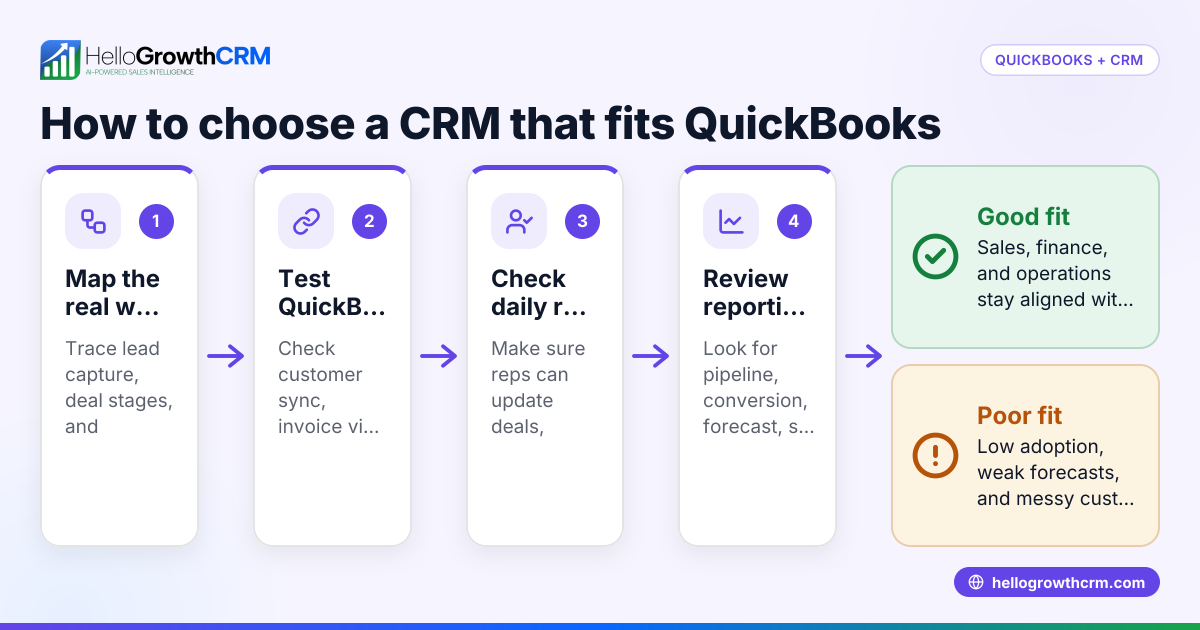
Look for a CRM that reduces manual work between sales and finance. It should show lead and deal progress, customer records, payment context, and task ownership in one place, with useful automation and reporting.
Here are the buying criteria that matter most.
1. Lead capture from the channels Indian teams actually use
Most growing B2B teams in India do not get leads from one source. They come from your website, Meta ads, Google ads, referrals, IndiaMART, JustDial, events, WhatsApp enquiries, and inbound calls.
Your CRM should:
- Capture leads automatically
- Deduplicate records
- Assign leads by region, product, or team
- Track source quality
- Create tasks instantly for follow-up
If these basics are weak, nothing else matters. The first win of a CRM is speed to lead.
2. Pipeline management that reflects your real sales process
A good pipeline is not a pretty board. It is a working system for next actions.
Look for:
- Custom deal stages
- Mandatory fields at each stage
- Task and reminder automation
- Clear owner visibility
- Deal values in INR
- Filters by city, product, source, and sales rep
For example, if your team sells software or services to SMEs in Mumbai, Ahmedabad, and Coimbatore, you may need stage-specific rules for demo booked, proposal sent, commercial discussion, finance approval, payment pending, and closed won.
3. Tally-friendly customer and billing data flow
Your CRM does not need to replace Tally. It should make Tally easier to work with.
That means:
- Clean account and contact records
- Billing details stored correctly
- Order or customer data ready for finance handoff
- Less copy-paste between teams
- Better visibility into what has been sold and billed
This matters even more when your company deals with GST documentation, e-invoicing processes where applicable, or regular reconciliation work. Sales should not create messy records that finance must fix later.
4. Razorpay visibility for collections and payment follow-up
For many B2B teams, closing the deal is only half the job. The real workflow ends when the money is collected.
A CRM that works well with Razorpay-related processes should help your team:
- Track payment requests or payment status
- Follow up on pending collections
- See which deals should not move forward without advance payment
- Trigger reminders for unpaid invoices or renewals
- Keep finance and sales aligned on collection status
This is especially useful in renewal-heavy businesses, service retainers, implementation fees, and subscription collections.
5. AI that helps reps act, not just impress in demos
This is where many buyers get distracted. Fancy AI features sound good, but the real question is simple. Does AI help your team close more deals with less manual effort?
Useful AI in CRM should support:
- Lead scoring
- Next-best action suggestions
- Follow-up reminders
- Email drafting
- Deal risk detection
- Forecast accuracy
For a growing company, the ai best crm is not the one with the longest feature page. It is the one where AI improves rep behaviour every day. That is where tools like AI lead scoring and a practical AI CRM approach become valuable.
Which CRM features matter most for Indian B2B sales teams?
Focus on features that improve speed, clarity, and follow-up. In India, that usually means mobile access, WhatsApp workflows, lead routing, task automation, payment visibility, and reporting that founders and sales leaders can trust.
Below are the features that usually matter most in day-to-day operations.
Mobile-first usage
Many sales conversations happen on the move. Your team may be visiting clients in industrial areas, taking calls between meetings, or following up from home after hours.
A CRM should work well on mobile for:
- Updating notes after meetings
- Logging calls
- Checking deal stage
- Sending quick messages
- Viewing tasks and reminders
If mobile is poor, adoption drops.
WhatsApp and calling support
For Indian B2B teams, WhatsApp is often the fastest channel for response. Your CRM should support communication logging and follow-up workflows across channels, not just email.
That way, the full customer history stays in one place. New team members can pick up a deal without asking for old chat screenshots.
Email automation without complexity
Email still matters for proposals, reminders, onboarding, and renewals. But it should not need a specialist to set up.
Good email automation should help your team send timely follow-ups, reminders, and sequences based on actions in the pipeline.
Reporting that leadership will actually use
The best CRM should answer practical questions fast:
- Which source brings the highest-value deals?
- Which reps follow up on time?
- Which stage has the most leakage?
- How much pipeline is likely to close this month?
- Which accounts are delayed due to payment or approval issues?
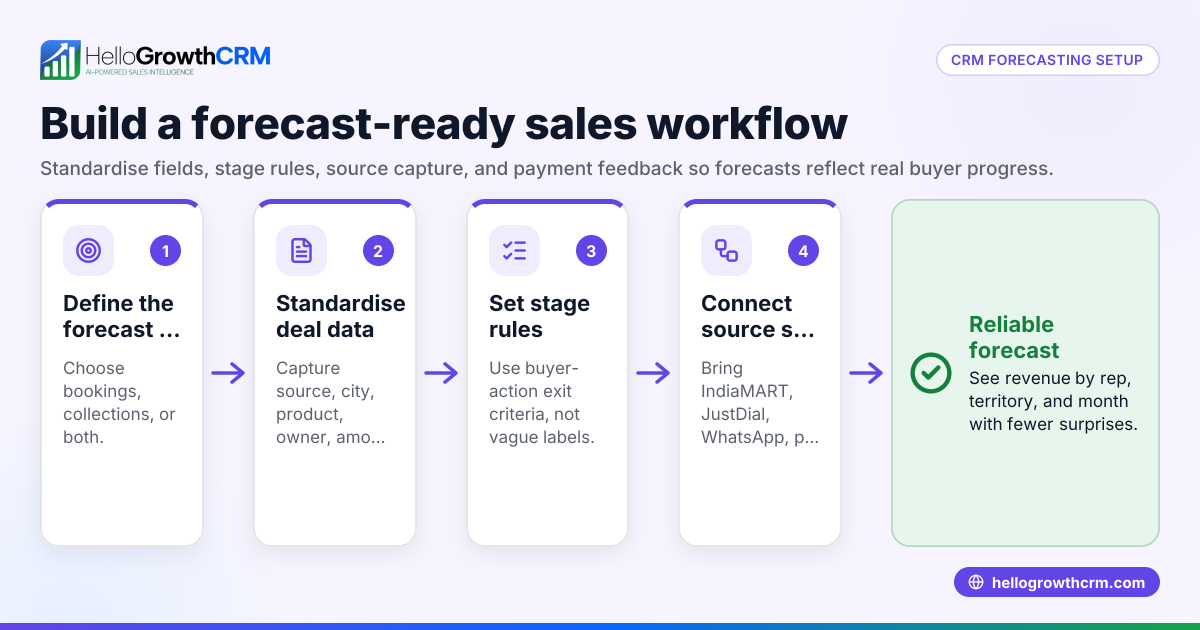
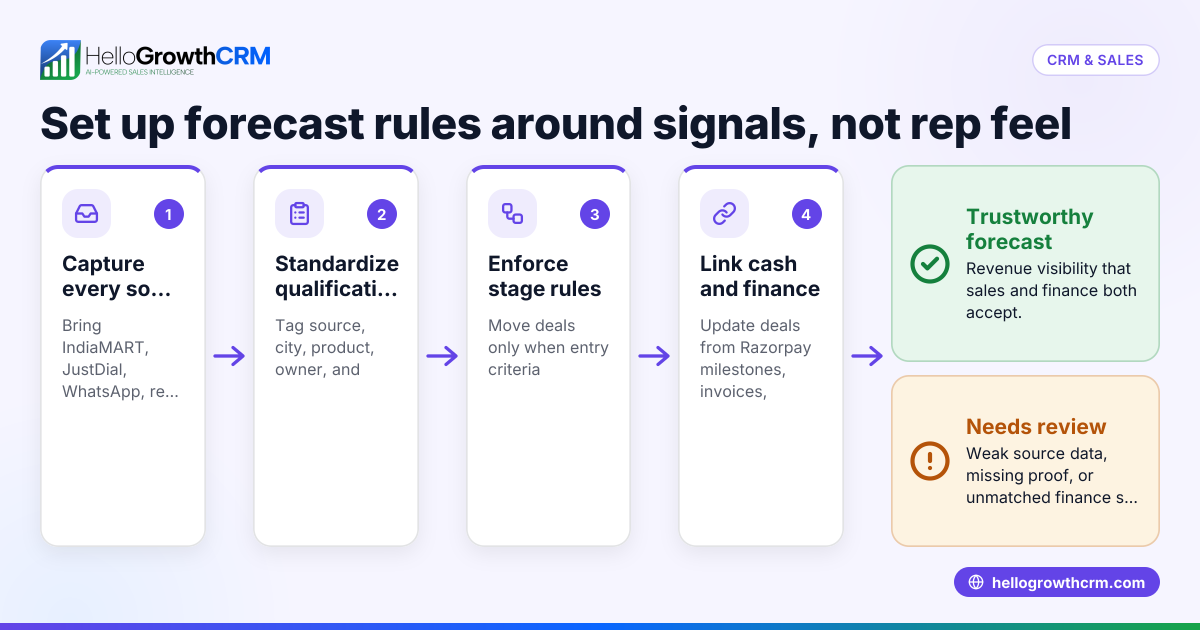
This is where sales forecasting becomes useful. Forecasting should be simple enough for weekly reviews, not a once-a-quarter exercise.
How do Tally and Razorpay fit into your sales process?
Tally supports accounting records, while Razorpay supports payment collection workflows. Your CRM should sit between customer conversations and finance action, so sales, finance, and leadership can see the same customer status without repeated manual updates.
In practice, this means your CRM should become the operating system for revenue work.
A simple workflow example
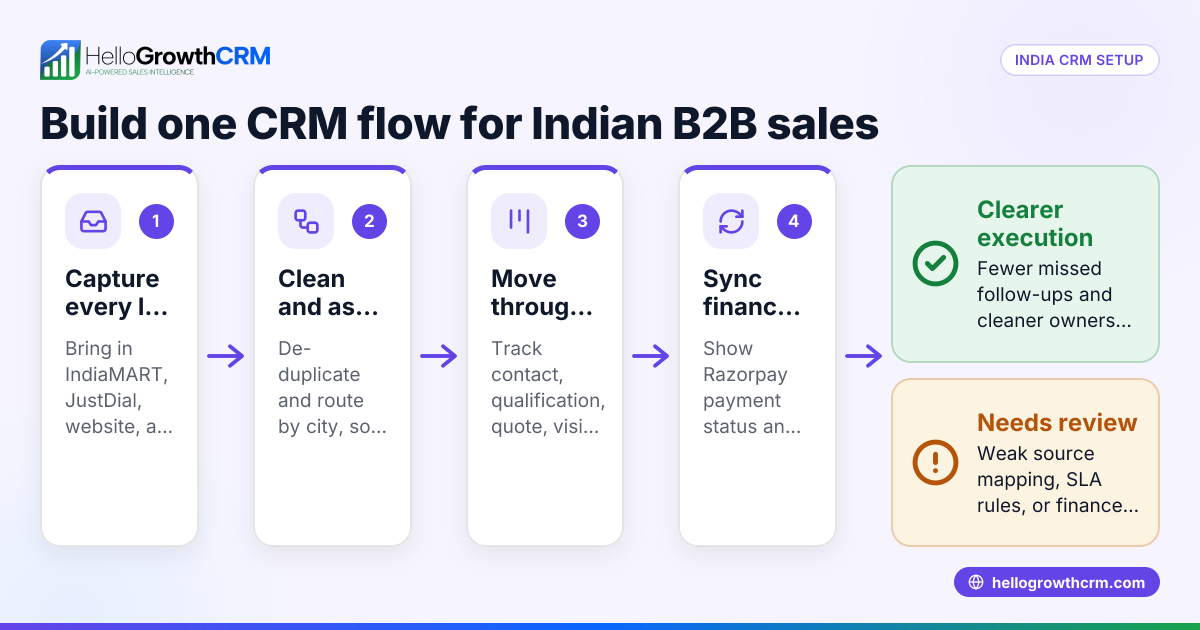
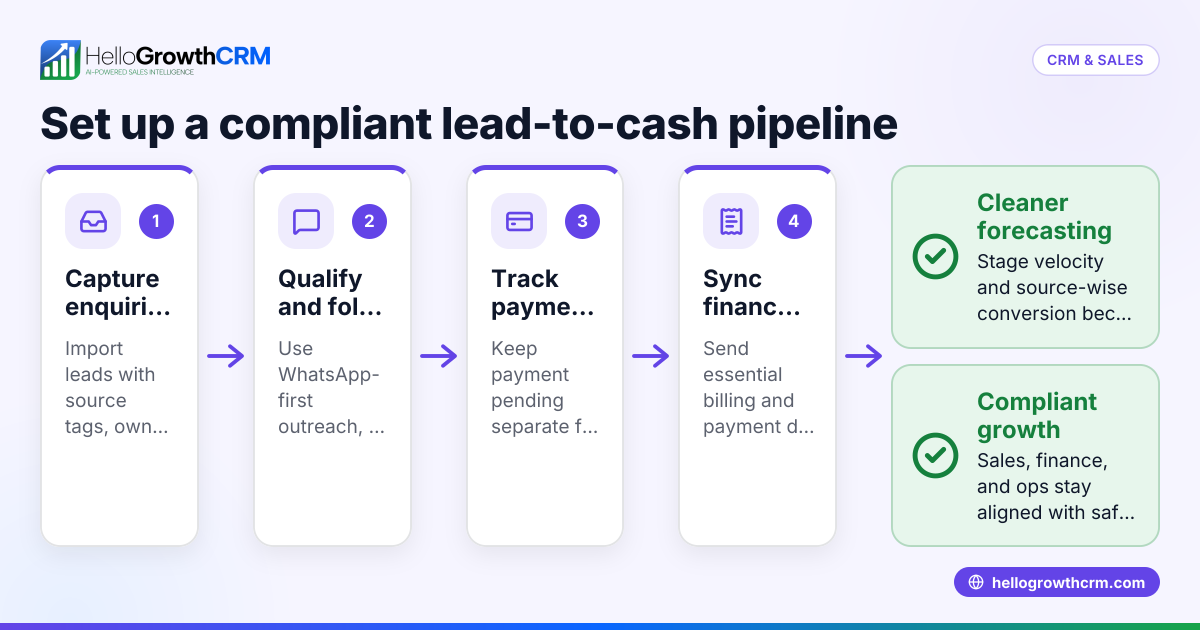
Here is how it often works in a growing B2B company:
- A lead comes in from IndiaMART or your website.
- The CRM assigns the lead to the right rep.
- The rep calls, qualifies, and books a demo.
- The proposal is sent and the deal moves forward.
- The customer agrees and asks for payment details.
- Finance shares the billing or payment process.
- Payment is tracked through Razorpay-related workflow visibility.
- Customer data is handed to accounts for proper entry in Tally.
- The CRM records status, next action, and owner at every step.
Without a CRM, these steps live across chat threads, inboxes, spreadsheets, and memory. With a CRM, everyone can see what is pending and who owns it.
Common mistakes when choosing the best CRM for Tally and Razorpay in India
Many companies buy a CRM based on demos, not workflows. That usually leads to low adoption and hidden manual work.
Here are common mistakes to avoid.
Choosing for features instead of process
A tool may have hundreds of options but still fail your team. If your lead handoff, payment follow-up, and reporting flow are weak, the extra features do not help.
Ignoring finance users
Even if finance is not a daily CRM user, their needs matter. If customer records are incomplete or inconsistent, Tally updates become painful and reporting becomes unreliable.
Not checking integrations and data movement
Before you decide, ask simple questions:
- What can be synced?
- What remains manual?
- What fields can be mapped?
- How will payments and customer records be tracked?
- Can the system support your current process without messy workarounds?
A CRM with practical integrations is usually better than one with a long but shallow app list.
Buying something the team will not maintain
The best CRM is not the one with the most dashboards. It is the one your reps update after every call. Simplicity wins.
A practical checklist before you buy
Use this checklist during evaluation.
Process checklist
- List all your lead sources.
- Write your actual sales stages.
- Define when finance enters the workflow.
- Identify when payment status affects deal movement.
- Note which reports your founder or sales head reviews weekly.
Product checklist
- Check lead capture options.
- Test mobile usage.
- Review task automation.
- Ask how AI lead scoring works in practice.
- Review payment and customer record visibility.
- Confirm reporting and forecasting views.
- Check user permissions and team access.
Adoption checklist
- Can a new rep learn it in one day?
- Can managers review pipeline in 15 minutes?
- Can finance trust the customer data?
- Can leadership see expected collections and revenue clearly?
- Will the team use it without going back to spreadsheets?
Where HelloGrowthCRM fits
If your team wants a CRM that combines sales workflows with practical RevOps support, HelloGrowthCRM is designed for that use case. It brings lead capture, pipeline management, communication workflows, AI support, forecasting, and managed process improvement into one system.
For growing B2B teams in India, this matters because software alone rarely fixes pipeline discipline. You often need setup, process design, field mapping, stage definitions, and reporting logic that fit your business. That is where HelloGrowthCRM’s features and managed RevOps approach can help.
This is especially useful if your team is scaling from founder-led sales to a structured sales process across multiple reps or cities.
How should you evaluate the final shortlist?
Run a short real-world test with your team. Use your actual leads, your real pipeline stages, and one finance handoff scenario before making a decision.
Do not rely only on a polished demo.
A 14-day evaluation approach
Use this simple process:
- Add real leads from two or three sources.
- Create your current pipeline stages.
- Assign two reps and one manager.
- Run one week of actual follow-ups.
- Test reporting in a weekly review.
- Review one customer journey from lead to payment.
- Check if finance can use the output without rework.
At the end, ask one question. Did the CRM reduce confusion?
If the answer is yes, you are close to a good decision.
One important point is total operating effort. Sometimes a lower-cost tool creates more hidden admin work. Sometimes a better-fit CRM saves hours every week across sales and finance. That difference matters more than a feature-by-feature comparison page or a price table. If you are comparing options, review the pricing page only after workflow fit is clear.
If you want to test whether a system works for your lead follow-up, payments visibility, and reporting needs, start with the workflow, not the brochure.
If you want a CRM your team will actually use, try HelloGrowthCRM with a free trial or book a demo to see how it fits your Tally and Razorpay workflows.
Frequently asked questions
Is there one perfect CRM for every company using Tally and Razorpay?
No. The best choice depends on your sales process, deal cycle, lead sources, and how closely sales and finance need to work together. The right CRM is the one that fits your workflow with the least manual effort.
Do I need a CRM if my team already uses Tally well?
Yes, if you want better sales visibility and follow-up control. Tally is important for accounts, but it is not built to manage leads, sales tasks, pipeline reviews, or rep activity.
Should payment status be visible inside the CRM?
Usually yes. Payment visibility helps reps know what to do next and prevents awkward customer communication. It also helps managers separate true pipeline from deals stuck on collections.
Is AI necessary in a CRM for Indian B2B teams?
Not always, but useful AI can save time and improve follow-up quality. The best use of AI is practical support like lead scoring, reminders, draft messages, and better forecasting.
Can a CRM help teams working across tier-2 and tier-3 cities?
Yes. A mobile-friendly CRM with clear task ownership and shared customer history is especially helpful for distributed teams. It reduces dependency on memory, local spreadsheets, and scattered WhatsApp chats.
Frequently Asked Questions
Ready to put this into practice?
Set up your pipeline, WhatsApp follow-ups, and AI lead scoring in minutes — free, no credit card.
Try HelloGrowthCRM freeGet CRM tips in your inbox
Join thousands of sales professionals who get weekly insights on CRM strategy, AI automation, and pipeline optimization.

The HelloGrowthCRM team publishes guides on CRM strategy, AI sales tools, and revenue operations for small business sales teams.