HelloGrowthCRM software
Built for real small-business sales teams
HelloGrowthCRM helps reps qualify faster, follow up on time, and close more deals—with practical automation in one place.
- AI lead scoring and pipeline visibility
- Built-in dialer, WhatsApp, and email automation
- Sales forecasting and RevOps-ready reporting
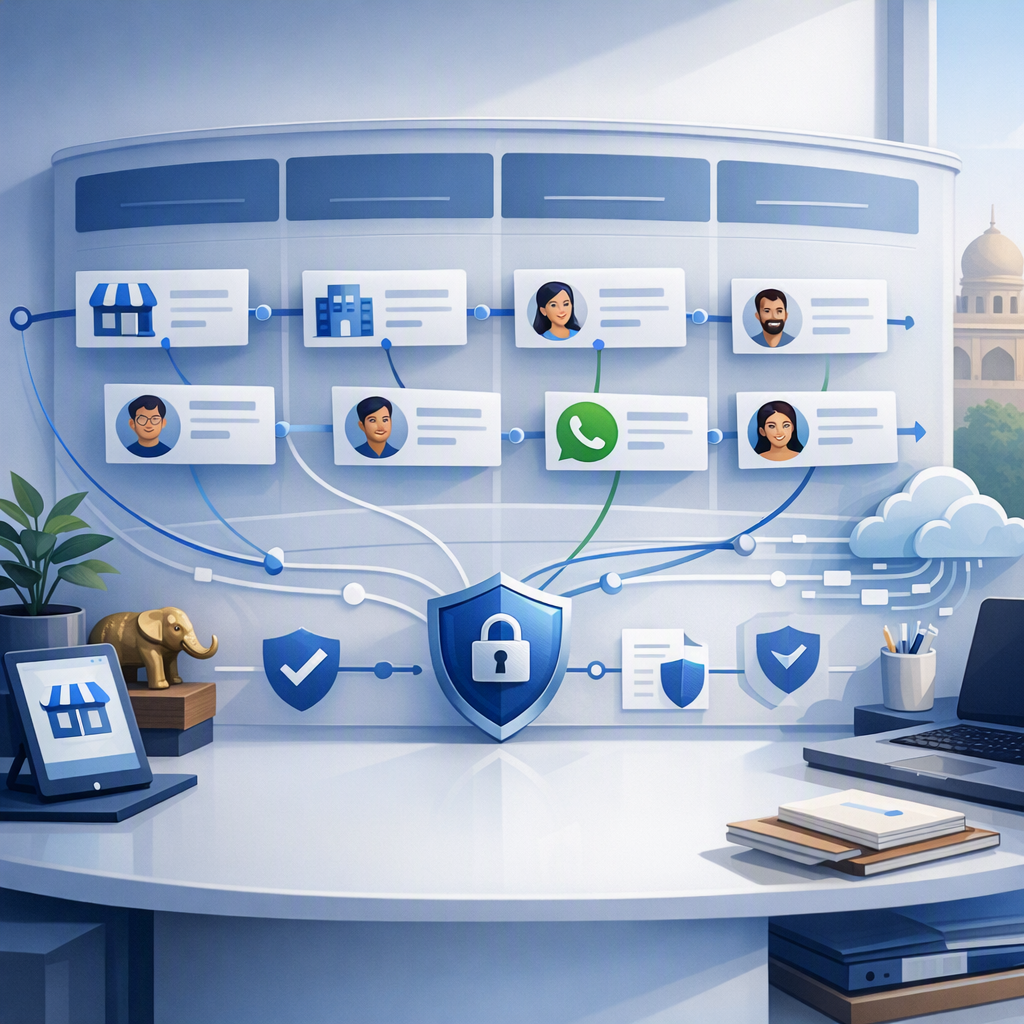
HelloGrowthCRM demo request routing template is a prebuilt workflow that captures inbound demo forms, assigns the right owner using clear routing rules, sends an instant follow-up, creates tasks, and removes manual handoff delays so revenue teams can respond faster and keep qualified interest from going cold.
Key Takeaways
- The template gives sales teams an out-of-the-box way to route demo requests without spreadsheets or inbox triage.
- You can customize assignment logic by region, company size, product line, lead score, account owner, or round-robin rules.
- Instant follow-up matters because speed-to-lead drops when teams wait on manual review or delayed handoffs.
- HelloGrowthCRM combines routing, automation, and rep visibility inside one system, including Meeting Scheduler, Smart Inbox, and AI Lead Scoring.
- For more complex setups, Managed RevOps often delivers faster launch, cleaner logic, and better long-term consistency than building routing rules ad hoc.
- Teams can start with the template, test it in a Free Trial, and expand into full-funnel workflow orchestration later.
What is the HelloGrowthCRM demo request routing template?
The HelloGrowthCRM demo request routing template is a ready-to-use workflow inside the platform that captures demo submissions, enriches and evaluates the lead, assigns ownership, triggers an immediate response, and creates next-step tasks so your team does not lose time between form fill and first human follow-up.
At a practical level, this template sits inside HelloGrowthCRM’s automation engine and connects the key actions that usually break in separate tools. Instead of sending every request into a shared inbox and hoping someone picks it up, the template creates a repeatable path from form submission to booked meeting.
Out of the box, the template usually includes:
- Form capture from your site or landing page
- Contact and company record creation in the AI CRM
- Duplicate checks against existing leads, contacts, and accounts
- Owner assignment rules
- Instant email or message acknowledgment via Email Automation
- Internal alerts in tools like Slack
- Follow-up tasks on Sales Task Boards
- Optional calendar booking through Meeting Scheduler
In one rollout we did with a 12-person sales team, the biggest issue was not lead volume. It was hidden queue time. Demo requests were landing fast, but ownership changed hands twice before a rep replied. A workflow template fixed that in days because the team stopped debating who should respond.
Why demo request routing and instant follow-up matter
Demo request routing and instant follow-up matter because inbound intent is time-sensitive, and every extra handoff or review step increases the chance that a prospect loses momentum, books with a competitor, or never replies again after showing strong buying interest.
A demo request is not a top-of-funnel newsletter signup. It is a high-intent action. The buyer is asking for access, answers, pricing context, or next steps. That means your process has to respect both speed and fit.
Harvard Business Review reported that firms that tried to contact potential customers within an hour were nearly seven times as likely to qualify the lead as teams that tried even an hour later.
That stat is old, but the operational lesson still holds. Fast response wins when intent is high.
The hidden cost of manual handoffs
Manual routing often creates three predictable failures:
- A form enters a shared inbox with no clear owner
- A rep receives a lead outside their territory or segment
- Marketing, SDR, and AE teams each assume someone else replied
When I have audited pipelines like this, I usually see good top-line conversion to demo request but weak demo-held rates. The root cause is often not messaging. It is workflow design.
What “instant” should mean in practice
For most B2B teams, instant does not always mean a live call in 60 seconds. It means:
- Immediate confirmation to the prospect
- Immediate owner assignment
- Immediate internal notification
- A meeting option or clear next step
- A follow-up SLA that the system can enforce
If you want deeper automation after routing, HelloGrowthCRM can extend the flow with AI Pipeline Management, AI Deal Insights, and a CRM Dialer for rapid outreach.
How the template works out of the box
The HelloGrowthCRM demo request routing template works out of the box by linking capture, qualification, assignment, response, and task creation into one default workflow, so most teams can launch quickly without building every condition, trigger, and action from scratch.
The main benefit is speed to value. You do not need to design the entire logic tree on day one. The template gives you a clean starting framework and lets you refine it once real routing patterns show up.
Default workflow sequence
A common default sequence looks like this:
- A prospect submits a demo request form
- HelloGrowthCRM creates or updates the contact and account
- The workflow checks for duplicates and current owner
- Routing logic assigns an SDR, AE, or account owner
- An instant confirmation message is sent
- The rep gets a task and alert
- The record moves into the right pipeline or queue
- If no response happens in time, an escalation rule triggers
This workflow is easier to manage because it lives in the same environment as your Features, reporting, and pipeline stages.
Typical triggers and actions
Common triggers include:
- New demo form submission
- Returning lead with no open opportunity
- Existing customer requesting expansion demo
- High-fit account crossing a lead score threshold
Common actions include:
- Assign owner
- Send acknowledgment email
- Create follow-up task
- Notify manager
- Post alert to Slack
- Offer calendar booking through Calendly or the native scheduler
- Update fields for source, segment, territory, or urgency
What you can customize in the workflow builder
You can customize the workflow builder by editing routing criteria, follow-up timing, owner rules, qualification logic, messages, escalation paths, and integrations, which lets the template fit different sales motions without forcing every inbound demo request through the same static process.
This matters because not every demo request should follow one path. A small self-serve prospect and a multi-region enterprise account need different treatment. The template is prebuilt, but it is not rigid.
Common routing rules teams customize
Most teams start by changing assignment logic such as:
- Geography: route by country, region, or time zone
- Segment: route by company size, revenue band, or employee count
- Product interest: assign based on selected use case or requested product line
- Lead score: prioritize high-fit inbound using AI Lead Scoring
- Named account logic: preserve ownership for existing strategic accounts
- Round-robin: distribute evenly inside the right team pool
- Language: assign to reps who can support local buyer needs
Follow-up and SLA customization
You can also tailor the response path:
- First response email copy
- SMS or WhatsApp alerts with WhatsApp & SMS CRM
- Escalation if no activity occurs in 15, 30, or 60 minutes
- Auto-booking prompts
- Manager notifications for enterprise or partner-sourced requests
Gartner’s CRM topic page highlights CRM’s role in improving sales process consistency and customer engagement across the funnel. That is exactly where workflow-level routing pays off.
Integrations that strengthen the template
Many teams connect the template with:
- Gmail for rep communication
- Google Meet or Microsoft Teams for meeting delivery
- HubSpot or Salesforce during migration or hybrid stacks
- Zapier for edge-case app connections
- OpenAI for message drafting or enrichment workflows
Manual routing vs workflow template vs managed RevOps
Manual routing vs a workflow template vs managed RevOps comes down to scale, consistency, and complexity: manual routing is simple but fragile, a template is fast and repeatable for most teams, and managed RevOps is best when routing rules, handoffs, and reporting need deeper design and ongoing governance.
Here is the practical comparison for buyers evaluating what to do next.
| Approach | Best for | Main strengths | Main limits | Typical risk |
|---|---|---|---|---|
| Manual routing | Very small teams with low inbound volume | Quick to start, no setup needed | Inconsistent ownership, slower response, weak SLA control | Leads sit unworked |
| Workflow template | Teams that need fast automation with standard rules | Fast launch, repeatable logic, easy edits, good visibility | Needs periodic tuning as segments grow | Rules drift if unmanaged |
| Managed RevOps setup | Teams with complex territories, multiple products, or strict SLAs | Better process design, cleaner data rules, stronger governance | Higher upfront planning effort | Overengineering if volume is still small |
When the template is enough
The native template is usually enough when:
- You have one main inbound motion
- Reps follow simple territory or segment rules
- Your team is under 25 sellers
- You need launch speed more than custom architecture
If you want to estimate likely return, the CRM ROI Calculator is a useful starting point.
When managed RevOps is the better choice
A Managed RevOps setup is often better when:
- Multiple teams touch the same inbound path
- You have named accounts and open-opportunity rules
- Regions, partners, and product lines overlap
- Reporting needs clean attribution and SLA tracking
- You want consistent change control, not one-off admin edits
This is also where HelloGrowthCRM has an advantage over patchwork tools. You can start with the template and then bring in a deeper RevOps design without switching systems or rebuilding your data model.
How to set up the HelloGrowthCRM demo request routing template: Step-by-Step
Setting up the HelloGrowthCRM demo request routing template means connecting your intake form, defining assignment logic, setting instant follow-up actions, and testing edge cases so every demo request reaches the right owner quickly and no high-intent lead gets stuck in an unmonitored queue.
- Connect the intake source
- Map core fields
- Set duplicate and ownership checks
- Choose routing rules
- Create instant follow-up actions
- Add SLA and escalation rules
- Test edge cases
- Launch and monitor performance
Best practices to prevent handoff delays and routing errors
The best way to prevent handoff delays and routing errors is to reduce ambiguity, prioritize ownership preservation, enforce response SLAs inside the system, and review exceptions weekly so your routing logic stays aligned with how your sales team actually works.
These are the habits I recommend most often.
Keep your routing rules ordered by business priority
Do not start with round-robin. Start with exceptions that matter more:
- Existing customer
- Open opportunity
- Named account
- Region or language
- Product specialist
- Round-robin fallback
That order avoids the most common ownership mistakes.
Track the right operating metrics
Use a few hard metrics, not a crowded dashboard:
- First response time
- Time to owner assignment
- No-owner rate
- Reassignment rate
- Demo booked rate
- Demo held rate
- SLA breach count
If your team wants a quick health check, use the Pipeline Health Score and RevOps Maturity Assessment to spot weak process areas.
Be honest about limitations
This template works best for teams that want a strong starting system without enterprise-grade routing complexity on day one. If you run multi-brand, multi-region, high-volume inbound across more than 50 reps, expect more governance work. That is where managed support is worth it.
HelloGrowthCRM is our product, so that is an important disclosure. I still recommend buyers judge routing tools on the same criteria: setup speed, visibility, exception handling, and how easily the workflow matches real ownership rules.
If you want to remove demo request delays, start with HelloGrowthCRM’s workflow builder template and see it in action with a Demo. You can explore core Pricing, review the full Features, or launch a Free Trial to test routing, instant follow-up, and SLA automation in your own process.
About the author
Riya Malhotra is a Revenue Operations Lead at HelloGrowthCRM with 11 years of experience in B2B SaaS sales operations, routing design, and CRM automation. She has led inbound conversion and handoff redesign projects for global sales teams ranging from 8 to 120 reps. One project that shaped this article involved rebuilding demo request routing for a multi-region SaaS company, where the team cut ownership confusion by replacing inbox-based triage with rule-based CRM assignment and SLA tracking.
Frequently Asked Questions
Q: What is the HelloGrowthCRM demo request routing template?
A: The HelloGrowthCRM demo request routing template is a prebuilt automation workflow that captures inbound demo forms, assigns the right owner, sends an instant reply, and creates follow-up tasks. It helps teams remove manual triage and respond to high-intent buyers faster.
Q: How fast can I set up the demo request routing template?
A: You can set up the demo request routing template quickly because the base workflow is already built and only needs your form, fields, and routing rules. Simple teams can often launch after a short configuration and testing cycle.
Q: Can I customize routing by region, segment, or account owner?
A: Yes, you can customize routing by region, segment, or account owner inside HelloGrowthCRM’s workflow builder. You can also add product interest, lead score, language, named account, and round-robin logic to fit your sales motion.
Q: Does the template support instant follow-up emails and alerts?
A: Yes, the template supports instant follow-up emails and internal alerts as part of the default workflow actions. Teams can also add scheduler links, manager notifications, and multi-channel outreach steps for higher-priority requests.
Q: When should I use Managed RevOps instead of the template alone?
A: You should use Managed RevOps instead of the template alone when your routing rules are complex, your team spans many regions or products, or ownership exceptions happen often. Managed setup helps create cleaner logic, stronger reporting, and better long-term consistency.
Q: Will this work for existing customers asking for another demo?
Frequently Asked Questions
Ready to put this into practice?
Set up your pipeline, WhatsApp follow-ups, and AI lead scoring in minutes — free, no credit card.
Try HelloGrowthCRM freeGet CRM tips in your inbox
Join thousands of sales professionals who get weekly insights on CRM strategy, AI automation, and pipeline optimization.

The HelloGrowthCRM team publishes guides on CRM strategy, AI sales tools, and revenue operations for small business sales teams.