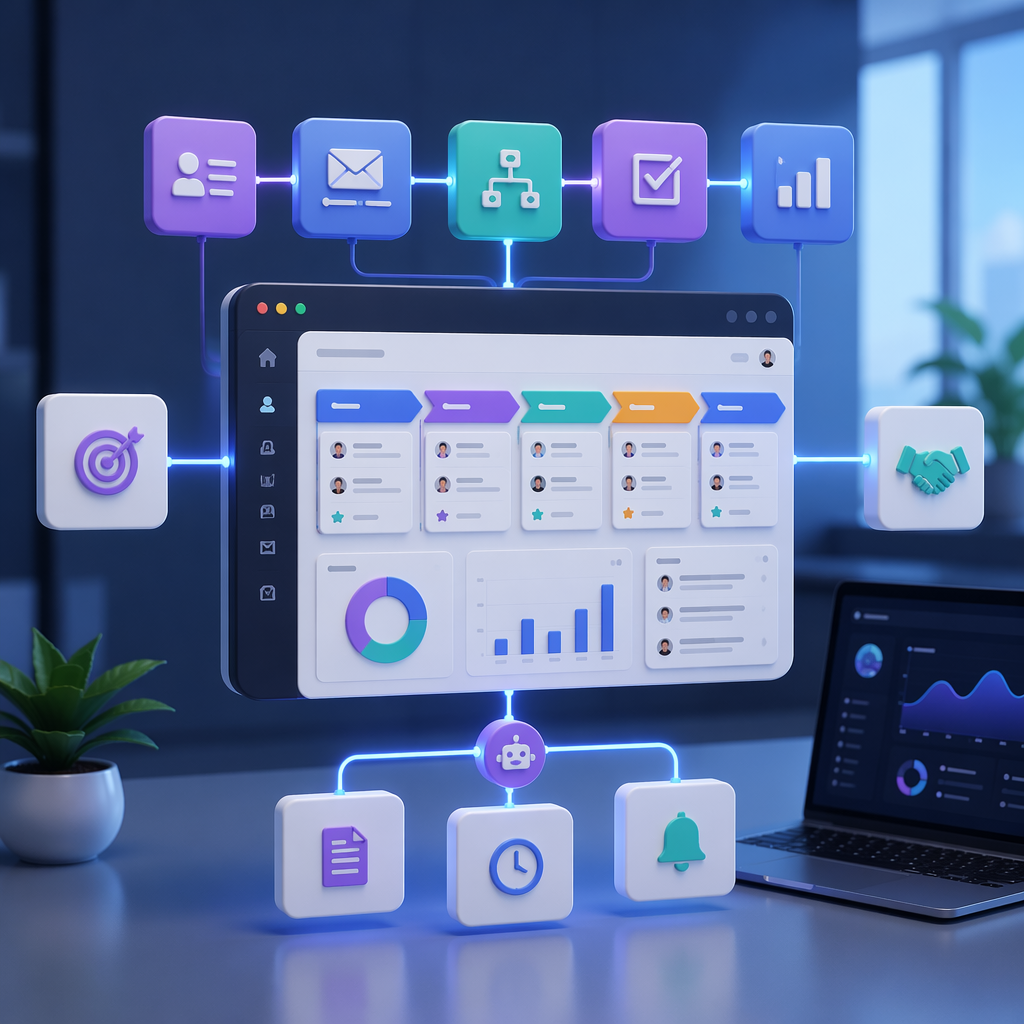
HelloGrowthCRM software
Built for real small-business sales teams
HelloGrowthCRM helps reps qualify faster, follow up on time, and close more deals—with practical automation in one place.
- AI lead scoring and pipeline visibility
- Built-in dialer, WhatsApp, and email automation
- Sales forecasting and RevOps-ready reporting
HelloGrowthCRM workflow templates are prebuilt, plug-and-play sales automations inside HelloGrowthCRM that let teams launch common lead routing, follow-up, task, and pipeline workflows in minutes instead of building every trigger, condition, and action from scratch inside a CRM automation builder.
Key Takeaways
- HelloGrowthCRM workflow templates help teams automate common sales motions without long setup time.
- The best templates cover lead capture, assignment, follow-up, stale lead alerts, and rep task creation.
- Templates work best when paired with clean lifecycle stages, clear ownership rules, and simple SLAs.
- In my experience, teams get faster adoption from templates than from blank-canvas automation builders.
- HelloGrowthCRM makes these workflows easier to launch by combining automation with tools like Email Automation, Meeting Scheduler, and AI Lead Scoring.
What are HelloGrowthCRM workflow templates?
HelloGrowthCRM workflow templates are ready-made automation blueprints that answer a simple question: what should happen next after a lead takes action? They package proven triggers, branching logic, assignments, and follow-up steps so revenue teams can automate repeatable work without heavy admin effort or custom code.
Most sales teams do not need more automation options. They need fewer decisions at setup.
That is where templates help. Instead of building every workflow from zero, you start with a proven pattern inside HelloGrowthCRM, adjust a few fields, and publish. The result is faster time to value and less risk of broken logic.
Each template usually includes:
- A trigger, such as form submission or lead status change
- Conditions, such as region, source, or score
- Actions, such as assign owner, create task, or send email
- Alerts, reminders, or escalation logic
- Exit rules to prevent duplicate follow-up
This matters because speed to first contact still shapes conversion. Harvard Business Review has reported that firms responding within an hour were nearly seven times as likely to qualify a lead as those that waited even an hour longer.
Inside HelloGrowthCRM, templates fit naturally with core capabilities like AI CRM, Sales Task Boards, Smart Inbox, and AI Pipeline Management. You are not stitching together separate tools. You are activating workflows in the same system where reps already work.
Why workflow templates help sales teams launch automation faster
Workflow templates help sales teams launch automation faster because they remove the hardest part of CRM setup: deciding the workflow logic from scratch. A template gives teams a tested starting structure, reduces admin errors, shortens implementation time, and makes adoption easier for reps and managers.
In one rollout we did with a 12-person sales team, the biggest blocker was not technical skill. It was workflow design fatigue. Every stakeholder wanted a different routing rule. Every rep had a different follow-up preference. Once we replaced custom requests with a short template library, launch moved faster and exceptions became easier to manage.
Templates help in five practical ways:
- They cut setup time. Admins edit fields instead of mapping every branch manually.
- They improve consistency. Similar lead types get similar handling.
- They reduce human error. Fewer missed tasks and fewer orphan leads.
- They speed rep adoption. Reps trust workflows that mirror daily work.
- They support scale. New teams can reuse the same automation pattern.
Why blank-canvas automation often slows teams down
Blank-canvas builders look flexible, but many growing teams overbuild them.
Common failure points include:
- Too many branch conditions
- No clear default owner rule
- Duplicate task creation
- Follow-up steps that stop when a field changes
- No reporting on success or failure
When I have audited pipelines like this, I usually find that the team needed three to five core workflows, not twenty-five. That is why a template library is often a better path than a fully custom automation project, especially for teams under 50 reps. Above that size, you may need more region- or segment-specific branching and stronger governance.
7 plug-and-play HelloGrowthCRM workflow templates to use first
The best HelloGrowthCRM workflow templates automate the moments where manual CRM work causes delay, inconsistency, or missed revenue. Start with lead capture, assignment, first-touch outreach, stale lead recovery, and task creation because those workflows affect response time, rep productivity, and pipeline hygiene right away.
Below are seven practical templates that fit most inbound and outbound sales teams.
1. New inbound lead capture and auto-assignment
This template captures a new lead from forms or connected tools, creates the record, assigns the right owner, and logs the source automatically.
Best for:
- Inbound sales teams
- B2B demo request flows
- Regional or territory-based routing
Typical actions include:
- Create lead in HelloGrowthCRM
- Map source and campaign fields from Meta Ads, Shopify, or Zapier
- Assign owner by country, segment, or round-robin
- Create a same-day call task
- Notify the rep in Slack
This is one of the highest-value templates because it prevents unassigned leads. It also works well with Territory Management when ownership depends on geography or account rules.
2. Instant lead acknowledgment email
This template sends a fast confirmation email the moment a lead converts, then queues the next rep action.
Best for:
- Demo forms
- Contact sales forms
- Webinar or content download follow-up
Typical actions include:
- Send branded confirmation through Email Automation
- Add a meeting link from Meeting Scheduler
- Set response SLA timer
- Alert the rep if no action happens within a set window
Fast acknowledgment improves buyer confidence even before a rep responds. It also keeps the experience consistent across time zones.
3. AI lead scoring plus priority routing
This template scores new leads, groups them into urgency bands, and routes the best-fit records into a faster follow-up path.
Best for:
- Teams with high inbound volume
- Mixed-fit lead pools
- Sales-development teams with limited bandwidth
Typical actions include:
- Apply AI Lead Scoring
- Branch by score threshold
- Assign hot leads to an SDR queue
- Send lower-score leads into nurture
- Create manager visibility for top-tier leads
This is where product-led automation becomes more useful than static rules. If every demo request gets the same treatment, your best leads wait behind weak-fit ones.
4. First-touch call and email task creation
This template creates the exact first-touch tasks a rep needs after a lead enters the pipeline.
Best for:
- SDR teams
- Inside sales teams
- Teams standardizing response SLAs
Typical actions include:
- Create call task
- Create email task
- Set due dates by lead source or score
- Add tasks to Sales Task Boards
- Push the email into Smart Inbox
I like this template because it bridges automation and rep behavior. A workflow should not just update fields. It should tell the rep what to do next.
5. No-response follow-up sequence
This template watches for unanswered outreach and triggers the next message, reminder, or task automatically.
Best for:
- SDR follow-up motions
- Small teams without dedicated sales ops
- Teams trying to improve lead-contact rates
Typical actions include:
- Wait for reply or meeting booked
- If no reply, send second email
- If still no reply, create call task
- If still inactive, notify manager or recycle lead
You can connect this with CRM Dialer, WhatsApp & SMS CRM, or Calendly to give reps more channels without extra copy-paste work.
6. Stale lead alert and reactivation
This template flags leads that have gone untouched for a defined period and starts a recovery action.
Best for:
- Teams with crowded pipelines
- Managers trying to improve lead hygiene
- Revenue ops teams fixing leakage
Typical actions include:
- Detect no activity for X days
- Alert current owner
- Create reactivation task
- Escalate to manager if still untouched
- Reassign lead if ownership SLA is missed
Gartner highlights that CRM systems support better customer data management and process execution when they are used consistently across sales workflows. Stale-lead automation helps enforce that consistency.
7. Post-meeting next-step workflow
This template turns meeting outcomes into follow-up tasks, stage updates, and reminders automatically.
Best for:
- AE-led sales cycles
- Discovery and demo workflows
- Teams using qualification frameworks like MEDDPICC
Typical actions include:
- Update stage after meeting completion
- Create follow-up email task
- Create proposal or quote task
- Alert owner if next meeting is not booked
- Trigger Proposal Builder or AI Deal Insights steps
This template is useful because many deals do not fail in the meeting. They fail in the gap after the meeting.
HelloGrowthCRM workflow templates vs building automations from scratch
HelloGrowthCRM workflow templates vs building automations from scratch is not really a flexibility debate. It is a speed, consistency, and maintainability decision. Templates help most teams go live faster with fewer mistakes, while custom automation is better for edge cases, complex enterprise rules, or unusual handoff models.
Here is a practical comparison.
| Factor | HelloGrowthCRM workflow templates | Build from scratch |
|---|---|---|
| Setup time | Fast. Start with prebuilt logic | Slower. Design every trigger and branch |
| Admin effort | Low to moderate | Moderate to high |
| Error risk | Lower for common workflows | Higher if logic is complex |
| Best for | Standard lead routing and follow-up | Unique or highly custom processes |
| Rep adoption | Usually higher | Depends on design quality |
| Maintenance | Easier to update at scale | Harder as workflows multiply |
| Time to value | Days or hours | Often weeks |
For most teams, the right model is hybrid. Start with templates for your highest-volume motions. Then customize only where your process truly differs.
If you want to see which setup is likely to pay off, the CRM ROI Calculator and RevOps Maturity Assessment are useful starting points.
How to use HelloGrowthCRM workflow templates: Step-by-Step
Using HelloGrowthCRM workflow templates is a simple process: choose the closest prebuilt workflow, connect the right trigger, adjust owner and SLA rules, test with sample records, and publish. The goal is not to customize everything. The goal is to launch useful automation quickly and improve it with live data.
- Pick the workflow goal
Start with one high-friction process, such as inbound lead routing or stale lead alerts. Avoid launching many workflows at once. - Choose the closest template
Open the template library and select the workflow that matches your sales motion. The best fit is usually the one needing the fewest edits. - Map your trigger source
Connect forms, inboxes, ad sources, or apps like Gmail, HubSpot, or Salesforce if needed. - Set assignment and SLA rules
Define owner logic, response windows, and escalation points. Keep rules simple at first. - Edit messages and task details
Update emails, task names, due dates, and notification text. Make sure reps understand what happens next. - Test with sample records
Run test leads through the workflow. Check owner assignment, duplicate protection, task creation, and exit conditions. - Publish and monitor results
Track response time, contact rate, and task completion after launch. Use Pipeline Health Score to spot breakdowns early.
Setup tips that make templates work better
A few simple guardrails improve results fast:
- Use one clear lifecycle stage model
- Define round-robin and fallback owner rules
- Set one response SLA for each lead type
- Keep email copy short and human
- Review exceptions every week for the first month
In one implementation, we cut admin rework by removing six duplicate automation branches that all handled the same demo-request path. The template itself was fine. The problem was too many exceptions layered on top.
What to check before you publish a workflow template
Before you publish a HelloGrowthCRM workflow template, confirm that ownership, timing, and exit conditions are clear. Most automation failures come from missing defaults, conflicting tasks, or poor field hygiene, not from the platform itself.
Use this short pre-launch checklist:
Data and field checks
- Are required fields mapped correctly?
- Do source values use consistent naming?
- Is duplicate handling defined?
Ownership and routing checks
- Is there a fallback owner?
- Are territory rules current?
- Will leads route correctly outside business hours?
Follow-up and reporting checks
- Will tasks stop when a meeting is booked?
- Can managers report on workflow success?
- Do alerts go to the right channel?
HelloGrowthCRM helps here because the platform keeps automation close to execution. Reps can see tasks, inbox activity, pipeline changes, and follow-up actions in one system through Features rather than across disconnected tools.
When workflow templates are the wrong fit
Workflow templates are the wrong fit when your sales process is highly unusual, heavily regulated, or packed with account-specific branching that changes often. In those cases, a template can still be a starting point, but you should expect deeper customization and stronger admin governance.
Examples include:
- Multi-brand routing with separate compliance rules
- Large enterprise handoffs across several specialist teams
- Complex channel-partner deal registration flows
- Frequent territory changes across global teams
This is also where disclosure matters: HelloGrowthCRM is our product, so we naturally see template-driven automation as a strong fit for most growing B2B teams. Still, if your process depends on dozens of exception paths, talk to the team first or use Managed RevOps to design the right workflow model before rollout.
If you want to launch sales automation faster without adding more manual CRM work, try HelloGrowthCRM. You can explore the template library, test routing and follow-up flows, and see how Free Trial, Demo, and Pricing fit your team’s needs.
About the author
Arjun Mehta is a Revenue Operations Lead at HelloGrowthCRM with 10 years of experience in B2B SaaS sales systems, pipeline design, and workflow automation. He has led CRM and automation rollouts for growth-stage sales teams across inbound, SDR, and account executive functions. One project that shaped this article was rebuilding lead routing and first-touch workflows for a 12-rep SaaS team, which cut assignment delays and exposed how much faster teams move when they start from templates instead of blank automation canvases.
Frequently Asked Questions
Q: What are HelloGrowthCRM workflow templates?
A: HelloGrowthCRM workflow templates are prebuilt sales automations that help teams launch common processes like lead routing, follow-up, and task creation quickly. They include ready-made triggers, conditions, and actions, so admins can edit and publish instead of building from scratch.
Q: Who should use HelloGrowthCRM workflow templates?
A: HelloGrowthCRM workflow templates are best for sales teams that want faster setup and less manual CRM work. They are especially useful for inbound teams, SDR teams, and lean revenue ops teams that need consistent follow-up without complex implementation.
Q: Do I need technical skills to use HelloGrowthCRM workflow templates?
A: No, you do not need deep technical skills to use HelloGrowthCRM workflow templates. Most teams can start by choosing a template, editing owner rules, checking messages, and testing sample records before publishing.
Q: Which workflow template should I launch first?
A: The first HelloGrowthCRM workflow template to launch should usually be inbound lead capture and auto-assignment. That workflow removes the biggest source of lead leakage first, which is slow routing and unclear ownership after conversion.
Q: Can I customize HelloGrowthCRM workflow templates?
Frequently Asked Questions
Ready to put this into practice?
Set up your pipeline, WhatsApp follow-ups, and AI lead scoring in minutes — free, no credit card.
Try HelloGrowthCRM freeGet CRM tips in your inbox
Join thousands of sales professionals who get weekly insights on CRM strategy, AI automation, and pipeline optimization.

The HelloGrowthCRM team publishes guides on CRM strategy, AI sales tools, and revenue operations for small business sales teams.