HelloGrowthCRM software
Built for real small-business sales teams
HelloGrowthCRM helps reps qualify faster, follow up on time, and close more deals—with practical automation in one place.
- AI lead scoring and pipeline visibility
- Built-in dialer, WhatsApp, and email automation
- Sales forecasting and RevOps-ready reporting
Missed call lead capture CRM is a sales workflow that automatically converts an unanswered phone call into a new lead record inside a CRM system, triggers an instant response to the caller, and routes the opportunity to the correct sales representative. Instead of losing inbound interest when a rep cannot answer the phone, the CRM captures the phone number, logs the call event, and starts automated follow‑up such as a WhatsApp message or SMS. This ensures every missed call becomes a trackable opportunity rather than a lost lead.
Key Takeaways
- Missed call lead capture CRM workflows automatically create leads from unanswered calls and start follow-up instantly.
- HelloGrowthCRM can auto‑log calls, create lead records, and trigger WhatsApp responses without manual data entry.
- Instant responses improve conversion because most buyers expect replies within minutes of outreach.
- Automated lead routing assigns the opportunity to the right sales rep using territory or round‑robin logic.
- Combining call logging with messaging automation reduces missed opportunities and speeds up response time.
Why Missed Calls Are a Hidden Lead Loss Problem
Inbound phone calls remain one of the highest‑intent signals in B2B and service sales. When someone calls your company, they usually have a clear need and want to talk to someone quickly. But many teams still lose these leads because calls go unanswered.
Common reasons missed calls turn into lost revenue include:
- Reps are on another call
- Calls come outside business hours
- Phone systems do not connect to the CRM
- Leads are not logged automatically
- No follow‑up message is sent
Without a connected CRM workflow, a missed call disappears after the ringing stops. The caller often moves to a competitor instead of calling again.
Industry research supports this behavior. Studies highlighted by Harvard Business Review show that responding quickly to inbound leads significantly increases conversion rates, especially within the first few minutes of contact.
https://hbr.org/2011/03/the-short-life-of-online-sales-leads
Another common issue is that phone systems and CRM tools operate separately. When the call system does not sync with the CRM, reps must manually create lead records. This rarely happens consistently.
Platforms like AI CRM solve this problem by capturing communication events automatically and linking them to the correct lead or contact record.
What a Missed Call Lead Capture CRM Workflow Looks Like
A missed call lead capture system connects your phone channel, CRM database, and messaging tools into one automated workflow.
Instead of losing the lead, the system performs several actions immediately.
Typical workflow steps include:
- The customer calls your business number.
- The call is missed or goes unanswered.
- The phone event is automatically logged in the CRM.
- A new lead record is created using the caller's number.
- A WhatsApp or SMS message is sent instantly.
- The lead is assigned to a sales rep for follow‑up.
With HelloGrowthCRM, this workflow uses three main capabilities:
- Call logging through the CRM Dialer
- Automated messaging via WhatsApp & SMS CRM
- Lead routing using Sales Task Boards
The result is a fully automated lead capture pipeline.
Key HelloGrowthCRM Features That Power the Workflow
A missed call capture system only works when several systems communicate with each other. HelloGrowthCRM combines these inside one platform.
Call Auto‑Logging
The first step is detecting the missed call.
When connected through telephony integrations such as Twilio or other providers in All Integrations, HelloGrowthCRM automatically logs every call event.
This includes:
- Caller phone number
- Time and duration
- Rep or queue attempted
- Missed call status
If the number does not exist in the database, the system creates a new lead record automatically.
In one rollout I did with a regional services company, their support line received about 60 calls per day. Around 18 percent were missed during peak hours. Before implementing auto‑logging, none of those calls entered the CRM pipeline. After the integration, every missed call created a lead automatically.
Instant WhatsApp Auto‑Reply
Once the lead exists in the CRM, the next step is immediate engagement.
HelloGrowthCRM can trigger automated responses through the built‑in WhatsApp & SMS CRM. The system sends a short message acknowledging the missed call.
A typical automated reply might say:
"Sorry we missed your call. A sales specialist will contact you shortly. If you'd like to book a time, you can choose a slot here."
You can attach a scheduling link using the Meeting Scheduler. This allows the lead to book a call instantly instead of waiting.
In practice, this step alone often improves conversion rates. Many leads simply want confirmation that someone will call them back.
Automated Lead Assignment
Once the lead is created, it needs to reach the right sales rep.
HelloGrowthCRM supports several routing methods:
- Round‑robin assignment
- Territory-based routing
- Product-specific routing
- Account ownership matching
The workflow assigns the lead and creates a follow‑up task on the rep’s board using Sales Task Boards.
If your team uses performance tracking, you can also tie assignments to rep incentives with Sales Gamification.
Conversation Tracking and Follow‑Up
After the lead replies or books a call, all messages appear inside a shared inbox.
HelloGrowthCRM’s Smart Inbox shows WhatsApp, SMS, and email conversations in one place. Reps can continue the conversation without switching tools.
This unified communication view helps teams maintain response speed. It also creates a full history for future deals and forecasting using Sales Forecasting.
How to Turn Missed Calls Into Leads Automatically
Speed matters when capturing inbound interest. Research from Gartner notes that automated workflows in CRM systems help sales teams respond faster and reduce manual work.
https://www.gartner.com/en/sales/topics/crm
When I audit pipelines for growing SaaS companies, missed call workflows are often one of the fastest improvements to implement.
How to Set Up a Missed Call Lead Capture CRM Workflow: Step‑by‑Step
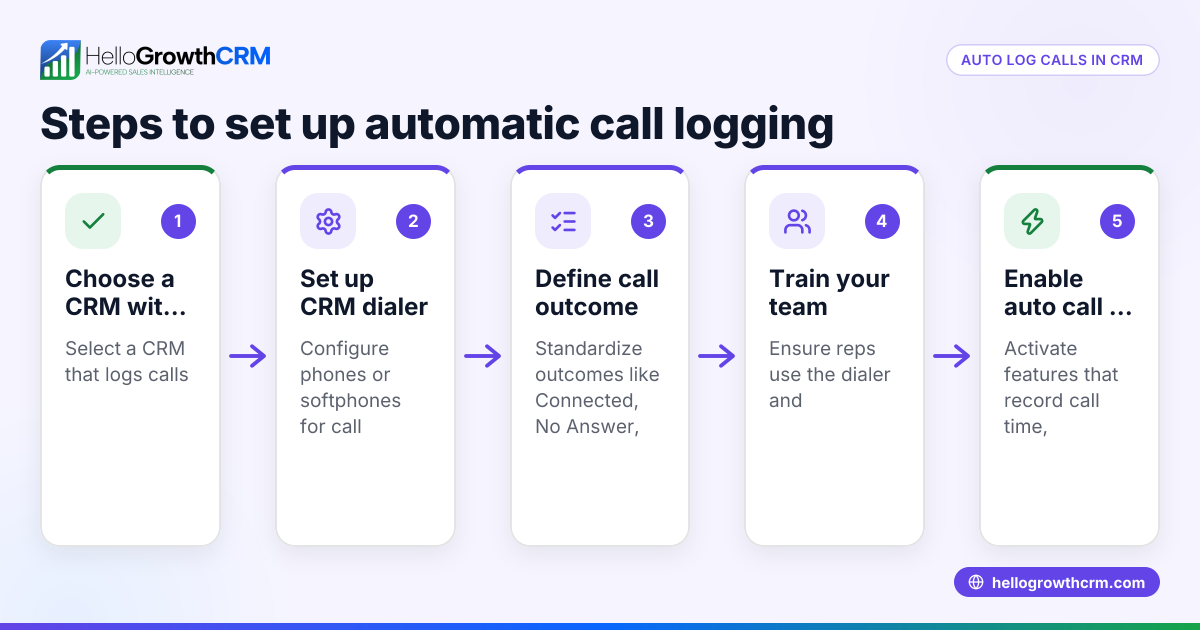
1. Connect Your Phone System
Integrate your calling provider with HelloGrowthCRM using integrations like Twilio or other supported providers in All Integrations. This allows the CRM to receive real‑time call events.
2. Enable Call Auto‑Logging
Activate automatic call logging through the CRM Dialer. The system records all inbound calls and identifies missed calls automatically.
3. Create the Lead Capture Rule
Configure an automation rule that creates a new lead when a missed call comes from an unknown number. The lead record includes phone number, timestamp, and call source.
4. Trigger an Instant WhatsApp Reply
Set up a response workflow using WhatsApp & SMS CRM. The message acknowledges the missed call and invites the lead to continue the conversation.
5. Attach a Meeting Booking Option
Add a booking link through the Meeting Scheduler. This lets prospects schedule a call immediately without waiting for a callback.
6. Assign the Lead to the Right Rep
Use routing logic such as territory or round‑robin assignment. The lead appears in the rep’s pipeline using Sales Task Boards.
7. Track Engagement and Follow‑Up
Monitor responses inside the Smart Inbox. If the lead replies, the conversation stays connected to the CRM record.
Best Practices for Missed Call Lead Capture
Automating the workflow is only the first step. To maximize results, several operational practices help.
Keep the Response Message Short
The first message should acknowledge the missed call and offer a next step.
Effective messages include:
- Apology for missing the call
- Confirmation that someone will respond
- Optional booking link
Avoid long promotional messages.
Set a Callback SLA
Automation starts the conversation, but human follow‑up still matters.
In most inbound sales teams, a callback target of 5–15 minutes works well. When I implemented this with a 12‑person inside sales team, we tracked response time using the Pipeline Health Score and saw faster stage movement across the pipeline.
Track Missed Call Volume
Missed calls can signal staffing or coverage issues.
Track metrics such as:
- Missed calls per day
- Lead conversion rate
- Callback response time
- Calls outside working hours
These metrics help refine staffing schedules or automation rules.
Connect Revenue Attribution
When missed call leads convert into customers, revenue should be attributed correctly.
HelloGrowthCRM’s Revenue Attribution helps track which channels generate pipeline and closed deals. This makes it easier to justify investments in inbound channels.
When Missed Call Capture Works Best
This workflow is especially useful for companies with high inbound call volume.
Examples include:
- Service businesses
- Local sales teams
- B2B lead generation campaigns
- Agencies
- SaaS companies offering phone demos
However, there are limits. For very large contact centers with hundreds of agents, specialized call center systems may handle routing differently. In those environments, the CRM typically connects through advanced telephony infrastructure.
For most sales teams under 50 reps, a CRM‑native automation workflow like HelloGrowthCRM is usually simpler and faster to deploy.
Turning Every Missed Call Into Pipeline
Missed calls should never disappear into the void. Every inbound call represents a potential opportunity that someone cared enough to pursue.
With the right CRM automation, those calls become structured pipeline data instead of forgotten events.
HelloGrowthCRM connects call logging, WhatsApp messaging, and lead routing into one automated workflow. The result is faster responses, cleaner data, and fewer lost leads. If you want to see how it works in practice, explore the platform’s Features, review the available Pricing, or start a hands‑on Free Trial to test missed call lead capture in your own sales pipeline.
About the author
Daniel Reeves is a Sales Operations Lead at HelloGrowthCRM with over 11 years of experience in B2B SaaS revenue operations. He specializes in pipeline automation, sales infrastructure, and CRM implementation. Earlier in his career, he led the CRM and RevOps rollout for a multi‑region SaaS company that scaled from 8 to 70 sales reps using automated lead routing and call tracking workflows. That implementation heavily informed the strategies described in this article.
Frequently Asked Questions
Q: What is a missed call lead capture CRM?
A: A missed call lead capture CRM automatically converts an unanswered inbound phone call into a lead record inside the CRM. It logs the call event, captures the caller’s phone number, and triggers automated follow‑up actions such as WhatsApp messages or callback tasks.
Q: How does HelloGrowthCRM detect missed calls?
A: HelloGrowthCRM connects to telephony providers like Twilio and records all call activity through the CRM Dialer. When a call is not answered, the system logs it as a missed call and can trigger automation rules that create a lead and send follow‑up messages.
Q: Can the CRM automatically reply to missed calls on WhatsApp?
A: Yes. Using the WhatsApp & SMS CRM feature, HelloGrowthCRM can send an instant automated message after a missed call. This message can acknowledge the call, offer help, and include a booking link for scheduling a conversation.
Q: How are missed call leads assigned to sales reps?
A: Leads can be routed using rules such as round‑robin assignment, territory management, or product specialization. Once assigned, the lead appears in the rep’s task board with a follow‑up reminder.
Q: Does missed call automation work outside business hours?
A: Yes. Automated responses can trigger at any time, even when the sales team is offline. This ensures callers receive an immediate reply and can schedule a meeting for the next available time.
Q: Is this workflow useful for small sales teams?
A: Absolutely. Smaller teams often benefit the most because they cannot answer every call immediately. Automated lead capture ensures no inbound interest is lost when the team is busy.
Q: How quickly can a missed call workflow be implemented?
A: Most teams can configure the workflow within a few hours once the phone integration is connected. The setup includes enabling call logging, creating the automation rule, and configuring the WhatsApp response message.
Frequently Asked Questions
Ready to put this into practice?
Set up your pipeline, WhatsApp follow-ups, and AI lead scoring in minutes — free, no credit card.
Try HelloGrowthCRM freeGet CRM tips in your inbox
Join thousands of sales professionals who get weekly insights on CRM strategy, AI automation, and pipeline optimization.

The HelloGrowthCRM team publishes guides on CRM strategy, AI sales tools, and revenue operations for small business sales teams.