Digital Signatures
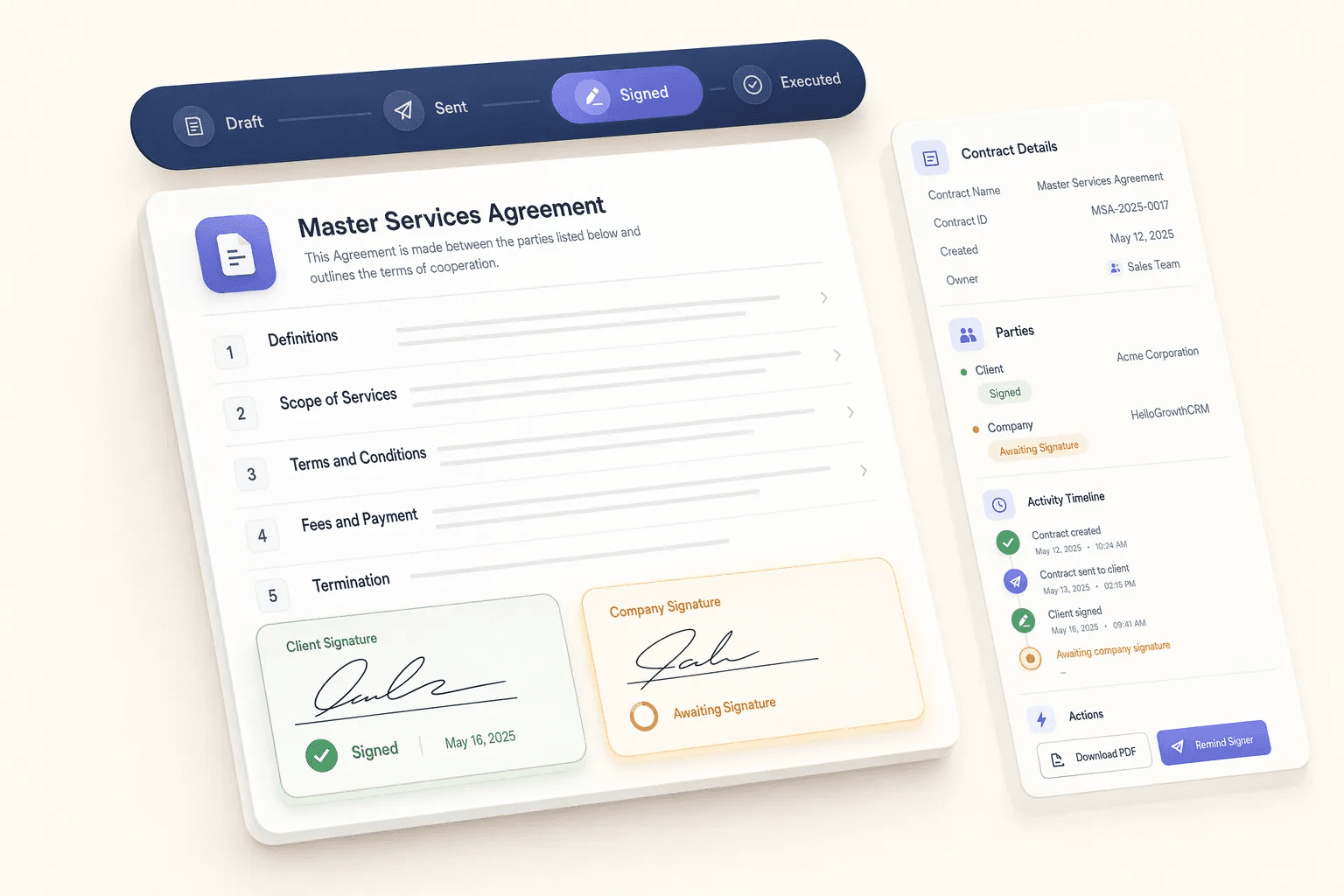
Collect legally binding e-signatures on proposals and contracts directly from the CRM without switching tools.
Quick navigation
Problem this feature solves
Teams usually evaluate Digital Signatures when workflow delays, inconsistent follow-up, or low visibility starts hurting conversion.
Digital Signatures is usually evaluated when teams want to remove friction from a repeated part of the revenue workflow. Instead of handling that step through memory, spreadsheets, or disconnected tools, this capability gives the team a more structured way to complete the work inside the CRM.
Collect legally binding e-signatures on proposals and contracts directly from the CRM without switching tools. In most cases, the real value appears when this feature is used together with the rest of documents & contracts, because that is what keeps ownership, follow-up, and reporting connected to the same record.
Teams rarely adopt Digital Signatures completely on its own. It usually works best alongside related capabilities such as Contract Tracking, Document Templates, File Attachments, which provide the surrounding workflow, visibility, or automation needed to make the feature operationally useful.
- Send for signature in one click from the deal record
- Track signing status and get notified on completion
- Legally binding e-sign compliant with major standards
- Eliminate back-and-forth PDF email chains
Feature interaction and workflow impact
Collect legally binding e-signatures on proposals and contracts directly from the CRM without switching tools. This capability is part of the Documents & Contracts category — proposal, contract, file, and template workflows that help sales teams move faster while keeping documents organized inside the crm.
Buyers should look at whether this feature reduces admin overhead for the frontline team while also improving inspection for managers. A feature is only truly useful when it helps the next action happen faster and leaves cleaner context behind for the person who reviews, approves, or follows up after it.
More in Documents & Contracts
Explore the other 5 capabilities in this category.
This is useful when your team is deciding whether the current feature is enough on its own or whether the broader category is the real buying unit. In many CRM rollouts, the surrounding workflow matters as much as the individual capability.
Contract Tracking
Track contracts, renewals, and important dates so teams reduce churn risk and avoid missed deadlines.
Document Templates
Create and manage reusable templates to speed up document creation and improve consistency.
File Attachments
Upload and manage files on leads and accounts so documents and context stay in one place.
Proposal Generator
AI-powered proposal generation speeds up document creation and improves consistency across deals.
Quote Approval Workflow
Route quotes through manager approval before sending to keep discount and pricing decisions consistent.
Explore all feature categories
HelloGrowthCRM includes 121 capabilities across 14 categories.
Ready to use Digital Signatures?
Get started free — no credit card required.
← Back to Documents & Contracts · All feature categories · Pricing