HelloGrowthCRM software
Built for real small-business sales teams
HelloGrowthCRM helps reps qualify faster, follow up on time, and close more deals—with practical automation in one place.
- AI lead scoring and pipeline visibility
- Built-in dialer, WhatsApp, and email automation
- Sales forecasting and RevOps-ready reporting
CRM forecast rollups are the rules, fields, stage definitions, and aggregation logic a B2B sales team uses to turn individual deal updates into a reliable team forecast, so leaders can judge pipeline health from CRM data instead of rep opinion, spreadsheet patchwork, or last-minute forecast calls.
Key Takeaways
- CRM forecast rollups only work when stage rules, required fields, and forecast categories are standardized across the team.
- Most forecast problems start before reporting. Bad deal hygiene creates bad rollups, no matter which CRM you buy.
- Sales leaders should evaluate systems based on how easily they enforce process without adding heavy admin work for reps.
- Managed RevOps support helps teams fix pipeline design, field governance, and reporting logic faster than doing it ad hoc.
- HelloGrowthCRM is strongest when teams want better forecasting tied to workflow tools like AI Pipeline Management, Sales Forecasting, and Managed RevOps.
What are CRM forecast rollups?
CRM forecast rollups are the structured way a CRM collects deal-level inputs like amount, close date, stage, owner, and forecast category, then rolls them up into manager, segment, and company-level revenue views so leaders can see weighted pipeline, commit coverage, and likely outcomes consistently.
At a practical level, a rollup is not just a report. It is a control system.
If one rep uses stage 3 to mean "first demo complete" and another uses it to mean "legal review started," the same pipeline report tells two different stories. That is why forecast accuracy depends less on dashboard design and more on process discipline inside the CRM.
In most B2B teams, forecast rollups rely on a few shared inputs:
- Deal amount
- Expected close date
- Stage
- Forecast category
- Deal age
- Last activity date
- Next step
- Close plan or mutual action plan
- Risk flags
- Owner and manager hierarchy
When these inputs are defined well, leadership can trust summaries inside Sales Forecasting instead of rebuilding numbers in spreadsheets. When they are not, every Monday forecast call turns into a debate.
I have audited pipelines where leaders blamed the CRM, but the real issue was that nobody agreed on what "best case" meant. In those cases, changing systems without changing forecast rules only moved the mess to a new tool.
Why do B2B sales teams struggle with forecast rollups?
B2B sales teams struggle with forecast rollups because rollups expose every inconsistency in the sales process, including vague stage definitions, missing fields, weak manager inspection, and rep-driven forecasting habits that were tolerated while the team was smaller and easier to manage manually.
Most broken forecasts come from operational drift, not lack of effort. Reps are often updating deals. They are just updating them in different ways.
Common root causes include:
- Stage names that do not map to real exit criteria
- Optional fields for key forecast inputs
- Close dates that roll forward every week
- No standard forecast categories
- Manager overrides happening outside the CRM
- Multiple pipeline definitions across regions or products
- Reporting logic that mixes qualified and unqualified deals
The biggest warning signs
You likely need better forecast rollups if these patterns show up:
- Forecast calls focus on anecdotes more than data
- Managers keep private spreadsheets
- Rep commits differ from manager commits
- Pipeline coverage changes sharply without a clear reason
- "Stuck" deals stay in late stages for too long
- Leadership distrusts weighted pipeline reports
According to Forrester research on B2B revenue process alignment, inconsistent sales process execution is a major driver of poor forecasting and revenue visibility.
Why this gets worse during CRM evaluation
When teams evaluate a new CRM, they often ask, "Can it forecast better?" That is the wrong first question. The better question is, "Can this system make our process harder to ignore?"
That is why buyers looking at Features and Pricing should assess enforcement, not just reporting. A good CRM should help managers inspect deal quality, prompt reps for missing information, and make rollups automatic.
Which data standards matter most before buying a new CRM?
The most important data standards before buying a new CRM are stage definitions, required fields, forecast categories, close-date rules, and manager inspection cadences, because those controls decide whether pipeline data becomes trustworthy rollups or just polished dashboards on top of inconsistent rep judgment.
If you standardize these five areas first, CRM selection gets easier. You can tell quickly whether a platform supports your process or forces workarounds.
1. Stage definitions with exit criteria
Every stage needs:
- A clear buyer event
- A measurable exit rule
- A standard probability range
- An expected stage-velocity target in days
For example, "Proposal Sent" should not mean "we emailed pricing." It should mean the buyer has confirmed scope, budget range, stakeholders, and commercial review timing.
2. Required fields tied to forecast confidence
At a minimum, late-stage deals should require:
- Decision process
- Economic buyer
- Next meeting date
- Confirmed close date
- Competitive status
- Risk notes
- Mutual next step
This is where AI Deal Insights and AI Sales Copilot can reduce admin burden by surfacing missing fields and risk signals instead of making reps hunt manually.
3. Forecast categories that everyone uses the same way
Keep categories simple:
- Pipeline
- Best case
- Commit
- Closed
Avoid category sprawl. If you add too many custom labels, manager judgment becomes impossible to compare.
4. Close-date governance
If close dates move, the CRM should capture that pattern. Repeated pushouts often matter more than stage labels.
In one rollout we did with a 12-person sales team, nearly every quarter-end miss traced back to deals that had been pushed three or more times. The team had a forecasting issue, but the leading signal was actually close-date slippage.
5. Inspection rhythm
Forecast quality improves when managers inspect the same fields every week. This is easier when the CRM supports guided workflows, shared inbox activity through Smart Inbox, and scheduled follow-ups with Sales Task Boards.
How should sales leaders evaluate CRM forecast rollups across systems?
Sales leaders should evaluate CRM forecast rollups by testing whether each system can enforce stage discipline, required-field completion, forecast-category consistency, and manager-level inspection with low rep friction, because forecast accuracy improves when the CRM shapes behavior before the report is ever generated.
This is where software evaluation becomes operational design. The tool matters. The process matters more.
Use a simple scorecard during demos. Ask each vendor to show how the platform handles a late-stage deal missing critical data. If the answer is "build a report later," that is not enough.
| Evaluation area | What good looks like | Risk if weak | HelloGrowthCRM fit |
|---|---|---|---|
| Stage enforcement | Entry and exit criteria mapped to pipeline stages | Reps self-define progress | Strong with AI Pipeline Management |
| Required fields | Rules by stage, team, or deal type | Late-stage deals lack evidence | Strong with guided workflows and AI CRM |
| Forecast categories | Standard commit logic across team hierarchies | Manager rollups become subjective | Strong for structured forecast reviews |
| Activity visibility | Calls, emails, meetings visible in one record | Managers rely on rep memory | Strong with Gmail, Slack, and Google Meet |
| Pipeline reporting | Rollups by rep, manager, segment, and period | Finance and sales disagree | Strong with Sales Forecasting |
| Admin burden | Reps update fields in workflow, not after the fact | Adoption drops | Strong with automation and Email Automation |
| RevOps support | Help designing process and governance | Tool launches but forecast quality stays flat | Strong with Managed RevOps |
Questions to ask in every CRM demo
Ask vendors to show:
- How a deal moves between forecast categories
- How required fields change by stage
- How manager overrides are tracked
- How slipped close dates are reported
- How forecast rollups work by segment and region
- How email, calls, and meetings sync through All Integrations
- How quickly admins can update process logic without engineering help
Gartner notes that CRM value depends heavily on process alignment, adoption, and data quality rather than software features alone.
How to standardize CRM forecast rollups: Step-by-Step
Standardizing CRM forecast rollups means defining one sales process, turning that process into required CRM behavior, and reviewing forecast output against real deal evidence every week, so leadership can trust rollups before choosing whether a new system like HelloGrowthCRM should replace the current stack.
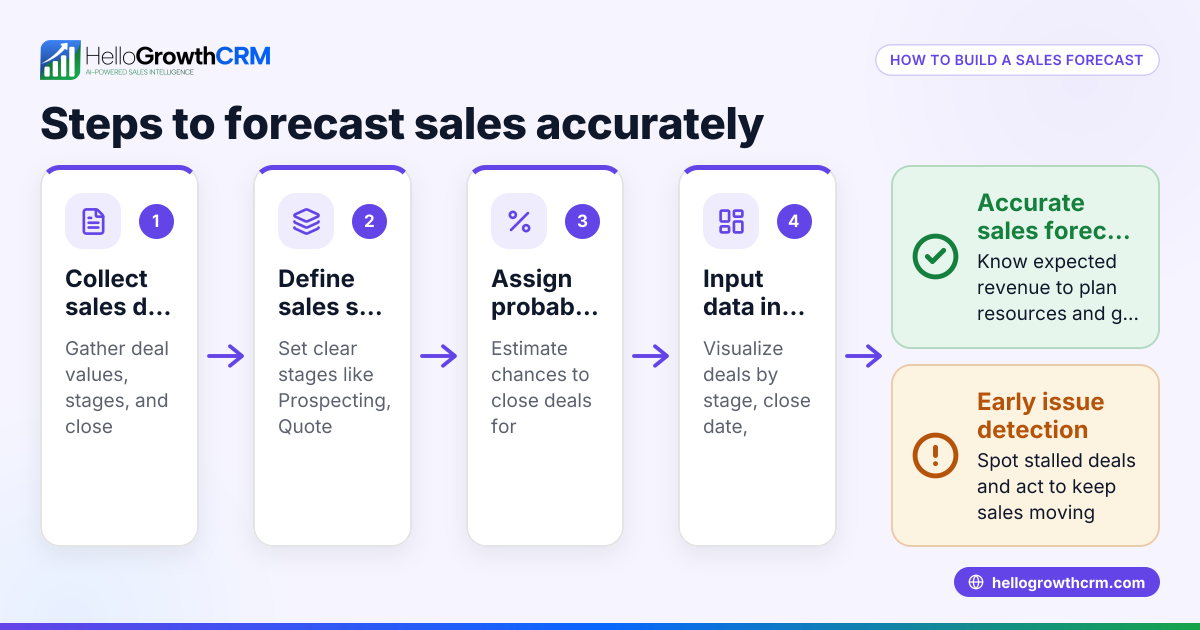
- Audit your current pipeline
Export all open deals and review stage, age, amount, close date changes, and missing fields. Use the Pipeline Health Score to find where reliability breaks first. - Define stage exit criteria
Write one sentence for each stage that states what must be true for a deal to advance. Keep definitions tied to buyer actions, not seller optimism. - Set required fields by stage
Make critical forecast inputs mandatory only when they matter. This keeps early-stage friction low and late-stage evidence high. - Create forecast category rules
Document exactly when a deal becomes pipeline, best case, or commit. If managers can interpret categories differently, rollups will drift. - Track date movement and stage velocity
Measure close-date push count and time-in-stage. These two metrics usually reveal hidden forecast risk faster than weighted pipeline. - Build manager inspection views
Create views for slipped deals, no-next-step deals, and late-stage deals missing key fields. Managers should review the same views every week. - Test on one team first
Start with one segment or region. In one implementation I supported, a pilot team cut forecast meeting time because managers stopped debating deal definitions and started reviewing evidence. - Decide whether your current CRM can support the rules
If your current system needs constant manual cleanup, compare the cost of patching it against moving to a platform with stronger workflow controls like HelloGrowthCRM's demo environment.
What not to do
Avoid these common mistakes:
- Redesigning the whole sales process at once
- Making every field required from day one
- Letting managers keep side spreadsheets
- Measuring only weighted pipeline
- Buying a new CRM before cleaning definitions
When does managed RevOps support make sense?
Managed RevOps support makes sense when your team knows forecast data is unreliable but lacks the internal bandwidth to redesign stages, field governance, reporting logic, and manager operating cadence, because software alone will not fix a sales process that is loosely defined or weakly enforced.
This is especially true for teams with:
- 10 to 100 sellers
- Multiple business lines or territories
- Fast growth after founder-led sales
- Frequent rep onboarding
- Finance and sales using different numbers
A managed RevOps partner helps translate leadership goals into CRM rules. That means:
- Standardizing pipeline architecture
- Aligning forecast definitions with finance
- Building dashboards and rollups
- Training managers on inspection
- Cleaning handoffs across marketing, sales, and customer success
When I have audited pipelines like this, the fastest wins rarely came from fancy forecasting models. They came from boring controls: stage criteria, next-step hygiene, and close-date discipline. Those basics often improve forecast trust faster than adding another analytics tool.
For teams evaluating HelloGrowthCRM, Managed RevOps is useful because the product and the process can be designed together. That lowers the risk of buying a CRM that still depends on spreadsheet cleanup.
A realistic limitation
This approach works especially well for teams under 50 reps. Above that, expect more complexity around territory design, product-line forecasting, and approval workflows. Larger teams can still standardize rollups, but they usually need stronger governance and a phased rollout.
How HelloGrowthCRM helps standardize forecast rollups without extra admin
HelloGrowthCRM helps standardize forecast rollups without extra admin by combining pipeline rules, activity capture, AI-assisted deal inspection, and RevOps support inside one system, so reps can update deals within their normal workflow and leaders can review evidence-based forecasts instead of chasing manual status updates.
That matters because rep adoption is the make-or-break variable.
A forecast system fails when reps see it as reporting work for leadership. It succeeds when updates happen as part of selling. HelloGrowthCRM is designed around that reality.
Key ways it helps:
- AI Pipeline Management keeps deal stages and required updates aligned with your process
- Sales Forecasting supports cleaner manager and leadership rollups
- AI Deal Insights surfaces risk signals from deal activity
- Meeting Scheduler and CRM Dialer reduce context switching
- Revenue Attribution helps connect pipeline quality to actual revenue outcomes
- HubSpot, Salesforce, and other All Integrations make migration or coexistence easier
HelloGrowthCRM is our product, so that comparison is not neutral. Still, the core buying advice stands even if you choose another system: do not buy for prettier dashboards alone. Buy for process enforcement, manager visibility, and low-friction data capture.
If your team is tired of forecast meetings driven by opinion, try HelloGrowthCRM or book a demo to see how standardized pipeline rules can improve rollup quality without piling on admin work.
About the author
Arjun Mehta is a Sales Operations Lead at HelloGrowthCRM with 11 years of experience in B2B SaaS revenue operations, CRM architecture, and forecasting design. He has led pipeline and forecast standardization projects for growth-stage sales teams across North America, Europe, and APAC. One project that shaped this article was a multi-region rollout for a 12-person SaaS sales team that replaced spreadsheet forecasts with stage-based CRM rollups and weekly manager inspection.
Frequently Asked Questions
Q: What is a CRM forecast rollup in simple terms?
A: A CRM forecast rollup is the combined view of all active deals, grouped into forecast totals by rep, manager, team, or company. It works by pulling standard fields like stage, amount, close date, and forecast category into one consistent revenue view.
Q: Why are CRM forecast rollups often inaccurate?
A: CRM forecast rollups are often inaccurate because the underlying deal data is inconsistent. If reps use stages differently, skip key fields, or keep forecast logic outside the CRM, the rolled-up numbers will look precise but still be wrong.
Q: What fields should be required for reliable forecast rollups?
A: Reliable forecast rollups should require fields that prove deal quality, especially in later stages. Most B2B teams need amount, close date, forecast category, next step, decision process, stakeholder status, and clear risk notes before trusting commit numbers.
Q: Should we fix our process before buying a new CRM?
A: Yes, you should fix your process before buying a new CRM, or at least define it clearly enough to evaluate enforcement. A new system can improve execution, but it cannot rescue undefined stages, vague categories, or weak manager inspection on its own.
Q: How do forecast categories differ from sales stages?
A: Forecast categories differ from sales stages because stages show where a deal is in the sales process, while forecast categories show confidence in the likely outcome. A deal can sit in one stage, but still move between pipeline, best case, and commit.
Q: Can HelloGrowthCRM improve forecast accuracy without adding admin work?
Frequently Asked Questions
Ready to put this into practice?
Set up your pipeline, WhatsApp follow-ups, and AI lead scoring in minutes — free, no credit card.
Try HelloGrowthCRM freeGet CRM tips in your inbox
Join thousands of sales professionals who get weekly insights on CRM strategy, AI automation, and pipeline optimization.

The HelloGrowthCRM team publishes guides on CRM strategy, AI sales tools, and revenue operations for small business sales teams.