HelloGrowthCRM software
Built for real small-business sales teams
HelloGrowthCRM helps reps qualify faster, follow up on time, and close more deals—with practical automation in one place.
- AI lead scoring and pipeline visibility
- Built-in dialer, WhatsApp, and email automation
- Sales forecasting and RevOps-ready reporting
A sales pipeline template CRM is a pre-built deal pipeline structure inside a CRM that helps sales teams track opportunities through defined stages, automate tasks, forecast revenue, and maintain consistent deal management. Instead of building a pipeline from scratch, teams can use a ready-made framework with stages, exit criteria, automation triggers, and reporting fields already configured. In HelloGrowthCRM, the built-in sales pipeline template helps teams launch a structured pipeline in minutes while adding AI-powered forecasting, automation, and visibility across every deal.
Key Takeaways
- A sales pipeline template CRM provides predefined stages that standardize how deals move from lead to closed revenue.
- HelloGrowthCRM lets teams customize stages, exit criteria, and automation using its pipeline builder.
- Automated task creation and alerts ensure reps follow up at the right time in every stage.
- Forecast fields and analytics help sales leaders predict revenue accurately.
- AI-powered pipeline insights highlight stalled deals, risk signals, and next actions.
- Teams can launch a complete pipeline workflow in minutes without manual setup.
What Is a Sales Pipeline Template in a CRM?
A sales pipeline template is a structured workflow that defines how opportunities progress through your sales process. It includes predefined stages, required actions, deal fields, and automation rules.
Instead of building a pipeline from scratch, teams use a template to ensure consistency across every deal.
Most modern CRM platforms include pipeline templates because they solve several common problems:
- Inconsistent deal tracking between sales reps
- Missed follow-ups and delayed responses
- Poor forecasting accuracy
- Limited visibility for managers
HelloGrowthCRM solves these issues with a configurable pipeline builder that combines automation, AI insights, and reporting in a single interface. The pipeline template connects directly with tools like AI Pipeline Management, making it easier to detect stalled deals and forecast revenue automatically.
With a structured pipeline template, sales teams always know:
- Which stage a deal is in
- What action must happen next
- How likely the deal is to close
- What revenue is expected this month or quarter
This structure creates a predictable sales system rather than a collection of individual rep processes.
Why Sales Teams Need a CRM Pipeline Template
Sales pipelines often become messy when teams manage deals manually in spreadsheets or disconnected tools.
A CRM pipeline template fixes this by standardizing deal management across the entire sales organization.
Consistent Deal Stages
Templates define a clear path from first contact to closed deal. Each stage represents a measurable step in the buyer journey.
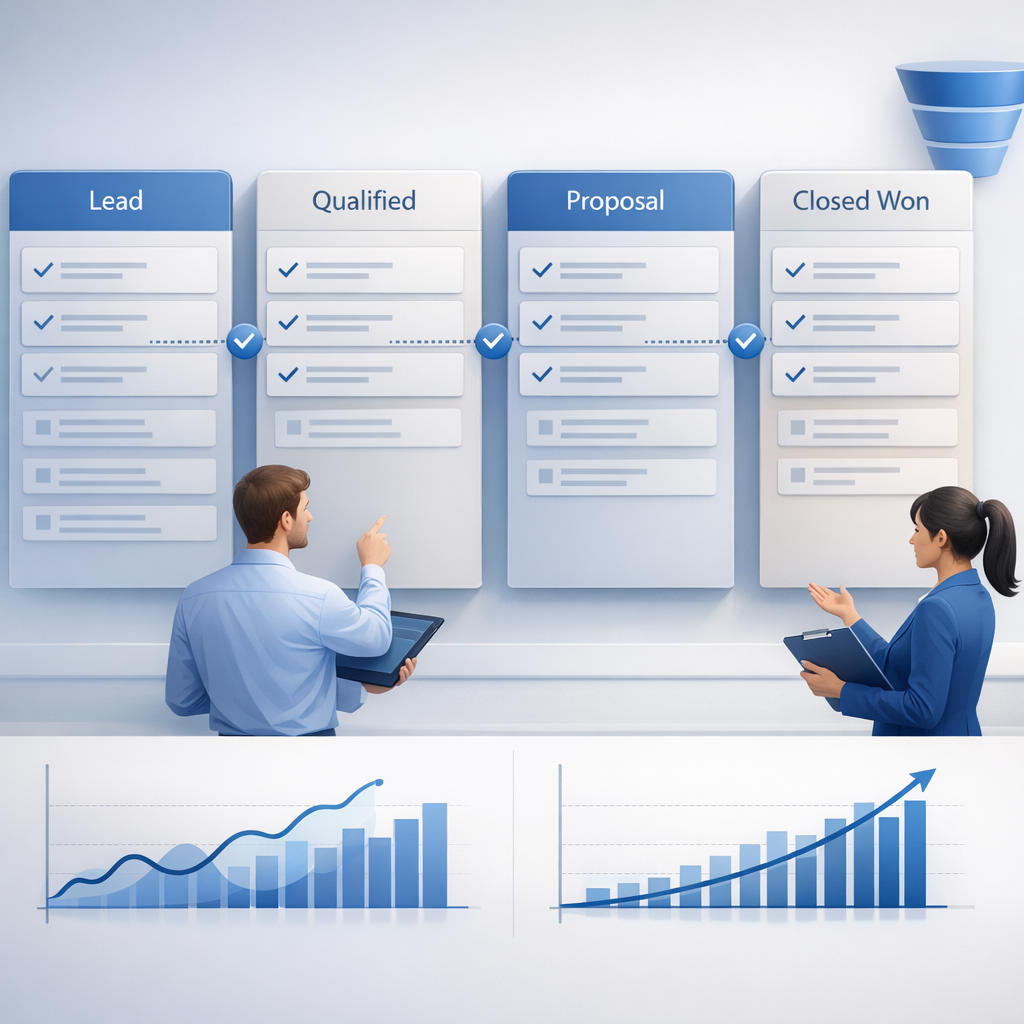
Typical pipeline stages may include:
- New Lead
- Discovery Call Scheduled
- Needs Qualified
- Proposal Sent
- Negotiation
- Closed Won / Closed Lost
Inside HelloGrowthCRM, these stages can be customized easily through the pipeline builder in the core AI CRM platform.
Clear Exit Criteria
Each stage should include criteria that define when a deal can move forward.
For example:
- Discovery completed
- Budget confirmed
- Decision-maker identified
- Proposal delivered
Clear exit criteria prevent deals from advancing without proper qualification.
Automated Sales Activities
Automation ensures sales reps take the right actions at each stage.
Common pipeline automation includes:
- Automatically assigning follow-up tasks
- Scheduling meetings using a Meeting Scheduler
- Sending proposal documents through the Proposal Builder
- Triggering automated emails through Email Automation
This removes manual work and keeps every opportunity moving forward.
Core Components of a High-Performing Sales Pipeline Template
Not all pipeline templates deliver the same results. The best pipelines combine structure, automation, and forecasting.
HelloGrowthCRM’s pipeline template includes several core components designed for modern sales teams.
1. Pipeline Stages
Stages represent major milestones in the sales cycle.
Examples include:
- Lead Created
- Discovery Scheduled
- Qualified Opportunity
- Demo Completed
- Proposal Sent
- Negotiation
- Closed Won
Each stage should reflect a meaningful step in the buying process.
2. Exit Criteria and Deal Requirements
Every stage should require specific actions before a deal can move forward.
Examples include:
- Confirmed budget range
- Identified decision maker
- Product demo completed
- Proposal delivered
These criteria prevent deals from progressing without qualification.
3. Forecast Fields
Forecast fields help teams estimate revenue and predict outcomes.
Common fields include:
- Deal value
- Expected close date
- Probability of close
- Sales owner
- Forecast category
HelloGrowthCRM automatically calculates forecast projections using Sales Forecasting, which analyzes pipeline data and deal progression.
4. Activity Automation
Automation ensures reps stay consistent.
Examples include:
- Creating tasks when a deal enters a stage
- Sending follow-up emails after meetings
- Assigning next actions automatically
- Notifying managers when deals stall
Automation also connects with integrations like Slack or Gmail to keep sales teams updated in real time.
5. AI Pipeline Insights
Modern CRMs use AI to improve pipeline visibility.
HelloGrowthCRM includes tools like AI Deal Insights, which analyze deal activity and highlight risks.
These insights help sales teams answer questions such as:
- Which deals are likely to close?
- Which deals are stalled?
- Which deals need immediate follow-up?
How the HelloGrowthCRM Sales Pipeline Template Works
The HelloGrowthCRM pipeline template is designed to be simple but powerful.
Sales leaders can configure the pipeline in minutes without complex setup.
Visual Pipeline Builder
The platform uses a drag-and-drop interface to create pipeline stages.
Users can:
- Add new stages
- Change stage order
- Define exit criteria
- Assign probability values
The pipeline builder also connects directly with Sales Task Boards, which show activities required for each deal.
Built-In Forecast Fields
Every deal in the pipeline includes forecast data automatically.
This includes:
- Expected revenue
- Deal probability
- Close date projections
- Pipeline stage value
Sales leaders can monitor forecast performance using analytics tools built into the CRM.
Automation Triggers
Pipeline stages can trigger actions automatically.
For example:
- When a deal enters the proposal stage, generate a document using the Proposal Builder.
- When a deal stalls for 7 days, notify the rep and manager.
- When a deal closes, record attribution using Revenue Attribution.
Automation reduces manual work and improves pipeline discipline.
AI-Driven Deal Monitoring
HelloGrowthCRM’s AI tools analyze pipeline activity to identify risks.
The Deal Risk Agent monitors signals like inactivity, missed meetings, and declining engagement.
If risk signals appear, the system suggests actions to recover the deal.
This gives sales managers early warnings before pipeline issues impact revenue.
How to Use the HelloGrowthCRM Sales Pipeline Template: Step-by-Step
1. Create Your Pipeline
Open the pipeline builder inside HelloGrowthCRM and choose the default sales pipeline template. This instantly creates a structured deal workflow.
2. Define Your Stages
Edit the template stages to match your sales process. Most teams include discovery, qualification, demo, proposal, negotiation, and closed stages.
3. Add Exit Criteria
Set clear rules that must be completed before a deal moves forward. This ensures deals stay qualified and prevents pipeline inflation.
4. Configure Forecast Fields
Add deal value, probability, and expected close dates. The CRM uses this data for automated forecasting and pipeline reports.
5. Enable Automation
Create automation rules that trigger tasks, emails, or alerts when deals enter specific stages. This keeps reps consistent.
6. Connect Communication Channels
Integrate tools like WhatsApp or email channels to track conversations and deal engagement automatically.
7. Monitor Pipeline Health
Use built-in analytics and the Pipeline Health Score tool to track deal progression and identify bottlenecks.
Best Practices for Designing a CRM Sales Pipeline Template
A pipeline template should be simple enough for daily use but detailed enough to guide decisions.
Sales teams often make pipelines overly complex.
Here are several proven best practices.
Limit the Number of Stages
Most effective pipelines contain five to seven stages.
Too many stages make it harder for reps to track deals accurately.
Focus on major milestones instead of small actions.
Standardize Qualification Criteria
Define the same qualification requirements across the entire sales team.
Examples include:
- Budget confirmed
- Authority identified
- Need validated
- Timeline established
Consistent qualification improves forecasting accuracy.
Automate Repetitive Work
Reps spend too much time on manual updates.
Automation should handle tasks like:
- Follow-up reminders
- Meeting scheduling
- Proposal creation
- Pipeline updates
Automation frees reps to focus on selling.
Track Pipeline Health
Sales leaders should monitor pipeline metrics regularly.
Important metrics include:
- Pipeline coverage ratio
- Deal velocity
- Stage conversion rates
- Average deal size
HelloGrowthCRM also provides advanced insights through AI Lead Scoring, which prioritizes deals with the highest conversion potential.
Reporting and Forecasting from Your Pipeline
A pipeline template becomes powerful when combined with reporting.
HelloGrowthCRM transforms pipeline data into actionable insights.
Revenue Forecasting
Forecast reports estimate future revenue based on deal stage and probability.
Sales leaders can view:
- Monthly forecast projections
- Quarter pipeline coverage
- Expected close rates
These insights help teams plan hiring, marketing spend, and growth strategies.
Stage Conversion Analysis
Conversion reports show how deals move between stages.
For example:
- Discovery → Demo conversion rate
- Proposal → Negotiation conversion rate
- Negotiation → Closed Won rate
This analysis highlights weak areas in the sales process.
Pipeline Velocity Tracking
Velocity measures how fast deals move through the pipeline.
It combines:
- Average deal value
- Win rate
- Sales cycle length
- Opportunity volume
Higher velocity means faster revenue growth.
Start Using the HelloGrowthCRM Sales Pipeline Template
Building a sales pipeline from scratch can take weeks of planning and configuration.
HelloGrowthCRM removes that friction with a ready-to-use sales pipeline template that includes stages, forecasting fields, automation, and reporting.
Teams can launch a structured pipeline in minutes and start managing deals with greater visibility and consistency.
You can explore all pipeline features inside the Features section or start immediately with a Free Trial. For teams that want a guided setup, schedule a product Demo to see the pipeline builder in action.
Frequently Asked Questions
Q: What is a sales pipeline template in a CRM?
A: A sales pipeline template is a pre-built structure inside a CRM that defines deal stages, qualification rules, and automation workflows. It helps sales teams track opportunities consistently from lead to closed deal.
Q: How many stages should a sales pipeline have?
A: Most sales pipelines work best with five to seven stages. These typically include lead, discovery, qualification, proposal, negotiation, and closing stages. Too many stages can make pipelines difficult to manage.
Q: Can I customize the HelloGrowthCRM pipeline template?
A: Yes. HelloGrowthCRM allows full customization of pipeline stages, exit criteria, deal fields, and automation rules. Teams can adapt the template to match their specific sales process.
Q: How does CRM pipeline automation work?
A: Pipeline automation triggers actions when deals move between stages. This can include task creation, follow-up reminders, meeting scheduling, or email sequences triggered through CRM workflows.
Q: How does forecasting work in HelloGrowthCRM?
A: Forecasting uses deal data such as value, stage probability, and expected close date to predict revenue. The built-in Sales Forecasting tools analyze pipeline activity and generate projections automatically.
Q: Can AI help manage a sales pipeline?
A: Yes. AI tools analyze deal activity and engagement patterns to identify risks or opportunities. Features like AI deal insights and pipeline monitoring help sales teams prioritize deals and improve win rates.
Frequently Asked Questions
Ready to put this into practice?
Set up your pipeline, WhatsApp follow-ups, and AI lead scoring in minutes — free, no credit card.
Try HelloGrowthCRM freeGet CRM tips in your inbox
Join thousands of sales professionals who get weekly insights on CRM strategy, AI automation, and pipeline optimization.

The HelloGrowthCRM team publishes guides on CRM strategy, AI sales tools, and revenue operations for small business sales teams.