HelloGrowthCRM software
Built for real small-business sales teams
HelloGrowthCRM helps reps qualify faster, follow up on time, and close more deals—with practical automation in one place.
- AI lead scoring and pipeline visibility
- Built-in dialer, WhatsApp, and email automation
- Sales forecasting and RevOps-ready reporting
HelloGrowthCRM lead scoring template is a ready-to-use inbound qualification framework that helps revenue teams score demo requests based on fit, intent, and urgency, then route the right leads to the right reps and trigger follow-up actions automatically inside HelloGrowthCRM without building every rule from scratch.
Key Takeaways
- HelloGrowthCRM’s lead scoring template gives teams a faster starting point for demo request qualification.
- The template scores inbound leads using firmographic, behavioral, and form-level signals in one workflow.
- Teams can use the score to auto-assign owners, prioritize queues, and trigger Email Automation or task creation.
- Consistent scoring reduces rep guesswork and helps managers enforce the same qualification standard across regions and teams.
- The best results come from pairing score thresholds with routing rules, SLA alerts, and post-demo tracking in an AI CRM.
- HelloGrowthCRM is our product, so this guide is product-led by design and focused on practical setup inside the platform.
What is the HelloGrowthCRM lead scoring template for demo requests?
The HelloGrowthCRM lead scoring template for demo requests is a prebuilt scoring model that helps teams qualify inbound demo leads faster by combining profile fit, buying intent, and operational rules so sales can prioritize hot requests, assign ownership quickly, and follow up in a consistent way.
At a practical level, the template is built for a common RevOps problem. Demo requests come in fast, but not all of them deserve the same response path. Some should go to account executives right away. Some belong with SDRs. Some need nurture until timing improves.
This template gives you a structured starting point inside AI Lead Scoring. Instead of writing every rule from zero, your team gets a model that already supports:
- Fit scoring
- Intent scoring
- Total score thresholds
- Owner assignment logic
- Follow-up workflow triggers
- SLA monitoring and task creation
In one rollout we did with a 12-person sales team, the biggest issue was not lead volume. It was inconsistency. Two reps treated the same request very differently based on instinct. After we standardized scoring rules, routing disputes dropped almost immediately because everyone was working from the same qualification logic.
What the template is designed to score
Most demo-request scoring should balance three signal groups:
- Who they are: company size, industry, region, job title
- What they did: requested a demo, visited pricing, opened emails, booked a meeting
- How urgent they look: “need in 30 days,” existing CRM pain, high-value use case
Inside HelloGrowthCRM, these signals can sit alongside routing workflows, Meeting Scheduler, and Smart Inbox activity so the score actually drives action, not just reporting.
Why demo request lead scoring matters for speed-to-lead and qualification consistency
Demo request lead scoring matters because it helps teams respond faster, send the right lead to the right owner, and enforce one qualification standard across the funnel, which improves rep focus, protects pipeline quality, and reduces the manual triage that slows inbound conversion.
Speed matters. So does consistency. A scoring template helps with both.
According to Harvard Business Review, firms that tried to contact web leads within an hour were nearly seven times as likely to qualify the lead as those that waited even one more hour.
That finding is old, but the operating lesson still holds. Fast follow-up wins. The challenge is that speed breaks down when every rep must inspect every demo request manually.
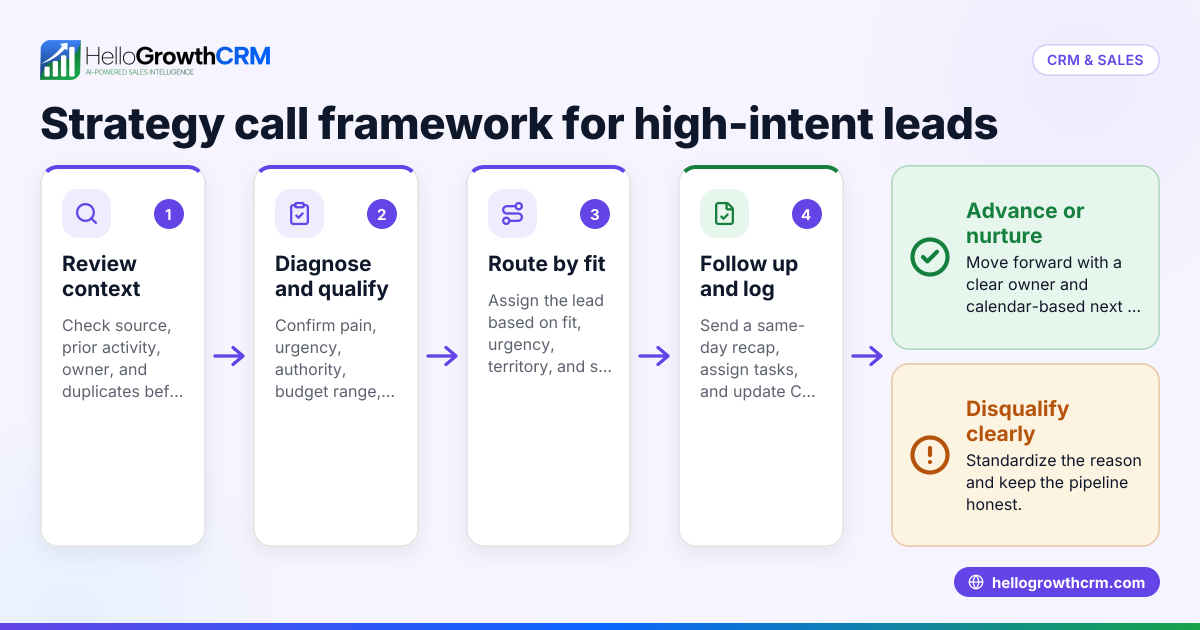
A template helps teams move from inbox-based triage to rule-based execution. That means:
- High-scoring leads go straight to the right rep
- Mid-scoring leads can enter an SDR queue
- Low-scoring or incomplete leads can go into nurture
- Managers can measure SLA compliance clearly
When I have audited pipelines like this, the hidden issue is often not “bad leads.” It is weak handoffs. Marketing sends the lead. Sales re-checks basic fields. Nobody trusts the qualification logic. Response time slips. A shared scoring model fixes that operational gap.
What consistency looks like in practice
Consistency does not mean every lead gets the same treatment. It means every lead gets evaluated the same way.
That usually includes:
- A score range
- A routing outcome
- A follow-up SLA
- A qualification requirement such as ICP fit or MEDDPICC alignment
If your team already uses Sales Task Boards or AI Pipeline Management, the scoring template becomes the trigger that moves work to the right person at the right time.
Which signals should you include in a demo request scoring model?
The best signals for a demo request scoring model are the ones that show fit, intent, and buying readiness, such as job role, company size, geography, pricing-page visits, form answers, and desired timeline, while avoiding noisy fields that look interesting but do not predict pipeline quality.
A good template is not the one with the most rules. It is the one with the strongest signal quality.
Fit signals
Use fit signals to estimate whether the account matches your ideal customer profile.
Common fit signals include:
- Company size
- Industry or vertical
- Country or sales territory
- Technology stack
- Job title or seniority
- Team function
For example, a head of sales at a 50-person SaaS company may score higher than a student or consultant doing research. If you use Territory Management, geography and ownership rules can work together from the start.
Intent signals
Intent signals tell you whether the person is actively evaluating a solution.
Useful intent signals include:
- Demo request submitted
- Pricing page viewed
- Product page depth
- Repeat site visits
- Email reply
- Meeting booked
- Chat engagement
If a lead also books via Meeting Scheduler, that should usually carry more weight than a single website session.
Urgency and qualification signals
These fields often come from the form itself or a rep’s first touch.
Examples include:
- Timeline to buy
- Current CRM in use
- Number of reps
- Main pain point
- Need for migration or automation
- Budget or buying process notes
Gartner notes that poor data quality hurts sales effectiveness and decision-making in CRM programs, which is why fields should be few, useful, and maintained carefully through your scoring setup Gartner.
Signals to avoid overweighting
Do not let weak signals distort the model. Common mistakes include:
- Giving too many points for one email open
- Over-scoring broad job titles without context
- Treating all demo requests as high intent
- Ignoring disqualifiers like unsupported regions
- Keeping outdated scoring rules for too long
How the HelloGrowthCRM template helps teams qualify, route, and follow up faster
The HelloGrowthCRM template helps teams qualify, route, and follow up faster by turning score thresholds into automated actions, so inbound demo requests can be prioritized, assigned to the right queue or rep, and pushed into follow-up workflows without manual sorting or spreadsheet-based triage.
This is where a template becomes more than a scoring sheet. It becomes an operating system.
Inside HelloGrowthCRM, a score can trigger:
- Owner assignment
- Queue placement
- Task creation
- SLA countdowns
- Email sequences
- Notifications in Slack
- Calendar handoff through Calendly
Qualification without rep-by-rep guesswork
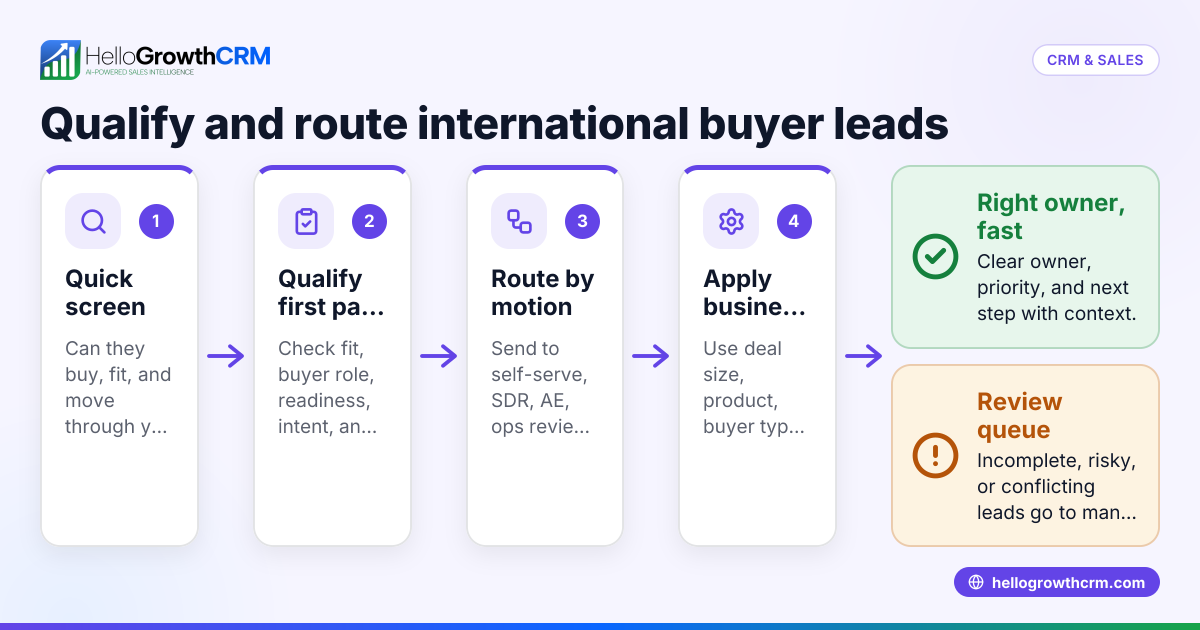
The template creates a common threshold model. For example:
- 80+ points: route directly to AE
- 50-79 points: SDR qualification path
- Below 50: nurture or manual review
That does not mean the model is rigid. It means your team starts from a shared standard. HelloGrowthCRM’s Features make it easier to layer score logic with lifecycle stage, source, and pipeline workflows.
Faster routing with cleaner ownership
Routing speed usually breaks when ownership rules are unclear. The template works well when paired with rules like:
- Territory-first assignment
- Named-account routing
- Round robin by segment
- Existing account owner priority
- Fallback queue for incomplete data
If your team handles many channels, WhatsApp & SMS CRM and CRM Dialer can extend that response workflow beyond email.
HelloGrowthCRM lead scoring template vs building your own from scratch
HelloGrowthCRM lead scoring template is usually better than building from scratch when teams need a faster launch, cleaner routing logic, and a proven inbound qualification starting point, while custom-built models make more sense for mature RevOps teams with unusual sales motions, large data sets, or complex enterprise routing needs.
Here is the practical trade-off:
| Criteria | HelloGrowthCRM Template | Build From Scratch |
|---|---|---|
| Time to launch | Fast | Slower |
| Setup effort | Low to moderate | High |
| Best for | SMB to mid-market teams | Mature or highly custom teams |
| Scoring logic | Prebuilt and editable | Fully custom |
| Routing workflows | Built into CRM workflows | Must be designed manually |
| Consistency across reps | High from day one | Depends on documentation |
| RevOps maintenance load | Lower | Higher |
| Risk of overengineering | Lower | Higher |
For most inbound demo workflows, a template is the better first move. You can still customize it later.
In one implementation, the team wanted to custom-score 18 different form fields on day one. We cut that to seven high-confidence inputs. That simpler model performed better because reps trusted it and operations could maintain it.
When a custom model is worth it
A fully custom scoring model may be better if you have:
- Multiple product lines with different ICPs
- Regional routing with strict compliance needs
- Advanced product-usage scoring
- Strong historical conversion data by attribute
- A dedicated RevOps admin team
If that sounds like your setup, Managed RevOps can help map the model before you automate it.
How to set up the HelloGrowthCRM lead scoring template: Step-by-Step
Setting up the HelloGrowthCRM lead scoring template means choosing the right input signals, assigning practical score values, defining routing thresholds, and connecting those thresholds to automated follow-up actions so every demo request moves into the right sales path immediately after submission.
- Define your qualification goal
Decide what the score should predict. For most teams, the goal is not “interesting lead.” It is “worthy of fast sales action.” - Choose fit signals
Add a small set of ICP fields like company size, title, geography, and segment. Keep the list short enough to maintain. - Add intent signals
Include behaviors such as demo request, pricing-page visits, repeat sessions, and booking activity. If needed, connect website or ad sources through All Integrations. - Set score weights
Assign more points to signals that correlate with real pipeline creation. Give less weight to weak behaviors like casual email opens. - Create threshold bands
Define what counts as hot, warm, and nurture-ready. Make each band map to one clear routing and follow-up outcome. - Build routing rules
Link thresholds to assignment logic. Use round robin, territory ownership, or account owner rules depending on your sales model. - Trigger follow-up workflows
Launch tasks, sequences, or notifications automatically. Email Automation and AI Sales Copilot can help reps respond faster with less manual work. - Add SLA tracking
Monitor time-to-first-touch and time-to-meeting. This is where many teams discover that the model is fine, but response discipline is not. - Review conversion by score band
After two to four weeks, compare score ranges against meeting set rate and pipeline creation. Adjust weights only when the data supports it.
A simple scoring example
A lightweight starting model might look like this:
- ICP company size: +20
- Manager or director title: +15
- Pricing page viewed: +10
- Demo form includes active CRM pain: +15
- Timeline under 90 days: +20
- Unsupported geography: -25
- Student or personal email with no company: -20
That is enough for most teams to get started.
Best practices to keep your scoring model accurate over time
Lead scoring stays accurate over time when teams review conversion data by score band, remove weak signals, align sales feedback with RevOps rules, and treat the scoring model as a living system rather than a one-time setup that never changes after launch.
The first version should be simple. The better version should be proven.
Review the right metrics
Do not judge the template by open rates or raw score averages. Review:
- Lead-to-meeting conversion by score band
- Meeting-to-opportunity conversion
- Stage-velocity in days
- No-show rate
- SLA compliance
- Disqualification reasons
This is where Sales Forecasting and Revenue Attribution become useful. They help you see whether high-scoring leads actually create revenue, not just activity.
Get sales feedback, but do not chase anecdotes
Reps should give feedback on bad scoring outcomes. That said, one unusual lead should not rewrite the whole model.
When I review scoring programs, I ask one question first: “Which rule caused repeated bad routing?” Repeated failure matters. Isolated exceptions usually do not.
Set clear limits
This template works especially well for teams with straightforward inbound demo qualification and lean RevOps support. For teams with more than 50 reps, multiple business units, or strict enterprise handoff rules, expect more customization and governance.
If you want a faster start, explore HelloGrowthCRM’s Free Trial or book a Demo to see the lead scoring template in action with your routing rules and follow-up workflows.
About the author
Riya Malhotra is a Revenue Operations Lead at HelloGrowthCRM with 9 years of experience building inbound routing, lead scoring, and pipeline management systems for B2B SaaS teams. She has led CRM and qualification redesigns for sales teams ranging from 5 to 60 reps. One project that shaped this article was a demo-request scoring rollout for a global SaaS company that reduced manual triage by replacing spreadsheet routing with automated score-based ownership and SLA workflows inside the CRM.
Frequently Asked Questions
Q: What is the HelloGrowthCRM lead scoring template?
A: The HelloGrowthCRM lead scoring template is a prebuilt framework for scoring demo requests based on fit, intent, and urgency inside HelloGrowthCRM. It helps teams qualify leads faster, assign owners automatically, and trigger follow-up workflows without building every rule from the ground up.
Q: Who should use the HelloGrowthCRM lead scoring template?
A: The HelloGrowthCRM lead scoring template is best for B2B teams that get regular demo requests and need faster, more consistent inbound qualification. It is especially useful for SMB and mid-market sales teams that want to reduce manual triage and improve speed-to-lead.
Q: What signals should I include in a demo request scoring model?
A: The best signals to include in a demo request scoring model are company fit, buyer role, website intent, timeline, and stated pain points. Start with a short list of reliable fields, then refine weights based on meeting conversion and opportunity creation data.
Q: Can HelloGrowthCRM auto-assign demo requests based on lead score?
A: Yes, HelloGrowthCRM can auto-assign demo requests based on lead score when you connect threshold bands to routing rules. You can route by territory, round robin, named account ownership, or fallback queues depending on how your team is structured.
Q: How often should I update my lead scoring rules?
Frequently Asked Questions
Ready to put this into practice?
Set up your pipeline, WhatsApp follow-ups, and AI lead scoring in minutes — free, no credit card.
Try HelloGrowthCRM freeGet CRM tips in your inbox
Join thousands of sales professionals who get weekly insights on CRM strategy, AI automation, and pipeline optimization.

The HelloGrowthCRM team publishes guides on CRM strategy, AI sales tools, and revenue operations for small business sales teams.