HelloGrowthCRM software
Built for real small-business sales teams
HelloGrowthCRM helps reps qualify faster, follow up on time, and close more deals—with practical automation in one place.
- AI lead scoring and pipeline visibility
- Built-in dialer, WhatsApp, and email automation
- Sales forecasting and RevOps-ready reporting
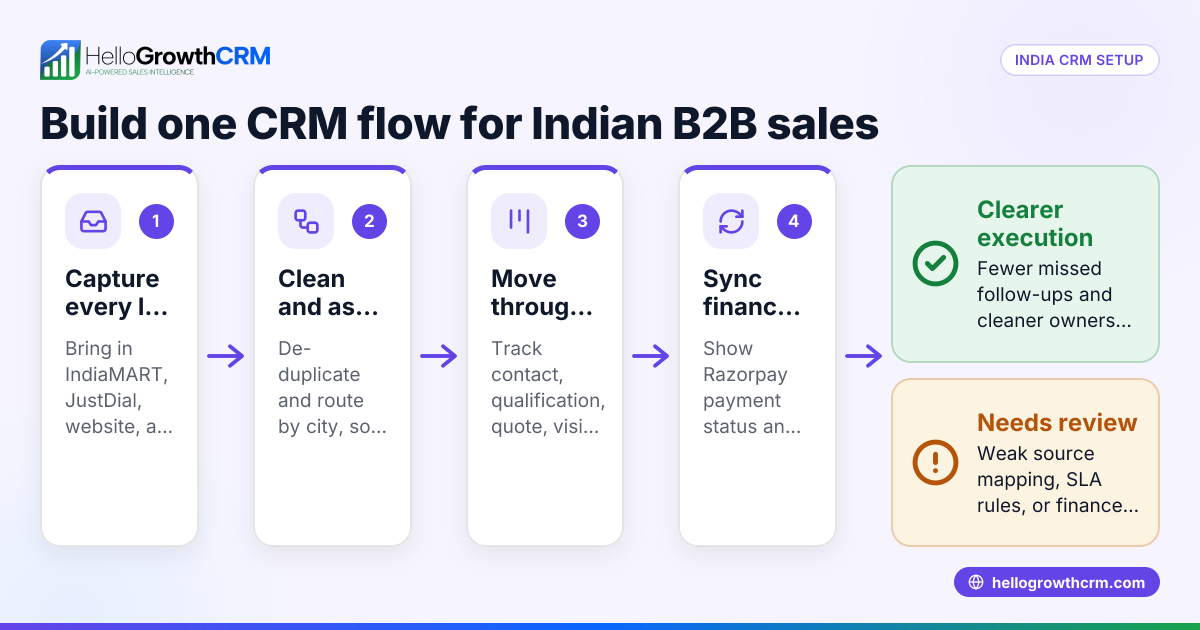
HelloGrowthCRM setup for Indian B2B sales teams means configuring one shared sales system to capture leads from IndiaMART, JustDial, and WhatsApp, auto-assign them by territory and urgency, enforce follow-up SLAs, track consent, and keep pipeline stages accurate enough for dependable revenue forecasting across Indian field and inside sales teams.
Key Takeaways
- Indian B2B teams should set up lead capture first, then routing, then SLA automation, then forecasting rules.
- IndiaMART, JustDial, and WhatsApp leads need separate source tags, response-time SLAs, and qualification checks.
- DPDPA 2023-safe setup starts with clear consent capture, purpose limitation, and role-based access.
- Clean pipeline stages matter more than fancy dashboards when you want reliable forecast calls.
- For Indian SMEs, payment visibility from Razorpay and accounting handoff to Tally reduce sales-finance friction.
- HelloGrowthCRM works best when phone, WhatsApp, and field follow-up all live inside one operating rhythm.
Why Indian B2B sales teams need a different CRM setup
Indian B2B sales teams need a different CRM setup because their buying journeys are channel-heavy, rep-driven, and often fragmented across calls, WhatsApp, listing portals, and field visits. A good Indian setup must handle high lead volume, uneven data quality, regional ownership, and strict follow-up discipline without slowing reps down.
Most Indian SME sales motions do not start with polished inbound forms. They start with:
- IndiaMART enquiries
- JustDial calls and form leads
- WhatsApp conversations
- Missed calls to sales numbers
- Referrals from dealers or distributors
- Repeat orders from existing customers
That changes how you should implement a CRM. If your reps in Mumbai, Pune, or Bangalore still work mainly from phone and WhatsApp, forcing them into a desktop-only workflow usually fails.
In one rollout we did with a 12-person sales team selling industrial components across Mumbai and Nashik, the biggest issue was not lead generation. It was response chaos. Three reps called the same IndiaMART lead. Nobody logged WhatsApp follow-ups. Forecasts were based on hope, not stage evidence. The fix was simple: source-wise routing, mandatory next step fields, and stage entry criteria inside the CRM.
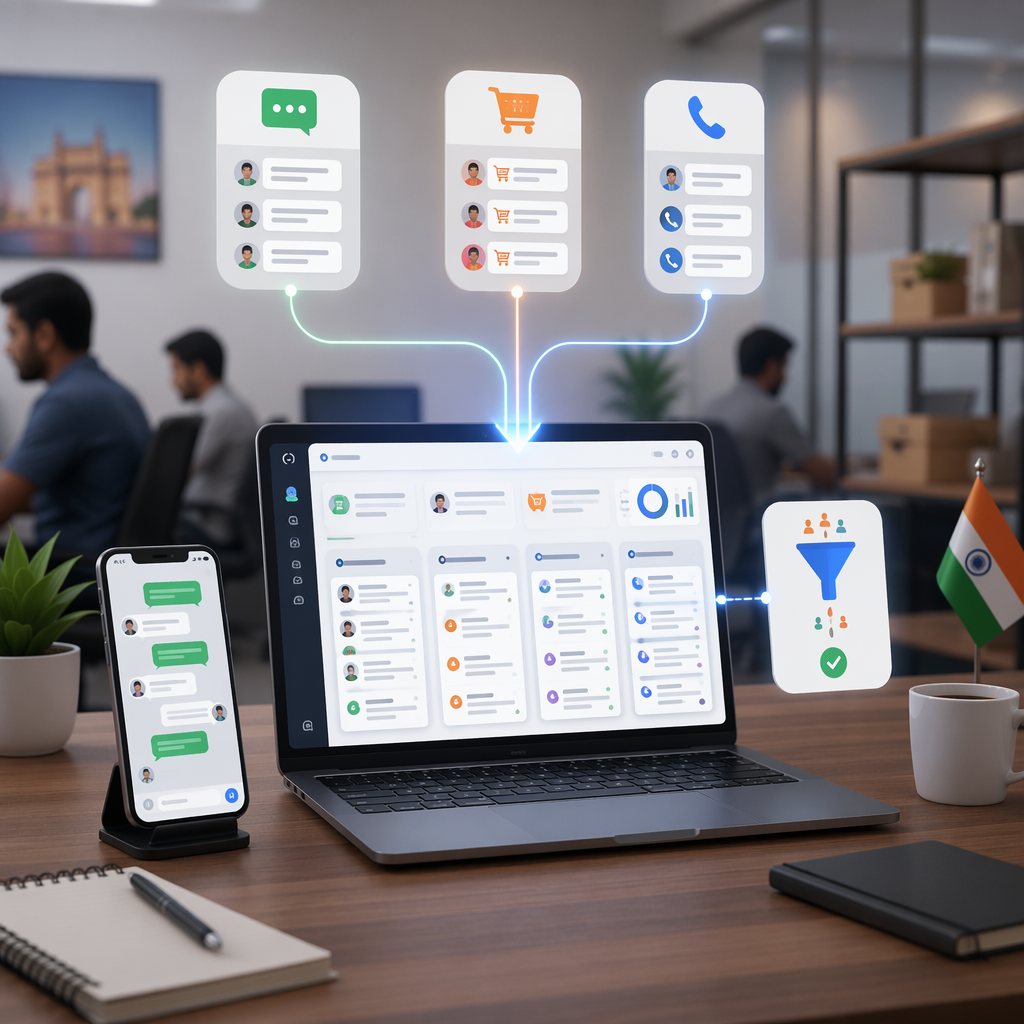
HelloGrowthCRM is well suited here because it combines AI CRM, WhatsApp & SMS CRM, CRM Dialer, and AI Pipeline Management in one workflow. That matters for teams that cannot afford separate tools for capture, calling, follow-up, and reporting.
What makes Indian sales ops messy
Common operating problems include:
- Duplicate leads from IndiaMART and JustDial
- Shared mobile numbers across businesses
- WhatsApp chats happening outside the CRM
- Field reps updating stages late
- Owners wanting daily forecast visibility
- Finance asking whether a deal already paid via Razorpay
A setup that ignores these realities will look clean in a demo and fail in week two.
What a good HelloGrowthCRM setup looks like
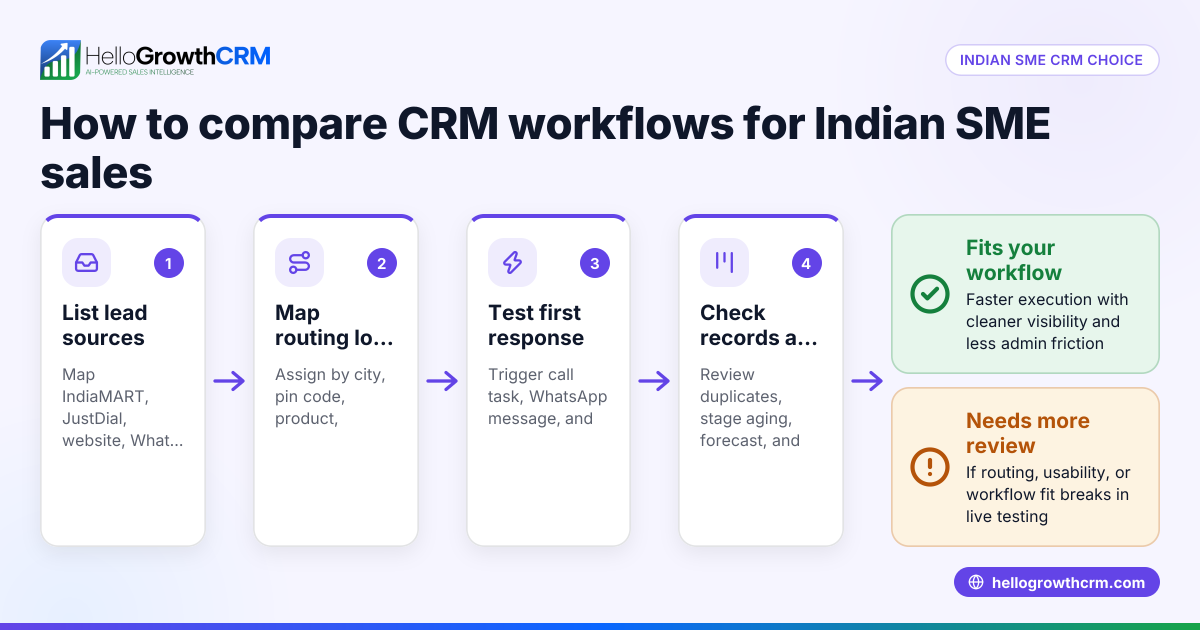
A good HelloGrowthCRM setup for Indian B2B sales teams creates one record per buyer, one owner per active opportunity, one clear next action, and one stage logic that every rep follows. It should reduce lead leakage, shorten response time, and make forecast reviews fact-based instead of anecdotal.
At a minimum, your setup should include these objects and controls:
| Area | What to configure in HelloGrowthCRM | Why it matters for Indian teams |
|---|---|---|
| Lead capture | IndiaMART, JustDial, WhatsApp, manual imports | Keeps source data clean |
| Lead routing | Territory, city, product line, lead temperature | Stops duplicate calling |
| Activity tracking | Calls, WhatsApp, meetings, tasks | Gives managers real pipeline evidence |
| SLA rules | First response, second touch, stale lead alerts | Improves speed-to-lead |
| Pipeline stages | Entry and exit criteria | Makes forecasting believable |
| Payment visibility | Razorpay status fields or integration handoff | Helps sales-finance coordination |
| Access control | Role-based visibility, consent notes | Supports DPDPA-safe operations |
You can review broad capability coverage on the Features page, but setup quality matters more than feature count.
Core fields to create on day one
Create these fields before importing leads:
- Lead source
- Lead sub-source
- City
- State
- Territory owner
- Product interest
- Monthly order potential
- Qualification status
- Consent status
- Preferred contact channel
- Next follow-up date
- Last meaningful interaction date
When I have audited pipelines like this, missing fields are usually the reason reports break. If “lead source” is optional, reps skip it. If “next follow-up date” is not mandatory, stale opportunities pile up fast.
Keep stages simple
For most Indian SME B2B teams, five to seven stages are enough:
- New lead
- Contacted
- Qualified
- Meeting or demo done
- Proposal sent
- Negotiation
- Won or lost
Tie these to measurable actions. For example, “Qualified” can require budget range, buyer role, need, and timeline. If you use MEDDPICC later, add it after adoption is stable.
How to capture and route IndiaMART, JustDial, and WhatsApp leads
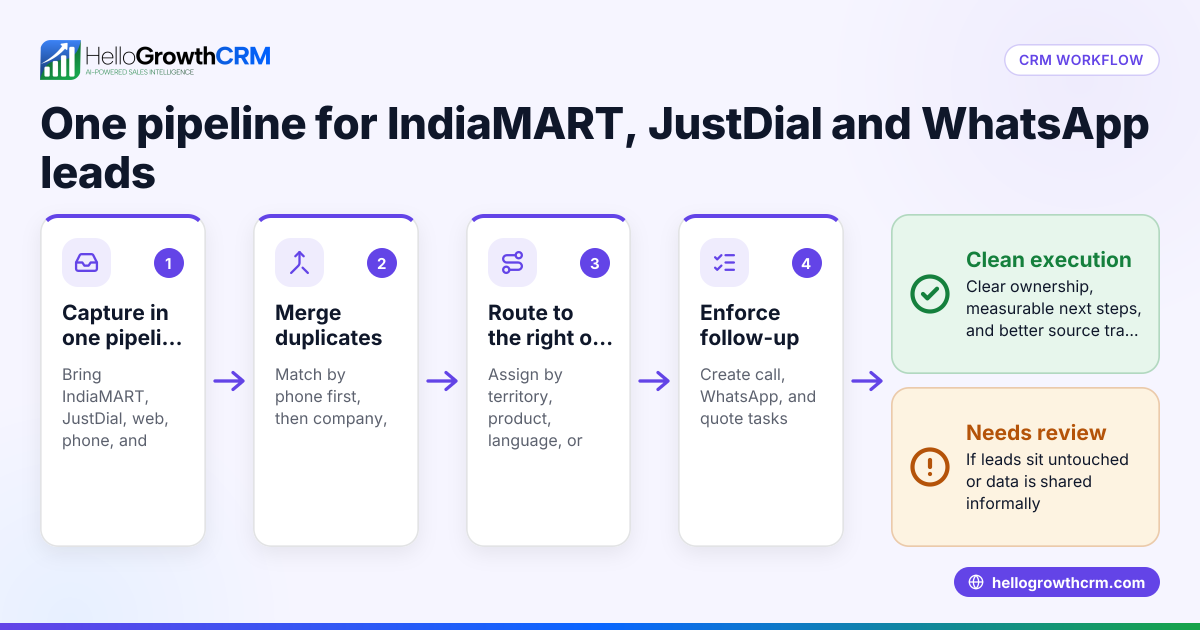
Capturing and routing IndiaMART, JustDial, and WhatsApp leads in HelloGrowthCRM means mapping each source into standard fields, deduplicating by phone and company, then assigning records using city, product, or account rules. This keeps response time fast and prevents channel-based lead leakage.
The first goal is not sophistication. It is speed and consistency.
IndiaMART lead setup
IndiaMART leads often arrive with mixed quality. Some are urgent. Some are broad price checks. Set rules like these:
- Source = IndiaMART
- Sub-source = callback, enquiry, catalog view, RFQ
- Auto-create task within 5 minutes
- Route by pincode, city, or product category
- Mark unresponsive after 3 attempts across 48 hours
- Recycle to nurture if need is real but timing is weak
If your team uses Lead Scoring Calculator, assign higher points to leads with business email, GST details, and specific quantity requirements.
JustDial lead setup
JustDial leads often skew phone-first. Reps should call before sending long emails.
Use these workflow rules:
- Trigger immediate call task via CRM Dialer
- If call not connected, send approved WhatsApp template
- Ask for company name, requirement, quantity, city, and timeline
- Convert to opportunity only after first qualification
For teams with multiple branches, route by serviceable city. A Bangalore rep should not chase a lead better handled by a Pune distributor manager.
WhatsApp lead setup
WhatsApp leads should enter HelloGrowthCRM with consent note, source label, and conversation owner.
Use WhatsApp & SMS CRM so the conversation is not trapped on personal devices. Pair it with Smart Inbox if several reps share one business number.
India had over 500 million WhatsApp users in 2024, according to Statista.
That scale is why WhatsApp is not a side channel in India. For many SMEs, it is the primary sales channel.
How to enforce follow-up SLAs and keep reps accountable
Enforcing follow-up SLAs in HelloGrowthCRM means setting time-bound task rules by lead source and deal stage, then alerting managers when tasks slip. This is the fastest way to reduce lead leakage for Indian sales teams that depend on calls, reminders, and WhatsApp nudges.
Start with simple SLA windows:
- IndiaMART new lead: first touch in 5 minutes
- JustDial inbound lead: first call in 10 minutes
- Website or referral lead: first touch in 15 minutes
- Qualified opportunity: next step always within 3 business days
- Proposal sent: review task within 48 hours
Use Sales Task Boards to show overdue work by rep and source. Add Email Automation only after basic call and WhatsApp discipline is stable.
A practical SLA model for Indian SMEs
I prefer a three-layer SLA model:
- Response SLA: How fast the first outreach happens
- Progress SLA: How long a deal can sit in one stage
- Manager SLA: When stalled deals must be reviewed
This works well for teams under 50 reps. Above that, expect more complexity around territories, overlays, and channel conflict.
What managers should review every day
Managers should inspect:
- New leads untouched for more than SLA
- Opportunities with no next step
- Deals sitting in one stage too long
- Won deals missing payment status
- Lost deals without reason code
Use AI Deal Insights and AI Sales Copilot to surface rep risks faster, but only after your fields and task logic are clean.
How to keep pipeline stages clean for better forecasting
Keeping pipeline stages clean for better forecasting means defining exact entry criteria for each stage, limiting manual overrides, and using activity evidence to support forecast changes. Clean stages help Indian sales leaders separate real deals from polite conversations and produce more reliable weekly commit numbers.
Forecasting breaks when stage names are vague. “Interested” and “hot” are not forecast categories. They are feelings.
Stage rules that improve forecast quality
Set stage entry rules like this:
- Contacted: First call or WhatsApp sent and logged
- Qualified: Need, contact person, timeline, and rough budget confirmed
- Meeting done: Demo, sample discussion, or technical review completed
- Proposal sent: Formal quotation shared
- Negotiation: Commercial or approval discussion active
- Won: PO, advance payment, or signed acceptance received
For better discipline, pair stage changes with mandatory fields. Sales Forecasting becomes useful only when stages mean the same thing to all reps.
Add stage velocity and aging
Track:
- Stage-velocity in days
- Deal age in days
- Time since last meaningful interaction
- Push count on expected close date
In one audit of a distribution-led B2B team in Pune, 38% of “proposal sent” deals had no buyer response in over 21 days. Those deals inflated the forecast by nearly 2x. Once we enforced a stale-deal downgrade rule, forecast quality improved within two review cycles.
You can sanity-check your process using the Pipeline Health Score and compare gain scenarios with the CRM ROI Calculator.
How to handle DPDPA 2023, Razorpay visibility, and Tally sync
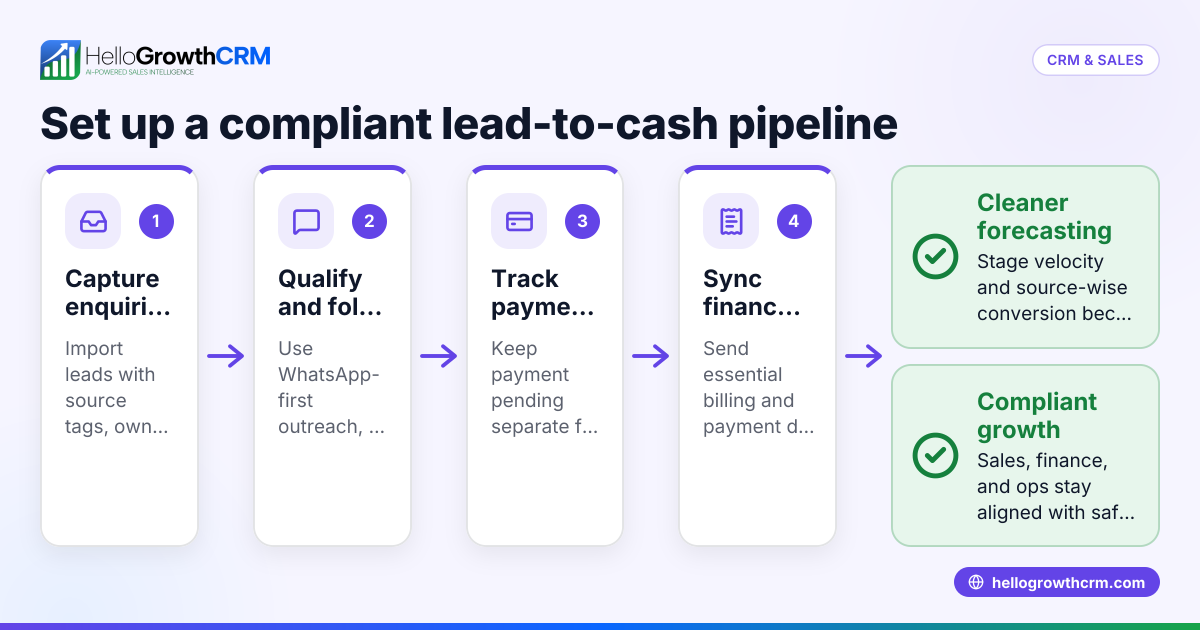
Handling DPDPA 2023, Razorpay visibility, and Tally sync in HelloGrowthCRM means storing only necessary customer data, recording communication consent, limiting internal access, and passing payment or accounting status into the pipeline without turning the CRM into a full finance system.
India’s Digital Personal Data Protection Act, 2023 creates a clear need for purpose-bound, consent-aware data handling. The official MeitY information hub is here: Digital Personal Data Protection framework.
DPDPA-safe CRM practices
Use these basic controls:
- Capture why you collected the lead
- Record consent source where relevant
- Store only sales-relevant data
- Restrict exports to admins
- Define retention rules for inactive leads
- Avoid personal WhatsApp storage on rep phones
This is not legal advice. It is an operational baseline for SME sales teams. If you process large data volumes or sensitive categories, get counsel.
Razorpay and payment visibility
Your reps do not need full finance access. They need clear commercial status.
A useful model is:
- Quote sent
- Advance requested
- Advance paid
- Invoice raised
- Payment pending
- Payment complete
If you use Razorpay, feed payment status into the deal record. That helps sales stop chasing already-paid customers and helps managers separate collection delay from sales delay.
Tally sync considerations
Many Indian SMEs still run accounting in Tally. Keep the handoff practical.
Sync or export these fields:
- Customer name
- GSTIN
- Billing city
- Order value
- Invoice number
- Payment status
- Outstanding amount
Do not try to force every accounting workflow into CRM. For most SMEs, a clean handoff is better than deep but brittle sync. If your process needs flexibility, connect systems through Zapier or review All Integrations.
How to set up HelloGrowthCRM for Indian B2B sales teams: Step-by-Step
Setting up HelloGrowthCRM for Indian B2B sales teams works best when you configure sources, fields, routing, SLAs, pipeline rules, and reporting in sequence. Start narrow, test with one region or pod, then expand after reps consistently log calls, WhatsApp activity, and next steps.
- Define your sales motion
List lead sources, sales regions, response expectations, and what counts as a qualified opportunity. - Create standard fields
Add source, city, state, product line, consent status, lead owner, and next follow-up date. - Connect lead channels
Bring in IndiaMART, JustDial, forms, and WhatsApp conversations into one intake flow. - Set routing rules
Assign leads by territory, city, account type, or product. Add fallback rules for unassigned records. - Enable SLA automation
Build task timers, overdue alerts, and manager escalations using source-specific response windows. - Design your pipeline
Keep stage count low. Add entry criteria and mandatory fields for each stage. - Add communication tools
Turn on Meeting Scheduler, dialer, and WhatsApp workflows so reps can work inside one system. - Expose payment and finance signals
Show Razorpay payment status and prepare Tally export or sync fields for operations handoff. - Train managers first
Managers must inspect overdue leads, empty next steps, stale deals, and forecast slippage every day. - Pilot and refine
Run the setup with one pod in Mumbai or Bangalore for two weeks. Fix edge cases before full rollout.
If you want guided implementation, Managed RevOps is the fastest way to avoid rework. If you are still evaluating cost and rollout scope, check Pricing, book a Demo, or start a Free Trial.
For Indian teams that sell on phone, WhatsApp, and field follow-up, HelloGrowthCRM gives you one operating system instead of disconnected tools. If you want cleaner lead routing, faster response times, and forecasts your managers can trust, try HelloGrowthCRM for your Mumbai, Bangalore, Pune, and tier-2 sales teams today.
About the author
Rohan Kulkarni is a Revenue Operations Lead at HelloGrowthCRM with 9 years of experience in B2B SaaS, CRM implementation, and sales process design. He has led CRM and pipeline cleanup projects for Indian SME sales teams across manufacturing, IT services, and distribution. One project that informed this article involved redesigning lead routing and forecast governance for a 12-rep industrial sales team handling IndiaMART and WhatsApp enquiries across Mumbai, Pune, and Nashik.
Frequently Asked Questions
Q: How long does a HelloGrowthCRM setup for Indian B2B sales teams usually take?
A: A HelloGrowthCRM setup for Indian B2B sales teams usually takes 1 to 3 weeks for a small SME team when scope is limited to lead capture, routing, pipeline stages, and SLA automation. If you add custom integrations, finance handoffs, and multi-region permissions, expect a longer rollout.
Q: Can HelloGrowthCRM capture leads from IndiaMART and JustDial?
A: Yes, HelloGrowthCRM can capture leads from IndiaMART and JustDial when you map source data into standard CRM fields and set assignment rules. The key is to normalize phone numbers, city names, and source labels before routing.
Q: Is HelloGrowthCRM good for WhatsApp-heavy sales teams in India?
A: Yes, HelloGrowthCRM is good for WhatsApp-heavy sales teams in India because it helps reps manage chats, follow-ups, and ownership inside one system. That is especially useful when personal phones and informal message trails are causing lead leakage.
Q: How should Indian SMEs handle DPDPA 2023 in CRM workflows?
A: Indian SMEs should handle DPDPA 2023 in CRM workflows by recording consent where relevant, limiting data collection to clear sales purposes, and restricting access by role. You should also define retention and export controls for inactive or sensitive records.
Q: What pipeline stages are best for Indian B2B teams?
A: The best pipeline stages for Indian B2B teams are simple, action-based stages such as New Lead, Contacted, Qualified, Meeting Done, Proposal Sent, Negotiation, and Won or Lost. These stages work well because managers can audit them against actual rep activity.
Q: Can HelloGrowthCRM show Razorpay payment status?
A: Yes, HelloGrowthCRM can show Razorpay payment status through workflow mapping or integration-based handoff so reps see commercial progress inside the deal view. This helps sales and finance stay aligned without giving every rep full accounting access.
Q: Should I sync Tally directly with CRM?
A: You should sync Tally directly with CRM only if your field mapping, ownership, and exception handling are clear. For many Indian SMEs, a structured export or limited sync for invoice and payment status is simpler and more reliable than deep two-way sync.
Q: What is the biggest mistake in CRM setup for Indian sales teams?
A: The biggest mistake in CRM setup for Indian sales teams is copying a generic SaaS pipeline without adapting it to IndiaMART, JustDial, WhatsApp, and territory-led sales habits. That usually leads to low rep adoption and unreliable forecasts.
Frequently Asked Questions
Ready to put this into practice?
Set up your pipeline, WhatsApp follow-ups, and AI lead scoring in minutes — free, no credit card.
Try HelloGrowthCRM freeGet CRM tips in your inbox
Join thousands of sales professionals who get weekly insights on CRM strategy, AI automation, and pipeline optimization.

The HelloGrowthCRM team publishes guides on CRM strategy, AI sales tools, and revenue operations for small business sales teams.