HelloGrowthCRM software
Built for real small-business sales teams
HelloGrowthCRM helps reps qualify faster, follow up on time, and close more deals—with practical automation in one place.
- AI lead scoring and pipeline visibility
- Built-in dialer, WhatsApp, and email automation
- Sales forecasting and RevOps-ready reporting
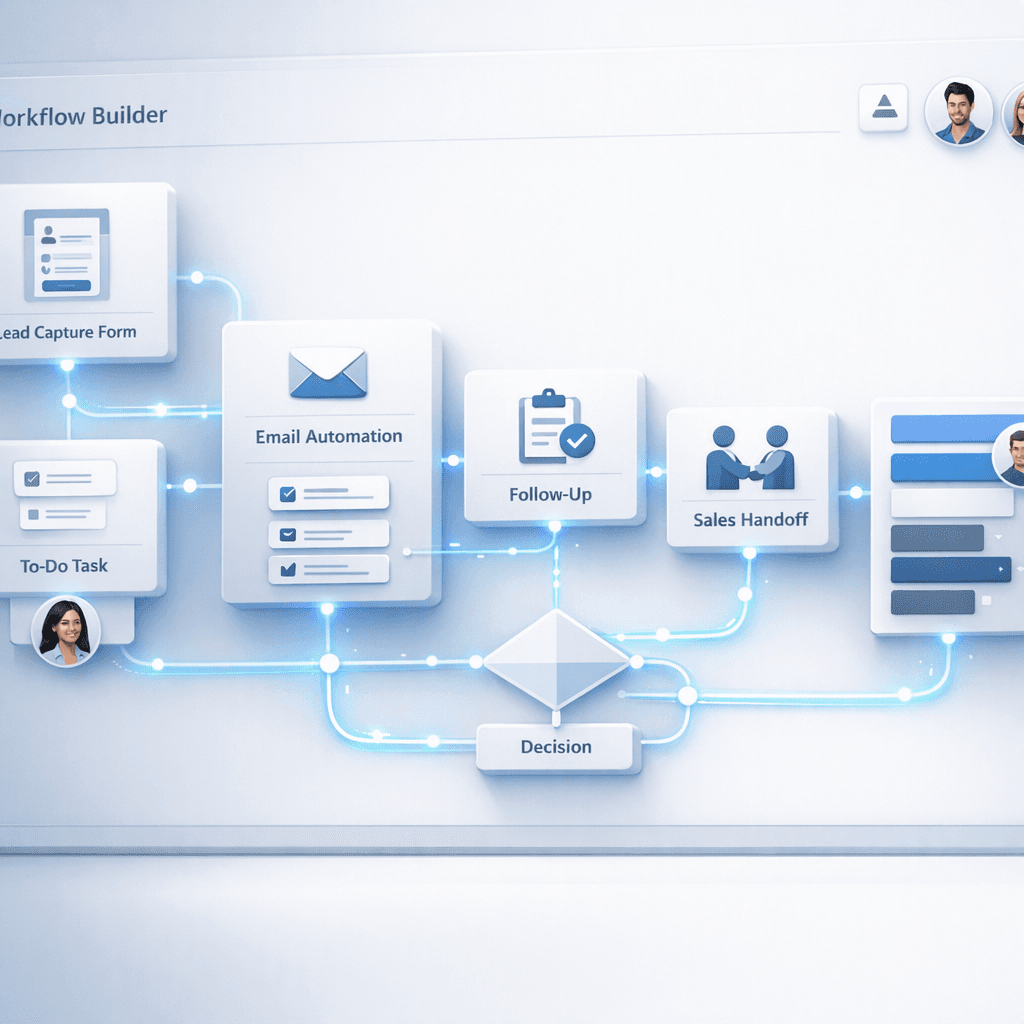
HelloGrowthCRM workflow builder templates are prebuilt automation flows inside HelloGrowthCRM that connect lead capture, routing, task creation, notifications, and follow-up handoffs in one CRM process, so sales teams can launch repeatable workflows faster, reduce manual work, and keep every new lead moving without gaps or spreadsheet-driven coordination.
Key Takeaways
- HelloGrowthCRM workflow builder templates help teams automate lead capture through rep handoff without building every rule from scratch.
- The best templates cover form submission, routing logic, task creation, SLA alerts, and follow-up ownership changes.
- Teams get faster value when they start with a template, then adjust fields, triggers, and conditions to fit their funnel.
- Managed RevOps is useful when teams need complex routing, lifecycle design, or cross-team handoffs set up correctly the first time.
- HelloGrowthCRM keeps automations, records, tasks, and communication in one platform, which reduces tool switching and handoff failures.
- For most growing B2B teams, template-based automation is the quickest path to a cleaner pipeline and better response times.
What are HelloGrowthCRM workflow builder templates?
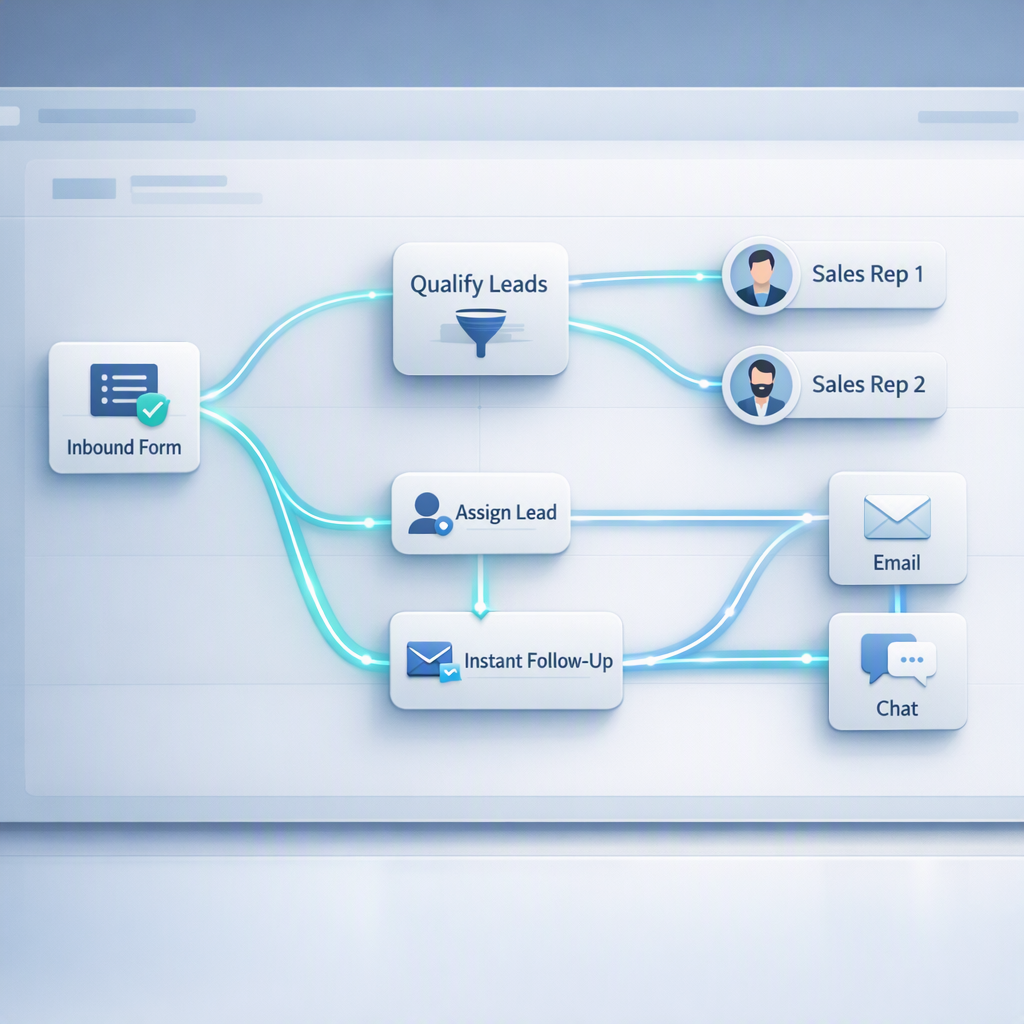
HelloGrowthCRM workflow builder templates are reusable automation blueprints that let teams set up common revenue workflows inside one CRM, including lead capture, assignment, enrichment, task creation, and follow-up handoffs, without starting from a blank canvas or stitching together several disconnected tools.
Think of them as ready-made workflow skeletons. You choose a template, connect your trigger, edit a few rules, and publish.
Inside HelloGrowthCRM, these templates work well with core CRM data, Email Automation, Meeting Scheduler, Smart Inbox, and AI Pipeline Management. That matters because the workflow is not just sending alerts. It is updating records, assigning owners, creating tasks, and keeping pipeline actions visible in the same place.
Typical template actions include:
- Capture a new lead from a form, chat, import, or integration
- Check lead source, region, company size, or product interest
- Route the lead to the right rep or queue
- Create a follow-up task with due date and priority
- Send an internal Slack or email alert
- Trigger a meeting booking or sequence enrollment
- Reassign the record if no action happens within the SLA
In one rollout we did with a 12-person sales team, the biggest issue was not lead volume. It was handoff delay. Marketing captured leads in one tool, ops routed them in another, and reps managed follow-up in inboxes. A single CRM workflow fixed that faster than any dashboard ever could.
Why use templates for lead capture to follow-up handoffs?
Using templates for lead capture to follow-up handoffs helps teams launch proven automations quickly, avoid common workflow design mistakes, and standardize how leads move from intake to first action, especially when sales, marketing, and RevOps all need shared rules inside one CRM.
The biggest benefit is speed. Most teams know what they want in theory. They struggle with turning that into reliable logic.
Templates help because they already include the common pieces:
- Trigger event
- Qualification checks
- Assignment rules
- Task creation
- Notification logic
- Escalation conditions
- Ownership handoff steps
This matters because speed-to-lead has real revenue impact. Harvard Business Review reported that companies that tried to contact web leads within an hour were nearly seven times as likely to qualify the lead as companies that waited even an hour longer.
When I audit pipelines like this, I usually find the same three breakdowns:
Missed ownership rules
A lead enters the CRM, but nobody owns it. Templates solve this by assigning an owner instantly.
Weak SLA enforcement
A task gets created, but there is no reminder or escalation. Good workflow templates create both.
Broken follow-up context
The rep gets a task, but not the lead source, form details, or last touchpoint. HelloGrowthCRM templates can push all that context into the record and task.
If your team wants a faster launch, starting with a template is usually better than building from zero. If your process is more mature, Managed RevOps can help design the logic, lifecycle stages, and reporting before you publish.
Which workflow builder templates matter most for sales teams?
The workflow builder templates that matter most for sales teams are the ones that automate the first 24 hours after lead capture, because that is where most response-time failures, ownership confusion, and follow-up drop-off happen in growing pipelines.
Below are the most useful HelloGrowthCRM workflow template patterns for this use case.
1. New inbound lead capture and assignment
This template triggers when a lead is created from a form, chat, import, or integration such as Zapier or Shopify. It checks routing fields, assigns an owner, and creates a first-touch task.
Use it when you need:
- Round-robin assignment
- Territory-based ownership
- Source-based routing
- Fast first-response SLAs
This often pairs well with Territory Management and AI Lead Scoring.
2. MQL to SDR handoff template
This template moves a marketing-qualified lead to an SDR with required context, due dates, and internal alerts. It is useful when handoff quality matters more than just assignment speed.
Best actions include:
- Update lifecycle stage
- Create an outreach task
- Notify owner in Slack
- Add source and campaign notes to the record
- Escalate if no first action happens in time
3. Demo request to AE routing template
This template is built for high-intent leads. When a buyer requests a demo, the workflow can assign an account executive, trigger Meeting Scheduler, and create prep tasks.
If your team sells globally, add routing by geography, language, and company size. You can also connect calendars through Google Meet or Microsoft Teams.
4. No-response follow-up handoff template
This template watches for inactivity after the first outreach. If the owner does not complete a task or the contact does not reply, the workflow creates the next task, changes the status, or hands the lead to another queue.
This is where Sales Task Boards and Smart Inbox help. Reps can see what is due without searching across tools.
5. Post-call next-step template
After a discovery or demo call, the workflow can assign next actions, update the stage, and alert the next owner. Teams using AI Sales Copilot or the Post-Call Agent can make this even more consistent.
HelloGrowthCRM workflow builder templates vs building from scratch
HelloGrowthCRM workflow builder templates versus building from scratch is mainly a tradeoff between speed and total flexibility, but for most teams under 50 reps, templates win because they shorten setup time, reduce logic errors, and create a cleaner path to adoption.
Here is the practical difference.
| Option | Best for | Time to launch | Risk of setup errors | Ongoing maintenance | Recommended use |
|---|---|---|---|---|---|
| HelloGrowthCRM workflow template | Teams that want fast deployment | Low | Low | Low to medium | Start here for lead routing and handoffs |
| Custom workflow from blank canvas | Mature RevOps teams with complex rules | Medium to high | Medium to high | Medium to high | Use when your process is unique |
| Multi-tool automation stack | Teams with fragmented systems | High | High | High | Only if key systems cannot live in one CRM |
The main hidden cost of building from scratch is not build time. It is rework. A workflow looks simple until you add exceptions, SLAs, fallback owners, duplicate rules, and reporting needs.
Gartner’s CRM topic page consistently frames CRM success around process design and adoption, not just software selection. That matches what I have seen in real rollouts. Clean automation usually beats clever automation.
Because HelloGrowthCRM is our product, I should be clear about the limitation too. If your company has highly regulated approval paths or very deep enterprise object models, you may need more custom design work than a template alone can provide. That is where a guided setup or Demo is better than a self-serve launch.
What should a good lead handoff workflow include?
A good lead handoff workflow should include a trigger, qualification logic, ownership rules, task creation, SLA timing, context transfer, and exception handling, because a handoff fails when any one of those pieces is missing, even if the CRM technically recorded the lead.
Here is the checklist I use in workflow reviews.
Trigger and source clarity
Start with a clear trigger:
- Form submitted
- Lead imported
- Chat started
- Demo requested
- Opportunity stage changed
Keep the trigger narrow. That makes troubleshooting easier.
Routing logic
The routing rules should match your go-to-market model. Common fields include:
- Country or region
- Company size
- Product line
- Lead source
- Existing account status
If lead priority matters, add AI Lead Scoring or use the Lead Scoring Calculator before routing logic is finalized.
Task and SLA design
A handoff without a task is just a record update. Create a task with:
- Owner
- Due date
- Priority
- Required action
- Escalation if overdue
Context transfer
The next person should know what happened before the handoff. Include:
- Original source
- Campaign or channel
- Form values
- Last contact status
- Notes from prior touchpoints
Reporting hooks
Make sure the workflow writes values you can report on later. I like to track:
- Time to assignment
- Time to first activity
- Time in stage
- Overdue task rate
- Handoff completion rate
For pipeline visibility, use Sales Forecasting, Revenue Attribution, and the Pipeline Health Score to see whether the workflow is improving outcomes.
How to set up HelloGrowthCRM workflow builder templates: Step-by-Step
Setting up HelloGrowthCRM workflow builder templates means choosing the right trigger, applying the right routing and handoff rules, testing edge cases, and publishing with clear ownership, so your team can automate lead capture through follow-up inside a single, trackable CRM workflow.
- Pick the workflow goal
Start with one use case. For example, route all demo requests to the correct AE and create a same-day follow-up task. - Choose a matching template
Use the closest ready-made flow rather than a blank build. This speeds setup and reduces missed conditions. Explore fit across Features if you need to connect more product actions. - Map your trigger
Define what starts the workflow. This could be a web form, a field update, an inbound WhatsApp message through WhatsApp, or a booked meeting. - Set routing rules
Add assignment logic by territory, segment, source, or score. If needed, connect Territory Management and fallback queues. - Create follow-up tasks and alerts
Build the action layer. Create tasks, send owner notifications, and add backup alerts to managers if the task stays untouched. - Add handoff context
Push the source, notes, and prior activity into the record and task. This is where Smart Inbox and Gmail sync can help. - Test edge cases
Run test leads through every major path. Check duplicate submissions, missing fields, non-working owners, and SLA failures. - Publish and monitor
Launch the workflow, then watch assignment speed, task completion, and missed handoffs in the first two weeks. - Refine with RevOps support
If your workflow spans multiple teams or regions, use Managed RevOps to tighten lifecycle stages, reporting, and exceptions.
When should you use managed RevOps support?
You should use managed RevOps support when your workflow spans multiple teams, lead sources, or routing rules, because template setup is fast, but process design, field governance, SLA logic, and reporting quality still need experienced hands to prevent automation from creating new confusion.
Managed support is especially useful when:
- Marketing and sales use different qualification rules
- You need lifecycle redesign
- Your territories change often
- You have several inbound channels
- Reporting must tie back to pipeline and revenue
In one project with a global SaaS team, the template itself took less than a day. The hard part was agreeing on who owned partner leads, how to handle duplicates, and when an SDR should hand off to an AE. Those are RevOps questions, not just CRM setup questions.
That is why HelloGrowthCRM combines product setup with Managed RevOps. If you want to move faster, you can start with a Free Trial. If you need a guided design, book a Demo and map the workflow with our team.
If you are evaluating automation value first, the CRM ROI Calculator and RevOps Maturity Assessment can help you estimate impact before rollout.
If you want to automate lead capture, routing, task creation, and follow-up handoffs in one place, HelloGrowthCRM is built for exactly that. Start with a ready-made template, customize the rules to match your funnel, and use HelloGrowthCRM to launch faster without losing process control. Try the Free Trial or book a Demo to see the workflow builder in action.
About the author
Arjun Mehta is a Sales Operations Lead at HelloGrowthCRM with 10 years of experience in B2B SaaS revenue operations, CRM design, and sales automation. He has led CRM and handoff process rollouts for growth-stage sales teams across inbound, SDR, and account executive motions. One project that informed this article was a rebuild of lead routing and SLA workflows for a 12-person global sales team that cut manual assignment work and exposed hidden handoff delays. He writes from hands-on experience implementing automation that reps actually use.
Frequently Asked Questions
Q: What are HelloGrowthCRM workflow builder templates used for?
A: HelloGrowthCRM workflow builder templates are used to automate repeatable CRM processes like lead capture, assignment, task creation, and follow-up handoffs. They help teams launch faster by starting with proven workflow logic instead of building every automation from scratch.
Q: Can I automate lead routing inside HelloGrowthCRM?
A: Yes, you can automate lead routing inside HelloGrowthCRM using workflow builder templates and rule-based assignment logic. You can route by territory, company size, source, product interest, or lead score, then create tasks and alerts for the assigned rep.
Q: Do HelloGrowthCRM templates support follow-up task creation?
A: Yes, HelloGrowthCRM templates support follow-up task creation as part of the workflow action layer. You can create due dates, priority levels, ownership rules, and escalation paths so no new lead sits untouched.
Q: Are workflow builder templates better than building automations from scratch?
A: Workflow builder templates are usually better than building automations from scratch when your team wants a faster launch and fewer setup errors. Custom builds still make sense for very complex enterprise processes, but most growing teams get value faster from templates.
Q: When should I use managed RevOps support for workflow setup?
A: You should use managed RevOps support for workflow setup when your process includes complex handoffs, multiple teams, or changing routing rules. Managed support helps with lifecycle design, field governance, SLA setup, and reporting so the automation works cleanly after launch.
Q: Can HelloGrowthCRM handle lead capture and follow-up in one system?
A: Yes, HelloGrowthCRM can handle lead capture and follow-up in one system by connecting records, ownership, tasks, inbox activity, and workflow automation in the same CRM. This reduces tool switching and makes handoff status easier to track.
Q: How long does it take to set up a workflow template?
Frequently Asked Questions
Ready to put this into practice?
Set up your pipeline, WhatsApp follow-ups, and AI lead scoring in minutes — free, no credit card.
Try HelloGrowthCRM freeGet CRM tips in your inbox
Join thousands of sales professionals who get weekly insights on CRM strategy, AI automation, and pipeline optimization.

The HelloGrowthCRM team publishes guides on CRM strategy, AI sales tools, and revenue operations for small business sales teams.