HelloGrowthCRM software
Built for real small-business sales teams
HelloGrowthCRM helps reps qualify faster, follow up on time, and close more deals—with practical automation in one place.
- AI lead scoring and pipeline visibility
- Built-in dialer, WhatsApp, and email automation
- Sales forecasting and RevOps-ready reporting
HelloGrowthCRM workflow builder is a no-code automation system inside HelloGrowthCRM that lets sales teams launch lead routing, task creation, and follow-up sequences in one afternoon by connecting triggers, conditions, and actions that keep response times fast and pipeline execution clean without custom development.
Key Takeaways
- HelloGrowthCRM workflow builder helps teams automate lead assignment, task creation, alerts, and follow-ups without engineering support.
- The fastest afternoon rollout starts with one high-impact workflow: route new leads, create the first task, and trigger an immediate follow-up.
- The most important workflow elements are clear triggers, simple routing rules, SLA-based task actions, and stop conditions.
- Built-in templates reduce setup time and help teams avoid broken logic, duplicate tasks, and unowned leads.
- In practice, cleaner automations improve rep response speed and make pipeline reviews easier because ownership and next steps stay visible.
- Teams can expand from basic routing into scoring, attribution, messaging, and forecasting using linked HelloGrowthCRM features.
Why HelloGrowthCRM workflow builder matters for sales teams
HelloGrowthCRM workflow builder matters for sales teams because it turns manual handoffs into consistent automation, so new leads get assigned, tasks get created, and follow-ups happen on time without reps relying on memory, spreadsheets, or admin-heavy CRM work that slows pipeline movement.
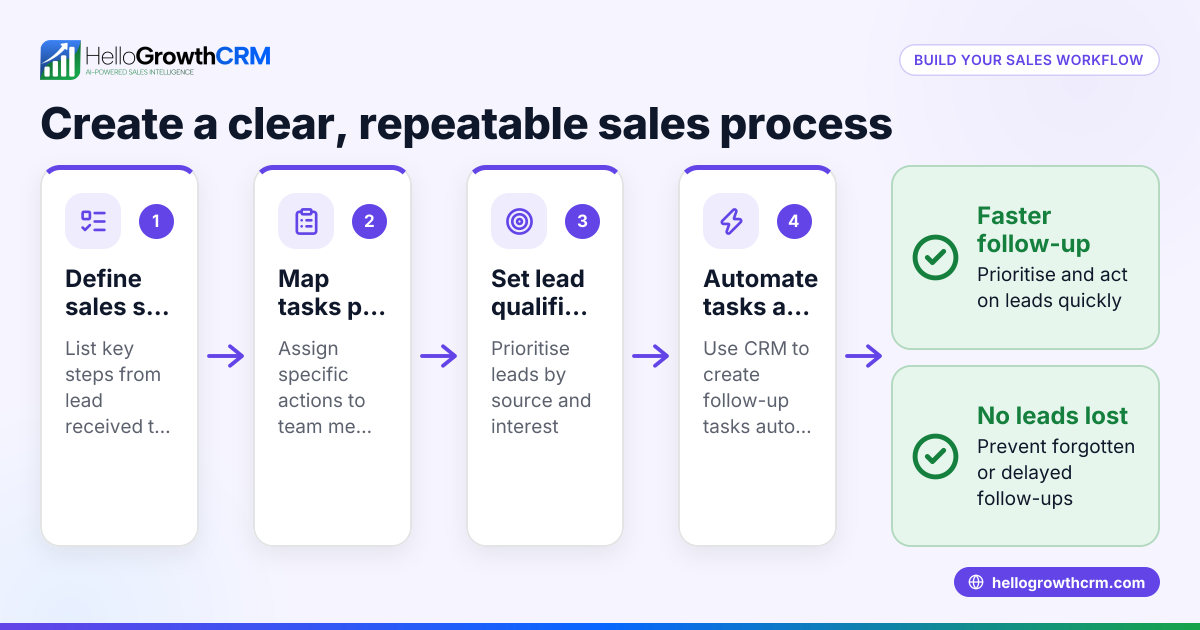
Most teams do not need ten automations on day one. They need three things to happen every time:
- The right rep owns the lead
- The first task is created fast
- The first follow-up goes out on schedule
That is exactly where HelloGrowthCRM workflow builder fits. It sits inside the platform, next to core selling workflows like AI Lead Scoring, Sales Task Boards, and Meeting Scheduler. That matters because the automation does not live in a disconnected tool. It works against your live pipeline, owners, tasks, and communication history.
From a RevOps view, the value is simple. Every handoff creates risk. If routing is late, the first touch is late. If the first touch is late, conversion drops. If tasks are missing, managers get a dirty pipeline with no real next step. In one rollout we did with a 12-person sales team, the biggest win was not “more automation.” It was removing the 18-minute average delay between inbound form fill and rep assignment. Once ownership was instant, the team stopped arguing about lead fairness and started working leads faster.
Harvard Business Review has repeatedly highlighted speed, focus, and process discipline as core sales execution themes. Workflow automation supports all three when it is tied to an actual operating model, not just a stack of if/then rules.
What the workflow builder actually automates
The most common automations inside HelloGrowthCRM include:
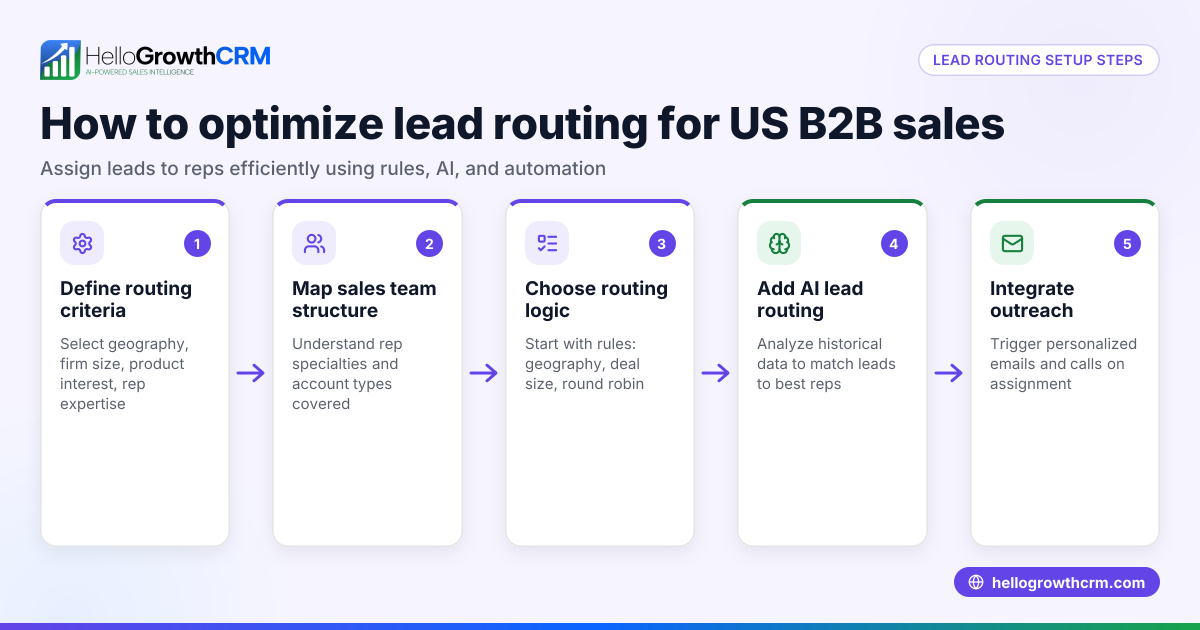
- Lead assignment by source, territory, company size, or owner rule
- Task creation for first outreach and follow-up
- Internal alerts through Slack or email
- Auto-enrollment into Email Automation
- SMS or WhatsApp follow-up through WhatsApp & SMS CRM
- Stage updates tied to rep activity
- Deal checks connected to AI Pipeline Management
If your team already uses Features across sales and RevOps, the workflow builder becomes the control layer that keeps everything moving.
What you can launch in one afternoon with HelloGrowthCRM workflow builder
You can launch a practical HelloGrowthCRM workflow builder setup in one afternoon by focusing on one entry point, one routing rule set, one task SLA, and one follow-up sequence, then testing ownership, timing, and stop conditions before turning it live for the full team.
A realistic afternoon setup is not a full revenue transformation. It is a fast, scoped launch that covers the moments where teams lose the most leads. I recommend this sequence for a first deployment:
The highest-value afternoon automation stack
- New lead trigger
- Fires when a form is submitted, a lead is created, or a lead syncs from a source - Routing logic
- Assign by geography, inbound source, account tier, or round-robin - Task creation
- Create a first-call or first-email task due within minutes - Rep notification
- Send an alert in CRM, email, or Slack - Follow-up action
- Send an immediate confirmation or enroll in a short sequence - Fail-safe branch
- Reassign if the lead remains untouched after your SLA window
A strong first workflow should answer five operating questions:
- What starts the automation?
- Who should own the lead?
- What must happen first?
- How fast must it happen?
- What happens if nobody acts?
When I have audited pipelines like this, the root problem is usually not lead volume. It is workflow ambiguity. Two reps think someone else owns the lead. A marketing-qualified lead lands without a task. A hot demo request sits in a queue because routing rules conflict. HelloGrowthCRM workflow builder helps remove those gaps with visible triggers, conditions, and actions instead of hidden admin logic.
Why starting small works better
Start with one workflow because complexity creates silent failures. A simple live workflow is better than five half-tested automations.
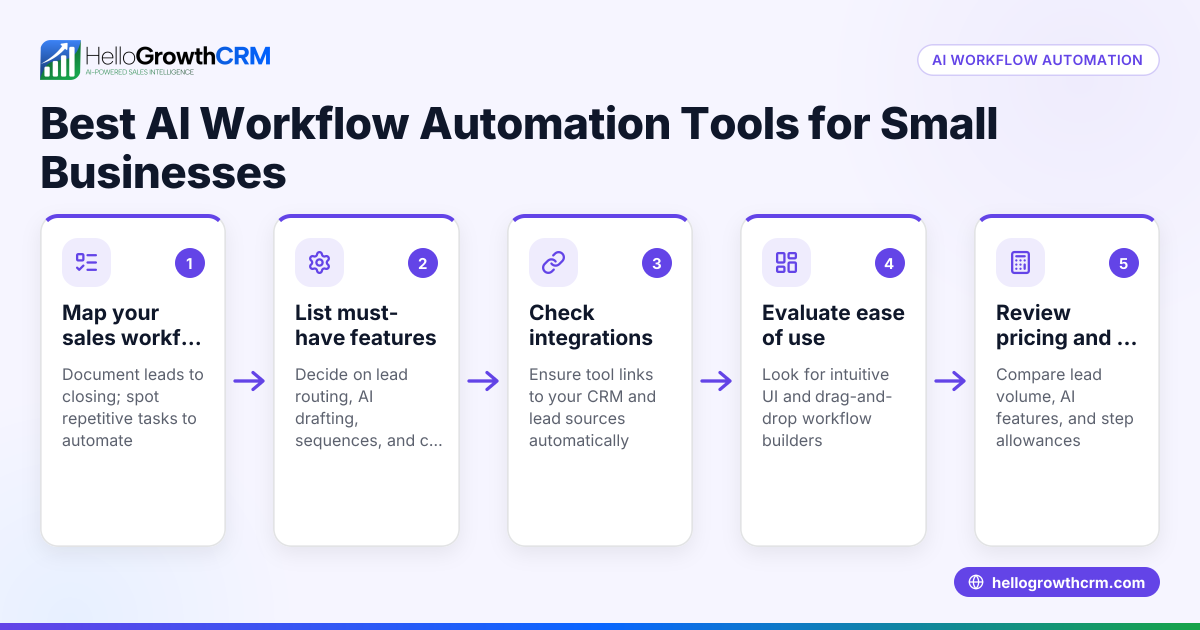
Use templates to get there faster. HelloGrowthCRM’s approach is not “blank canvas first.” It is guided setup. Teams can start, validate, and expand instead of designing every branch from scratch. If you want to model the impact before launch, the CRM ROI Calculator and Pipeline Health Score are useful planning tools.
Which triggers, conditions, and actions matter most
The most important HelloGrowthCRM workflow builder components are high-signal triggers, simple conditions, and time-bound actions, because those three elements control whether automation improves response speed and pipeline hygiene or just creates more noise, duplicate work, and ownership confusion.
Think of workflow design in three layers.
1. Triggers: what starts the workflow
For sales automation, the best triggers are events with clear intent and ownership. Start with triggers such as:
- New lead created
- Form submitted
- Demo requested
- Lead score crossed threshold
- Lifecycle stage changed
- No activity for X hours or days
If you are using AI Lead Scoring, a score threshold can be a strong trigger for routing urgency. If you are syncing leads through Zapier, HubSpot, or Salesforce, keep the source field normalized first. Bad source mapping breaks downstream logic.
2. Conditions: who should get what
Conditions should match your real go-to-market rules. Keep them few and explicit:
- Territory or country
- Segment or employee count
- Product line
- Inbound source
- Existing account ownership
- Priority score or intent level
If your business has named accounts, do not rely on round-robin alone. Existing ownership should usually override fairness logic. That is especially true for account expansion and partner-influenced leads.
3. Actions: what happens next
Actions should create a visible next step. The most useful actions are:
- Assign owner
- Create task
- Send internal alert
- Enroll in email sequence
- Update stage or status
- Reassign after SLA breach
According to Gartner, CRM effectiveness depends heavily on adoption and process alignment, not just software deployment. That is why workflow actions should support the rep’s next move, not flood the system with low-value notifications.
Common mistakes to avoid
The most common workflow builder mistakes are:
- Too many branches in version one
- No stop rules after a reply or meeting booked
- Duplicate tasks from overlapping triggers
- Routing rules that ignore account ownership
- Alerts without required follow-up tasks
A good rule is this: every action should either create ownership, create a next step, or remove risk.
HelloGrowthCRM workflow builder vs manual routing and disconnected automation
HelloGrowthCRM workflow builder is better than manual routing and disconnected automation for most B2B sales teams because it keeps routing, tasks, follow-up, and pipeline updates in one system, which reduces lag, avoids tool sprawl, and makes accountability easier for reps and managers.
Teams often compare three operating models before they commit:
| Approach | Setup speed | Ongoing admin | Visibility | Best for | Main risk |
|---|---|---|---|---|---|
| Manual routing in CRM | Fast at first | High | Low to medium | Very small teams | Slow responses and missed ownership |
| External automation tool plus CRM | Medium | Medium to high | Medium | Complex stacks | Logic spread across tools |
| HelloGrowthCRM workflow builder | Fast | Low to medium | High | Teams wanting speed and control | Needs clear process design |
Manual routing works for a founder-led team handling low volume. It breaks once inbound volume rises or territories get more complex. External automation can be powerful, but many teams end up with routing logic in one platform, tasks in another, and reporting in the CRM. That makes debugging painful.
HelloGrowthCRM keeps automation close to execution. A rep can see ownership, tasks, and communication context from the same workspace. Managers can tie workflow output into Sales Forecasting, Revenue Attribution, and Smart Inbox without rebuilding the operating model across separate tools.
Since HelloGrowthCRM is our product, I should be direct about the limitation. If you have a highly custom enterprise environment with dozens of regional exception rules and heavy middleware dependencies, you may still need deeper systems design. For teams under roughly 50 reps, though, the built-in builder is usually the faster path to clean execution.
How to launch HelloGrowthCRM workflow builder in one afternoon: Step-by-Step
You can launch HelloGrowthCRM workflow builder in one afternoon by picking one lead source, applying a simple routing template, setting one task SLA, adding one follow-up action, testing edge cases, and then publishing the workflow with clear owner rules and stop conditions.
- Define the workflow goal
Pick one business outcome. A good first goal is “all inbound demo requests get assigned and contacted within 15 minutes.” - Choose the trigger
Use a clean entry event such as new lead created or form submitted. If the source comes from an integration like Gmail, Calendly, or Google Meet, confirm fields map correctly first. - Select a built-in template
Start from a routing or follow-up template inside HelloGrowthCRM. Templates reduce setup time and make the logic easier to audit later. - Set routing conditions
Assign leads by geography, segment, source, or owner. If you sell by region, layer in Territory Management rules before adding round-robin logic. - Create the first task
Add a task like “Call new lead” or “Send intro email” with a due time tied to your SLA. This step is what keeps the workflow actionable. - Add the first follow-up action
Trigger an immediate acknowledgment email or enroll the lead into Email Automation. If your market responds well to messaging, connect WhatsApp or Twilio for faster first contact. - Add alerts and fail-safes
Notify the assigned rep and optionally the team lead. Then add a condition to reassign or escalate if no activity is logged within your response window. - Set stop conditions
Stop the workflow after a reply, meeting booked, disqualification, or stage change. This prevents duplicate outreach and task clutter. - Test with real scenarios
Run at least five test leads. Include edge cases like existing accounts, missing territories, and duplicate emails. In one deployment I ran, this step caught a rule that would have sent partner leads into the general inbound queue. - Go live and review after 24 hours
Publish the workflow for one team first. Then review assignment time, task completion, and first-response rate before expanding.
A practical launch checklist
Before you publish, make sure you can answer yes to these:
- Is every new lead assigned to one clear owner?
- Does every assigned lead get one required first task?
- Is there at least one stop condition?
- Is there a fallback if the lead is untouched?
- Can a manager audit what happened from the record timeline?
If not, fix those issues before scale. If you want help building the operating model, Managed RevOps can support the design and rollout.
How workflow automation improves response times and pipeline cleanliness
Workflow automation improves response times and pipeline cleanliness by removing assignment delays, enforcing next-step creation, and making rep activity visible at the record level, which helps teams act faster on hot leads while giving managers cleaner data for reviews and forecasting.
The business case is straightforward.
Faster response times
When assignment and task creation happen instantly, reps can act while buyer intent is still high. The workflow builder helps by:
- Removing manual queue checks
- Sending alerts right away
- Creating due-dated tasks
- Triggering first-touch communication automatically
Cleaner pipeline execution
Pipeline hygiene improves because automation creates consistency. That shows up as:
- Fewer unowned records
- Fewer deals without a next step
- More accurate stage movement
- Easier manager inspection
This is where connected features matter. A workflow that creates activity also strengthens AI Deal Insights and AI Sales Copilot, because those tools depend on reliable activity and stage data. If the workflow is clean, the guidance layer is stronger.
What to measure after launch
Track these metrics in the first two weeks:
- Lead assignment time
- First-response time
- Task completion within SLA
- Percent of leads with owner
- Percent of opportunities with next step
- Conversion from inbound lead to qualified stage
If those metrics improve, the workflow is doing its job. If not, the issue is usually one of three things:
- Bad routing conditions
- Too many low-value notifications
- No enforcement on first-task completion
If you want to see how these pieces fit into a wider operating system, book a Demo or explore the AI CRM platform.
If your team wants faster lead response without adding custom development, HelloGrowthCRM is built for exactly that. You can start with templates, connect routing to real owner rules, and turn follow-up into a repeatable process in a single afternoon. Explore Pricing, start a Free Trial, or see the full Features to launch your first workflow.
About the author
Riya Malhotra is a Sales Operations Lead at HelloGrowthCRM with 10 years of experience in B2B SaaS revenue operations, CRM design, and sales automation. She has led workflow, routing, and pipeline redesign projects for global inbound and outbound teams. One project that informed this article was a rebuild of lead assignment and SLA enforcement for a 12-person sales team, where automated routing and task creation replaced manual queue management in less than a week.
Frequently Asked Questions
Q: What is HelloGrowthCRM workflow builder?
A: HelloGrowthCRM workflow builder is a no-code automation tool inside HelloGrowthCRM that helps teams route leads, create tasks, send alerts, and trigger follow-up actions automatically. It is designed to replace manual handoffs with visible, rule-based execution inside the CRM.
Q: Can I set up lead routing in HelloGrowthCRM without developers?
A: Yes, you can set up lead routing in HelloGrowthCRM without developers by using built-in templates, triggers, conditions, and actions. Most small and mid-sized sales teams can launch a first routing workflow in one afternoon if their lead fields are already mapped clearly.
Q: Which triggers should I use first in HelloGrowthCRM workflow builder?
Frequently Asked Questions
Ready to put this into practice?
Set up your pipeline, WhatsApp follow-ups, and AI lead scoring in minutes — free, no credit card.
Try HelloGrowthCRM freeGet CRM tips in your inbox
Join thousands of sales professionals who get weekly insights on CRM strategy, AI automation, and pipeline optimization.

The HelloGrowthCRM team publishes guides on CRM strategy, AI sales tools, and revenue operations for small business sales teams.