Sales Automation: Stop Doing Manually What Your CRM Can Do Automatically

Co-Founder, HelloGrowthCRM · March 21, 2026 · 15 min read
Quick Answer
Sales automation uses CRM workflows to handle repetitive tasks — follow-up emails, lead routing, task creation, deal stage updates — without manual effort. Teams that automate follow-up sequences recover 20–35% more leads that would otherwise go cold. The three highest-ROI automations to set up first: day-1 outreach, day-3 follow-up, and deal inactivity alerts.
HelloGrowthCRM software
Built for real small-business sales teams
HelloGrowthCRM helps reps qualify faster, follow up on time, and close more deals—with practical automation in one place.
- AI lead scoring and pipeline visibility
- Built-in dialer, WhatsApp, and email automation
- Sales forecasting and RevOps-ready reporting
What Is Sales Automation? Definition, ROI, What It Automates vs What It Shouldn't
Sales automation uses CRM workflows to execute repetitive tasks automatically — follow-up emails, lead routing, task creation, deal stage updates — without manual effort from reps. Teams that automate follow-up sequences recover 20–35% more leads that would otherwise go cold. The three highest-ROI automations to set up first: day-1 outreach, day-3 follow-up, and deal inactivity alerts.
Sales automation is the practice of using software to handle repetitive, predictable sales tasks without human intervention. This includes lead capture from websites, routing leads to reps, sending follow-up emails, logging activities, creating tasks, and updating pipeline stages.
Done right, sales automation eliminates busywork and lets reps focus on high-value activities like discovery calls and negotiations.
The ROI is substantial. Companies that automate follow-up shorten their deal cycles because no lead sits unresponded for days. They convert more consistently because every lead gets timely follow-up instead of depending on who remembers. Admin time drops significantly because reps spend less time on data entry and more time selling.
For a 10-person sales team, automation might save 80-100 hours per month of manual work — equivalent to two full-time employees.
However, automation has limits. You should automate follow-up sequences, lead routing, and reporting — repetitive, predictable tasks. You should NOT automate discovery calls, negotiation, or relationship-building. Those require human judgment, empathy, and adaptability.
The best automation works behind the scenes: it surfaces the next action, removes friction, and lets the rep focus on what only humans do well — building trust and closing deals.
Lead Capture Automation: Forms, API, Webhooks, LinkedIn, IndiaMART
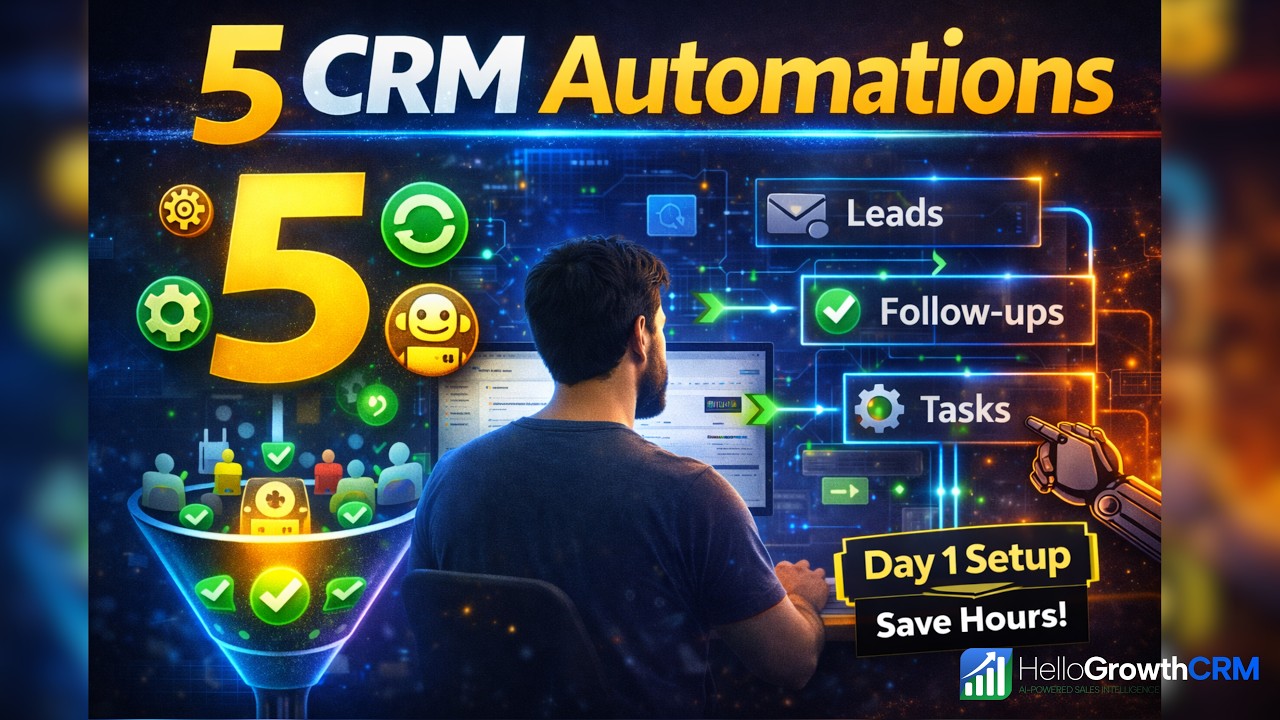
Leads enter your system from multiple sources: website forms, LinkedIn profile visits, IndiaMART inquiries, API connections to marketplaces, and more. Lead capture automation ensures every source feeds into your CRM instantly, with no manual entry.
Website forms (contact us, demo request, free trial signup) should auto-create contacts and opportunities in the CRM. When someone submits a form, the CRM instantly pulls their name, email, phone, and company. LinkedIn automation means when someone views your LinkedIn profile or clicks your outreach, a record is created (with LinkedIn approval).
IndiaMART sellers can automatically capture buyer inquiries into the CRM.
API connections let you sync leads from payment systems (Stripe, Razorpay), form builders (Typeform, JotForm), and marketplaces. Webhooks allow your CRM to listen for triggers — when a customer makes a purchase, when someone attends a webinar, when a trial account is created — and automatically create or update records.
Eliminating manual lead entry saves 10-20 hours per month and ensures zero leads are missed because someone forgot to copy-paste contact info.
Lead Routing Automation: Territory, Round-Robin, Skill-Based, ML Routing
After leads are captured, they must be routed to the right sales rep. Manual routing (a manager reads a lead and assigns it) is slow and inconsistent. Automated routing is instant and logical. Territory-based routing assigns leads by geographic region — all leads from Delhi go to the Delhi team.
Round-robin routing ensures leads are distributed fairly among available reps — lead 1 goes to rep A, lead 2 to rep B, lead 3 to rep C, then back to A. This prevents one rep from getting all the good leads while others starve.
Skill-based routing matches lead complexity to rep experience. Enterprise leads go to senior closers. SMB leads go to junior reps building experience. Startup leads go to reps who understand the startup motion. Predictive routing is the frontier, and it is worth knowing what it is before a vendor sells it to you: the system infers which rep historically converts which lead type best and assigns on that inference rather than on a rule you wrote.
HelloGrowthCRM does not do this — its routing is round-robin, territory and assignment rules, all of them rules a human set and can read back. You can get most of the same effect deliberately: if one rep closes manufacturing leads well, write the rule that sends them there. Over time, this concentrates high-quality matches and dramatically improves conversion.
Automated routing also handles timing. New leads are routed during business hours so reps can respond immediately. Leads arriving after hours are routed to the day shift or to an automated sequence to start engagement. This "speed to lead" is critical — responding to a lead within one minute is 21x more likely to convert than responding in five minutes.
Follow-Up Automation: Sequences, Multi-Channel, Smart Pause on Reply
The most important automation for sales is follow-up sequences. A prospect doesn't respond to the first email? An automated second message sends 24 hours later. No response after two days? A third message goes out, maybe via WhatsApp or LinkedIn instead of email (multi-channel). After three touches with no response, escalate to a human decision or pause the sequence.
Smart follow-up sequences are rules-based: IF no reply after 24 hours, THEN send message 2 via email. IF no reply after 48 hours AND the prospect has visited your pricing page, THEN send message 3 with a discount. IF the prospect replies at any point, PAUSE the automated sequence so reps can jump into a live conversation without the CRM spamming them with scheduled messages.
Email sequences typically include: initial outreach (value prop), social proof (case study), demo offer, and discount or urgency. The sequence respects customer preference — if someone marks an email as spam, the CRM stops. If someone opts out, removal is immediate.
When working well, follow-up automation turns 20% of non-responders into engaged conversations. Reps waste less time on dead prospects and focus on hot opportunities. Sales cycles compress because every lead gets consistent, timely engagement.
Pipeline Automation: Stage Triggers, Deal Updates, Stale Deal Alerts
Beyond leads, pipeline automation manages deal progression. When a deal moves from Qualified to Proposal, the system automatically creates a task: "Send proposal by Friday." When a proposal is sent, a follow-up task is created: "Check on proposal review in 5 days." When a rep loses a deal, a task is created: "Schedule follow-up call next month to stay in touch."
Stale deal detection is powerful: the CRM identifies deals stuck in a stage longer than expected (e.g., a deal in Negotiation for over 30 days) and alerts the rep or manager. Without automation, deals silently stall and forecast accuracy suffers. Alerts force action.
Forecast automation calculates likely close dates and revenue based on stage probability and deal age, giving managers more accurate visibility than rep gut feel.
Automation also surfaces at-risk opportunities: deals whose last activity was over a week ago, deals that have regressed in value, deals where key stakeholders are unresponsive. Managers get a weekly "deals at risk" report and can intervene early. By automating deal monitoring, teams catch problems before revenue misses happen.
Email Automation: Templates, Personalization, A/B Testing, Deliverability
Email is the workhorse of sales automation. Modern email automation goes beyond sending generic templates. Personalization tokens insert the prospect's name, company, and custom fields — "Hi [FirstName], I noticed [CompanyName] just raised funding, thought this might be timely..." Tokens make emails feel written specifically for each person, not blasted to a list.
A/B testing (sending two versions to see which performs better) reveals what subject lines, messages, and CTAs drive higher open and click rates. Some templates include images or GIFs. Some include video (a 15-second recording of you demoing your product).
The best templates match your sales motion: discovery templates for outbound, objection-handling templates for inbound, closing templates for active negotiations.
Deliverability is often overlooked but critical. If your emails land in spam, automation doesn't matter. SPF, DKIM, and DMARC configurations ensure your emails pass authentication checks. Warm-up sequences gradually increase send volume to establish domain reputation.
Monitoring bounce rates and unsubscribes prevents damage to sender reputation. A CRM with expert email deliverability usually sees 95%+ inbox placement vs. 50% for poorly configured email automation.
WhatsApp and SMS Automation: Broadcasts, Chatbots, Follow-Up Sequences
Email automation is powerful but email open rates are declining. WhatsApp and SMS automation are increasingly critical because open rates are 40x higher than email. A WhatsApp follow-up sequence might be: send a one-line message 2 hours after a prospect declines a call ("No worries! Quick question — what's the biggest challenge with your current process?"), and if they respond, a rep jumps in.
WhatsApp chatbots handle common questions automatically: "What's your pricing?" "Do you offer a free trial?" "How quickly can we onboard?" The chatbot replies instantly, and if the customer asks something complex, the conversation is handed off to a human. Chatbots work 24/7, scale to handle unlimited inquiries, and dramatically improve customer satisfaction.
SMS is more transactional (appointment reminders, order confirmations, urgent alerts) but has high engagement. An automated SMS reminder "Your demo is in 1 hour, join here: [link]" drives 70%+ attendance vs. 40% for email reminders. Multi-channel automation means that if WhatsApp and SMS don't work, the CRM might try phone call or email.
The key principle is: reach the customer on the channel they prefer, with the cadence they prefer, until you get response or confirmation they're not interested.
Reporting Automation: Daily Digests, Manager Dashboards, Revenue Alerts
Most sales teams spend hours manually compiling reports — "How much pipeline did we create this week?" "Which reps are on track to quota?" "Where are we leaking revenue?" Reporting automation answers these questions instantly with dashboards and scheduled reports.
Daily digests email managers a summary: pipeline added, deals won/lost, at-risk deals, deals due to close this week, and lagging reps who need support. Managers can scan two minutes instead of building Excel sheets for hours. Weekly forecasting reports show predicted revenue vs. quota, confidence level, and deals likely to close vs. at risk.
Monthly reports track leading indicators (activities logged, calls made, demos held) that predict future revenue.
Revenue alerts notify leadership instantly when something important happens: top deal is lost, biggest rep closes a deal, pipeline dips below safety threshold, new forecast misses quota. Some teams set up alerts for positive milestones too (rep hits monthly quota, major customer is won).
Automated reporting keeps leadership aligned without consuming admin time, and alerts enable faster decision-making when problems emerge.
How to Implement Sales Automation in 30 Days: Week-by-Week Plan
Implementing full sales automation doesn't require months of planning. A focused 30-day sprint can transform your sales operation. Week 1: Audit and define. Document your current sales process (how do leads enter? who does what? what takes the most time?). Define your ideal future process. Identify the biggest pain points automation should solve. Choose a CRM if you don't have one.
Week 2: Build foundations. Set up lead capture automation (forms, API connections). Configure lead routing rules (territory, round-robin, or score-based). Clean and import historical lead and deal data. Test with a small batch.
Week 3: Launch sequences and workflows. Create three follow-up sequences (outbound, inbound, customer). Build deal stage triggers and task automation. Set up email templates and personalization. Train your team on how automation works and what they're responsible for vs. what the system handles.
Week 4: Monitor and refine. Track metrics: lead response time, sequence reply rates, deal progression speed. Identify what's working and what needs adjustment. Celebrate quick wins with the team — "We cut response time in half!" — to build momentum. Document your new process. Plan for continuous optimization. By day 30, you should see measurable improvements in sales velocity and rep productivity.
Implementation checklist for Sales Automation: The Complete Playbook for Growing Teams (2026)
Sales Automation: The Complete Playbook for Growing Teams (2026) creates the most value when the team turns it into a repeatable operating rhythm instead of treating it like a one-time idea. That means defining ownership, documenting the workflow, and making sure the CRM captures the information required to move work forward consistently.
For teams in the AI & Automation category, the real gain usually comes from clarity. Reps should know what triggers the next step, managers should know what to inspect weekly, and leadership should know which metrics indicate that the workflow is improving execution rather than just creating extra activity.
A practical implementation checklist should also explain what happens before launch and what happens after launch. Before rollout, the team should agree on definitions, entry criteria, ownership rules, and the small set of data points that matter most.
After rollout, the team should review real records, measure whether the workflow is actually being used, and tighten the process when a stage, task, or handoff is still too ambiguous.
This is where many CRM initiatives lose momentum. Teams buy the feature or copy the framework, but they never translate it into a weekly operating habit. The stronger path is to keep the workflow simple, connect it to visible manager review points, and make sure the next action is obvious enough that reps do not need to guess what to do next.
What strong teams standardize after adopting Sales Automation: The Complete Playbook for Growing Teams (2026)
The strongest teams usually standardize stage rules, ownership, response expectations, and the minimum fields required for reporting. They also make sure follow-up tasks, communication history, and manager review points are visible in one system instead of being scattered across spreadsheets and inboxes.
That consistency is especially important for HelloGrowthCRM readers because the platform is designed to connect lead management, communication, pipeline control, and reporting in one place. When those pieces stay aligned, teams spend less time cleaning up process gaps and more time improving conversion quality.
Standardization does not mean forcing the whole company into unnecessary complexity. It means choosing the handful of rules that make execution more reliable. That might include one definition of a qualified lead, one owner for each stage transition, one agreed list of required fields, and one review cadence for deals or accounts that are going stale.
Those rules make automation and dashboards more trustworthy because everyone is working from the same operating model.
It also helps new hires ramp faster. When a process is written down clearly and reflected in the CRM itself, reps can understand how work moves without relying on tribal knowledge. That reduces friction, shortens onboarding time, and makes the system easier to improve later because the baseline workflow is already visible and testable.
Metrics to review when evaluating Sales Automation: The Complete Playbook for Growing Teams (2026)
A useful workflow should change measurable outcomes. The exact metrics vary by topic, but most teams should review conversion rate, stage velocity, follow-up completion, response time, pipeline aging, and forecast confidence. Looking at both activity metrics and quality metrics gives a more reliable picture than tracking volume alone.
If the workflow is not improving those signals, the issue is often not effort but design. The team may be tracking too much, automating too early, or failing to define the next action clearly enough for reps and managers to trust the process.
It is also worth separating leading indicators from lagging indicators. Leading indicators show whether the team is doing the right things now, such as responding quickly, completing follow-up tasks, or moving records forward with the right context. Lagging indicators show whether those habits ultimately improve outcomes, such as more meetings booked, better conversion between stages, higher win rates, or more accurate forecasts.
Teams need both views if they want to improve the system instead of reacting only after performance slips.
For HelloGrowthCRM buyers, this matters because the platform is meant to reduce the gap between activity and insight. A strong CRM should help teams see what changed, why it changed, and which part of the workflow needs attention next. When those metrics are reviewed consistently, the blog topic becomes more than educational content.
It becomes a practical operating standard that guides better day-to-day decisions.
How HelloGrowthCRM readers should apply Sales Automation: The Complete Playbook for Growing Teams (2026)
The best next step after reading this guide is to connect the topic to a real operating problem in your funnel. That could be slow lead response, unclear qualification, poor pipeline hygiene, weak forecasting, or disconnected communication. Once the problem is specific, it becomes easier to decide which features, tools, or service paths inside HelloGrowthCRM will actually help.
That practical lens is what turns educational blog content into a useful buying and implementation resource. It helps teams compare options more clearly, reduce CRM complexity, and make better process decisions with less trial and error.
A useful way to apply the guide is to identify one workflow your team already struggles with, then map the current steps from start to finish. Where does work stall? Which fields are missing? Which manager review points are inconsistent? Which channels are disconnected from the CRM?
Answering those questions creates a direct path from educational content to implementation priorities, which is much more valuable than collecting ideas without acting on them.
From there, teams can use HelloGrowthCRM in stages. Some will start with software only and implement the workflow internally. Others will pair the software with managed RevOps support so follow-up, reporting, and process discipline improve faster. In both cases, the strongest outcome comes from using the blog guidance as a bridge between diagnosis and execution, not as a standalone article that never changes how the team works.
Frequently Asked Questions
Ready to put this into practice?
Set up your pipeline, WhatsApp follow-ups, and AI lead scoring in minutes — free, no credit card.
Try HelloGrowthCRM freeGet CRM tips in your inbox
Join thousands of sales professionals who get weekly insights on CRM strategy, AI automation, and pipeline optimization.
Harnish Shah is co-founder of Soor LLC and oversees engineering and growth at HelloGrowthCRM. He brings expertise in AI-driven software architecture and go-to-market systems for B2B SaaS, and has helped early-stage companies scale their sales infrastructure.