HelloGrowthCRM software
Built for real small-business sales teams
HelloGrowthCRM helps reps qualify faster, follow up on time, and close more deals—with practical automation in one place.
- AI lead scoring and pipeline visibility
- Built-in dialer, WhatsApp, and email automation
- Sales forecasting and RevOps-ready reporting
CRM vs Spreadsheets: Boost Sales Team Efficiency
The Spreadsheet Trap
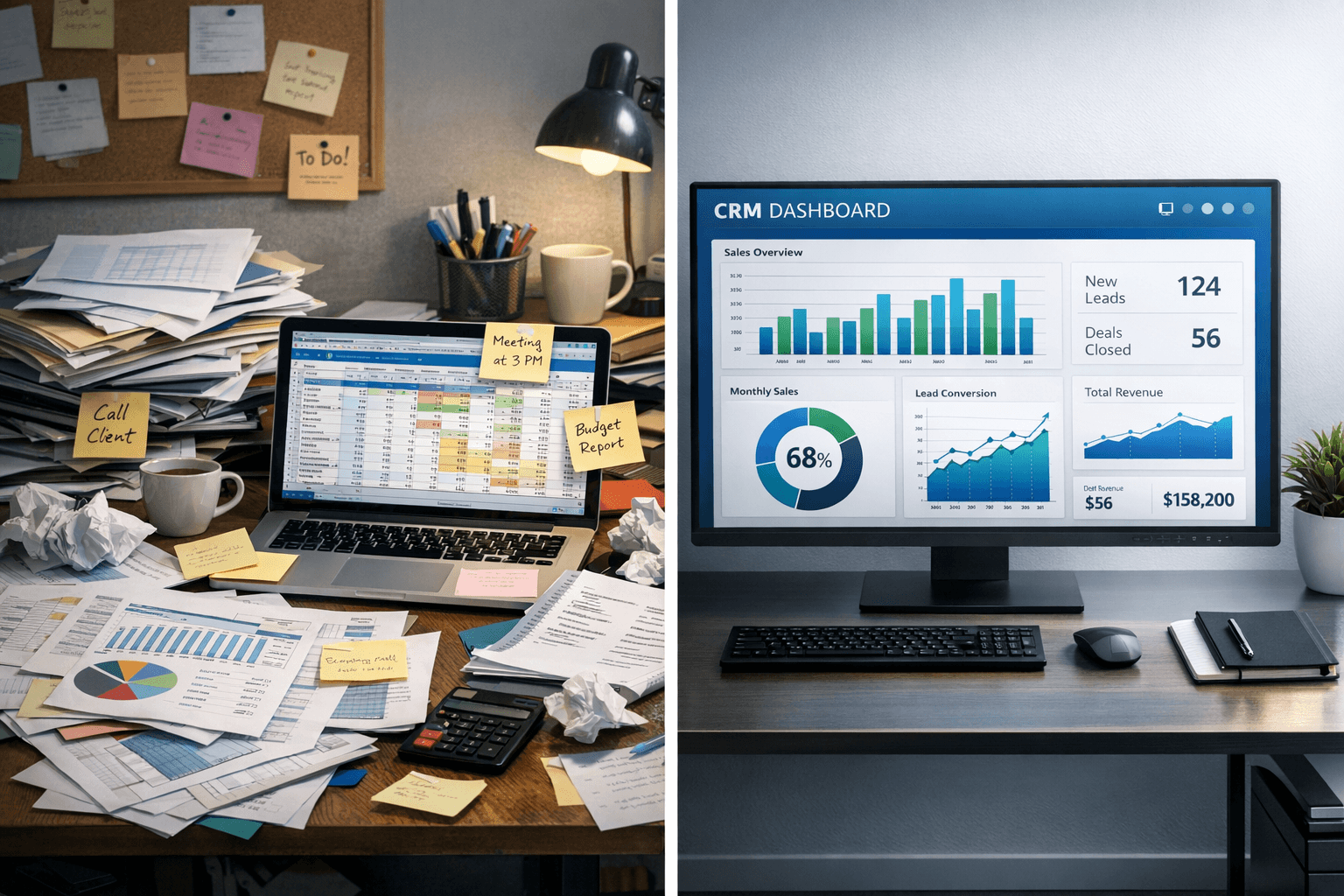
Spreadsheets often serve as the first tool for sales teams. They are free, easy to use, and flexible enough to handle various tasks. However, as your business expands, relying on spreadsheets can hinder your team's efficiency. The initial appeal of spreadsheets can quickly turn into frustration as the volume of data grows. Sales teams may find it challenging to track leads, manage customer interactions, and analyze performance effectively.
As your team scales, the limitations of spreadsheets become more apparent. Collaboration can become messy, with multiple versions of files floating around. Data entry errors can lead to incorrect information, impacting decision-making. Furthermore, manual updates can consume valuable time that could be better spent on selling.
Why Sales Teams Struggle with Spreadsheets
Sales teams face several challenges when using spreadsheets. First, the lack of real-time updates means that team members may work with outdated information. This can lead to missed opportunities and a disjointed approach to customer engagement.
Second, spreadsheets are not designed for tracking customer relationships over time. They lack the features necessary to manage interactions, follow-ups, and customer history. This can result in lost leads and decreased customer satisfaction.
Third, analyzing data in spreadsheets can be cumbersome. Sales teams may struggle to generate reports or visualize trends effectively. This can hinder strategic planning and limit the ability to make data-driven decisions.
The Benefits of CRM Systems
Transitioning to a Customer Relationship Management system can significantly enhance sales team efficiency. One of the primary benefits is the centralization of customer data. A CRM allows teams to store all relevant information in one place, making it easy to access and update. This ensures that everyone on the team is working with the same, accurate data.
Another advantage is automation. A CRM can automate routine tasks, such as sending follow-up emails or scheduling appointments. This frees up sales representatives to focus on building relationships and closing deals.
Additionally, CRM systems provide advanced analytics and reporting capabilities. Teams can track performance metrics, monitor sales pipelines, and analyze customer behavior. This data-driven approach helps in making informed decisions and identifying areas for improvement.
How CRM Enhances Team Collaboration
Collaboration is essential for any sales team, and a CRM can enhance this aspect significantly. With a CRM, team members can easily share information and updates. This transparency fosters better communication and teamwork.
Moreover, many CRM systems offer features like task assignments and shared calendars. This helps in organizing activities and ensuring that everyone is on the same page. Team members can see who is responsible for what, reducing confusion and overlap.
Furthermore, a CRM allows for better customer segmentation. Sales teams can categorize leads based on various criteria, such as industry, location, or buying behavior. This enables more targeted communication and personalized marketing efforts.
Key Features to Look for in a CRM
When selecting a CRM, consider the following key features:
- User-friendly interface: The system should be easy to navigate, allowing team members to get up to speed quickly.
- Customization options: Look for a CRM that can be tailored to fit your unique sales processes.
- Integration capabilities: Ensure that the CRM can connect with other tools your team uses, such as email and marketing platforms.
- Mobile access: A mobile-friendly CRM allows sales representatives to access information on the go.
Evaluating Your Current Processes
Before making the switch to a CRM, it's essential to evaluate your current sales processes. Identify the pain points your team faces with spreadsheets. This can include issues like data accuracy, collaboration challenges, or time-consuming reporting.
Next, gather feedback from your sales team. They can provide valuable insights into what features they need in a CRM. Understanding their requirements will help you choose a system that truly enhances efficiency.
Finally, consider your budget and resources. While some CRM systems come with a higher price tag, they often provide more features and support. Weigh the costs against the potential benefits to determine the best fit for your team.
Making the Transition Smooth
Transitioning from spreadsheets to a CRM can seem daunting, but it doesn't have to be. Start by providing training sessions for your team. This will help them become familiar with the new system and its features.
Additionally, consider a phased approach to implementation. Begin by migrating essential data and gradually incorporate more features. This allows your team to adapt without feeling overwhelmed.
Lastly, encourage ongoing feedback during the transition. This will help identify any challenges early on and allow for adjustments as needed. A successful transition will ultimately lead to improved efficiency and sales performance.
Conclusion
While spreadsheets may serve as a starting point for sales teams, they can become a hindrance as businesses grow. Transitioning to a CRM system can significantly enhance efficiency, collaboration, and data management. By centralizing customer information, automating tasks, and providing advanced analytics, a CRM empowers sales teams to focus on what they do best: selling.
Investing in a CRM is not just about technology; it's about supporting your team and driving business growth. By evaluating your current processes and choosing the right system, you can set your sales team up for success.
Frequently Asked Questions
What are the main challenges of using spreadsheets for sales?
Spreadsheets can lead to outdated information, difficulty in tracking customer relationships, and cumbersome data analysis.
How does a CRM improve sales team collaboration?
A CRM enhances collaboration by allowing team members to share information, assign tasks, and access customer data in real-time.
Ready to put this into practice?
Set up your pipeline, WhatsApp follow-ups, and AI lead scoring in minutes — free, no credit card.
Try HelloGrowthCRM freeGet CRM tips in your inbox
Join thousands of sales professionals who get weekly insights on CRM strategy, AI automation, and pipeline optimization.

The HelloGrowthCRM team publishes guides on CRM strategy, AI sales tools, and revenue operations for small business sales teams.