Sales Territory Planning Template(Free Download)
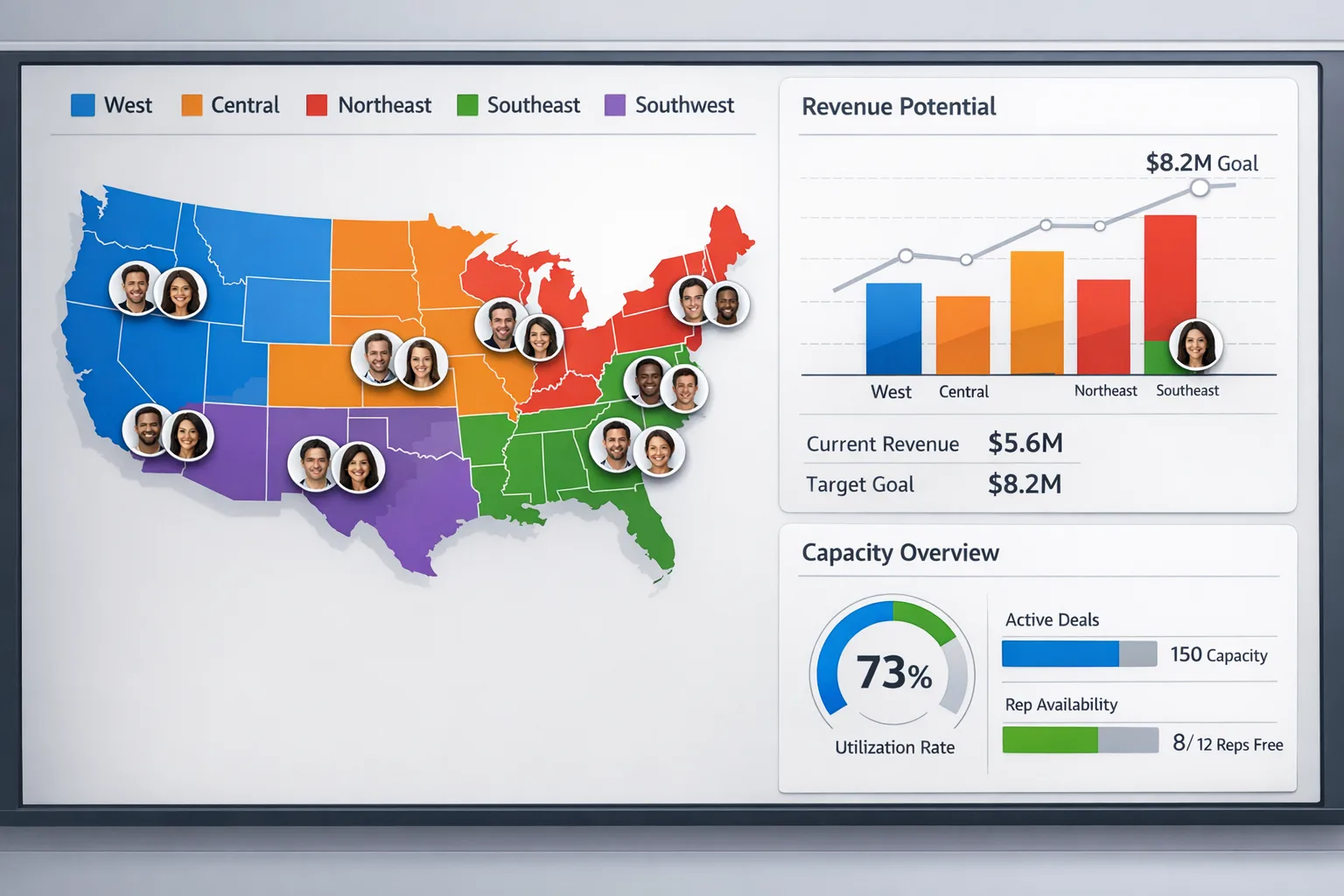
Data-driven territory planning workspace with account import, potential scoring, balance checks, quota planning, and optional performance tracking.
Template preview
GTM workspace
What's included
CSV-friendly account import fields, account-level Potential Score logic, territory mapping rows, balance alerts, quota planning assumptions, and optional performance tracking fields.
Automation rules
- Rank and tier accounts automatically using a weighted Potential Score model
- Highlight overloaded and underutilized territories based on account count and potential value
- Tie quota suggestions to conversion assumptions and pipeline coverage targets
Custom fields
Template specs
2.0Updated 2026-04-25
No credit card · Free forever
A practical CRM-ready territory planning template for sales leaders and Sales Ops teams assigning accounts, balancing rep coverage, and setting quota. It combines bulk-import-friendly account structure, a Potential Score model, territory mapping, workload and revenue balance checks, quota planning based on territory potential and historical conversion, and optional performance tracking so teams can move from planning to operating without rebuilding the model every quarter.
The Problem This Solves
Territories often get assigned using intuition, legacy ownership, or politics instead of data. Without a consistent planning model, some reps get overloaded with high-potential accounts while others inherit weak coverage, creating quota risk, morale issues, and uneven performance.
Who It's For
Sales directors, VP Sales, Sales Ops leaders, RevOps teams, and regional sales managers responsible for territory design, account assignment, and quota allocation.
Use Cases
- Design fair, scalable territories using account potential instead of gut feel
- Rebalance rep coverage during annual planning, headcount changes, or market expansion
- Set territory quotas from account potential, conversion history, and pipeline coverage assumptions
How to Use This Template
- 1
Import or paste your account list with industry, geography, revenue, relationship, and historical deal data
- 2
Score each account using the Potential Score model based on revenue, fit, geography, conversion likelihood, and strategic importance
- 3
Assign accounts to territories and reps using geography, vertical, or hybrid coverage logic
- 4
Review the balance check for account count, potential value, priority mix, and geographic spread by rep
- 5
Use total territory potential, conversion rates, average deal size, and sales cycle length to set quotas and pipeline coverage targets
Inside the template: sample data
The exact rows that ship with the Sales Territory Planning Template download — replace them with your own records after import.
| Territory | Assigned Rep | Accounts | Potential Value ($) | Quota ($) |
|---|---|---|---|---|
| North America Enterprise | Rep A | 2 | $113,500 | $650,000 |
| EMEA Growth | Rep B | 2 | $97,500 | $500,000 |
| APAC & Emerging | Rep C | 1 | $12,000 | $300,000 |
| Unassigned / review | Sales Ops | 1 | $45,000 | $0 |
Results you can expect
- Create a transparent, consistent structure for account assignment and territory planning.
- Spot obvious assignment gaps, blank coverage, and rep imbalance faster.
- Improve quota confidence by linking targets to actual territory potential and conversion data.
- Reduce territory debates by grounding decisions in shared account-level logic.
- Use performance tracking to refine territory design and rebalance faster in future cycles.
- Build a repeatable planning process that scales as the team adds reps and segments.
Pairs well with
B2B Lead Scoring Model
Combine lead quality signals with account potential when prioritizing rep coverage.
Sales Forecasting Model
Translate territory quotas and coverage assumptions into forecast planning.
Competitive Battle Cards
Support strategic territories with competitive talk tracks for key named accounts.
Customization guide
Frequently Asked Questions
Ready to use this template?
Deploy Sales Territory Planning Template in HelloGrowthCRM with one click. Get started free — no credit card · free forever.
Free forever · No credit card required · Set up in minutes
Related resources
Related Templates
B2B Lead Scoring Model
Score leads 0-100 based on firmographic data, behavioral signals, and engagement recency with automatic routing.
Sales Forecasting Model
Multi-method forecasting model combining weighted pipeline, historical trends, and rep-level predictions for accurate revenue forecasts.
Competitive Battle Cards
Sales-ready competitive battle card template with top-3 competitor cards, objection handling, rep-tested win tactics, and recurring review workflows.