See Your Entire Revenue Operation at a Glance
Get real-time visibility into your pipeline, team performance, goal tracking, and key sales metrics. Built for sales leaders who need a single source of truth without switching between tools.

Why teams evaluate crm dashboard
CRM Dashboard usually becomes important when a repeated part of the revenue workflow is creating too much manual work, too little visibility, or too much tool-switching. Teams are rarely shopping for a feature in isolation. They are usually trying to make one meaningful workflow cleaner, faster, and easier to inspect.
That is why buyers usually look beyond the headline capability and inspect the surrounding details: Real-time pipeline and revenue tracking, Team and individual performance metrics, Goal and quota tracking with visual progress, Custom dashboard widgets and layouts. Those details determine whether the feature actually improves day-to-day execution or simply adds another surface area to manage.
Where crm dashboard fits in the workflow
Most teams adopt this capability as part of practical motions such as sales team performance monitoring, pipeline health review, forecast accuracy tracking. The value tends to show up fastest when the workflow is tied to a clear owner, a clear next action, and a visible outcome that managers can review later.
It also matters how this page connects to the rest of the stack. For many teams, tools such as Slack, Google Workspace, Zapier, Salesforce are what make the feature operational instead of theoretical because they keep data, communication, and handoffs in sync.
What a strong rollout looks like for crm dashboard
The best rollout usually starts small: one high-value workflow, one clear ownership model, and one review rhythm for adoption. Once the team is consistently using the feature, managers can expand into deeper automation, reporting, or cross-functional handoffs without rebuilding the foundation.
In practice, that means evaluating not only what the feature can do, but also whether the team can maintain the process around it. Ease of use, reporting trust, and manager visibility matter just as much as the feature checklist itself.
- Use it first for sales team performance monitoring if that is the workflow creating the most friction today.
- Use it first for pipeline health review if that is the workflow creating the most friction today.
- Use it first for forecast accuracy tracking if that is the workflow creating the most friction today.
- Use it first for executive revenue reporting if that is the workflow creating the most friction today.
How It Works
Get started in three simple steps
Key Features
Use Cases
Sales team performance monitoring
Track individual and team performance against quota in real time so managers can coach early and celebrate wins as they happen.
What teams care about
- Fast adoption with less manual cleanup for managers and reps.
- Clear visibility into workflow execution, outcomes, and accountability.
- Reliable handoffs into the CRM record so downstream teams keep full context.
Deep dive
Open the sections that matter most instead of scrolling through a long uninterrupted text block.
Why sales teams need a real-time CRM dashboard
Sales leaders cannot manage what they cannot see. When pipeline data lives in spreadsheets and performance metrics require manual pulls, managers spend time building reports instead of coaching reps. That slows decision-making and lets problems compound.
A real-time CRM dashboard gives every stakeholder the visibility they need to act fast. Reps see their own progress, managers see team performance, and leaders see revenue health — all from a single screen that updates as deals move.
How dashboards improve sales performance
Dashboards improve performance because they make accountability visible. When reps can see their own metrics against quota, they self-correct faster. When managers can see activity rates and conversion trends, they coach with data instead of gut feel.
The best CRM dashboards show not just what happened but what is happening right now — deal velocity, pipeline coverage, and goal progress in real time so teams can adjust before it is too late.
Custom dashboards for every role
Different roles need different views. A sales rep needs to see their pipeline, upcoming tasks, and daily activity progress. A manager needs team performance, pipeline health, and forecast accuracy. An executive needs revenue attainment and growth trends.
HelloGrowthCRM lets you build role-specific dashboards with the widgets that matter most so every person on your team has the context they need to do their job effectively.
Choosing a CRM with strong dashboard capabilities
When evaluating a CRM, the dashboard is one of the most important features to assess because it determines whether your team will actually use the system. A dashboard that requires configuration by an admin or does not update in real time creates friction and reduces adoption.
HelloGrowthCRM is built for growth teams that need fast, flexible dashboards they can configure without technical support. Real-time data, custom widgets, and role-based access make it the reporting layer your revenue team actually relies on.
Sales leaders cannot manage what they cannot see. When pipeline data lives in spreadsheets and performance metrics require manual pulls, managers spend time building reports instead of coaching reps. That slows decision-making and lets problems compound.
A real-time CRM dashboard gives every stakeholder the visibility they need to act fast. Reps see their own progress, managers see team performance, and leaders see revenue health — all from a single screen that updates as deals move.
Buyer playbook
Compare, launch, and govern the workflow with an interactive overview instead of four long generic essays.
How teams evaluate crm dashboard
The best pages help buyers understand fit quickly instead of forcing them through long walls of copy.
Check whether the product covers the capabilities you actually care about, such as Real-time pipeline and revenue tracking, Team and individual performance metrics, Goal and quota tracking with visual progress, Custom dashboard widgets and layouts.
Test if it supports real execution scenarios like Sales team performance monitoring, Pipeline health review, Forecast accuracy tracking.
Confirm the workflow stays connected to Slack, Google Workspace, Zapier, Salesforce so reporting and handoffs remain reliable.
Frequently Asked Questions
The live Sales Dashboard in HelloGrowthCRM
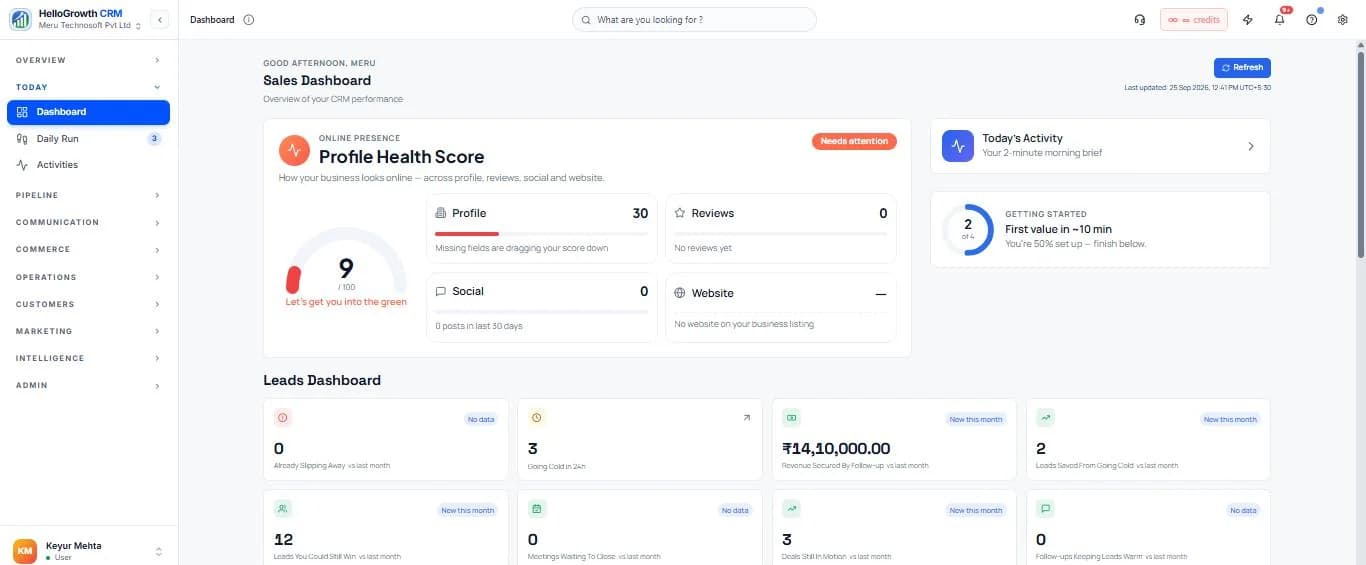
What is a CRM Dashboard and Why Does Your Sales Team Need One?
HelloGrowthCRM's dashboard is the real-time command centre for your sales operation. It shows pipeline value by stage, team activity counts, quota attainment per rep, deal health alerts, and revenue-to-target progress — all updated live as reps log calls, move deals, and close business. The dashboard requires no manual reporting; every CRM action automatically reflects in the relevant widget within seconds.
Indian sales managers typically get pipeline visibility from end-of-day WhatsApp updates or weekly Excel reports. This means problems — stalling deals, low activity, at-risk targets — are discovered after it is too late to act. HelloGrowthCRM's real-time dashboard gives managers the same visibility during the working day that previously required a Friday report — enabling in-the-moment coaching, deal intervention, and resource reallocation.
Key Capabilities
- Real-Time Pipeline View: See total pipeline value, count of deals by stage, and average deal size — updated live as reps update records.
- Team Performance Widgets: Activity counters (calls made, emails sent, demos booked) per rep in a side-by-side view. Identify who is lagging on activity before outcomes suffer.
- Quota Attainment Progress: Visual quota tracking per rep and team with a daily burn-rate indicator showing whether the team is on track to hit monthly target.
- Custom Widget Builder: Add, remove, and resize widgets — pipeline by source, activities by type, lead score distribution, custom KPI counters. Each user saves their own layout.
- Mobile Dashboard: Key metrics are optimised for a mobile screen — today's tasks, active calls, pipeline value, and recent wins — for reps and managers checking performance on the go.
- Executive Revenue Dashboard: ARR/MRR pipeline, win rate, average sales cycle, and forecast accuracy — designed for a 60-second CEO review. Scheduled PDF email delivery included.
- Deal Alert Widgets: Deals with no activity in the last X days, deals approaching close date without a next step, and deals with declining engagement scores surface automatically on the dashboard.
How Indian Sales Teams Use It
- Morning Standup Replacement: A Chennai B2B company's sales director opens the dashboard at 9am and sends a daily Slack message with 3 numbers: total pipeline, yesterday's calls made, and deals at risk. The standup was replaced with this 2-minute review — saving 45 minutes per day across the sales team.
- Real Estate Month-End Closings: A Mumbai developer's sales head monitors the daily deal movement dashboard in the last week of every month — personally calling the rep for any deal that showed a site visit but no booking within 10 days. Close rates in the final week of the month improved significantly after implementing this practice.
- Multi-City Sales Operations: A Hyderabad SaaS company with reps in Bengaluru, Pune, and Delhi uses a city-level pipeline dashboard to compare performance across regions in real time — identifying city-specific patterns and allocating marketing budget to the highest-converting markets.
Watch: The Full Dashboard Walkthrough
A complete walkthrough of the HelloGrowthCRM dashboard — pipeline, leads, deals, tasks, and reporting, and how they fit together in one daily view.
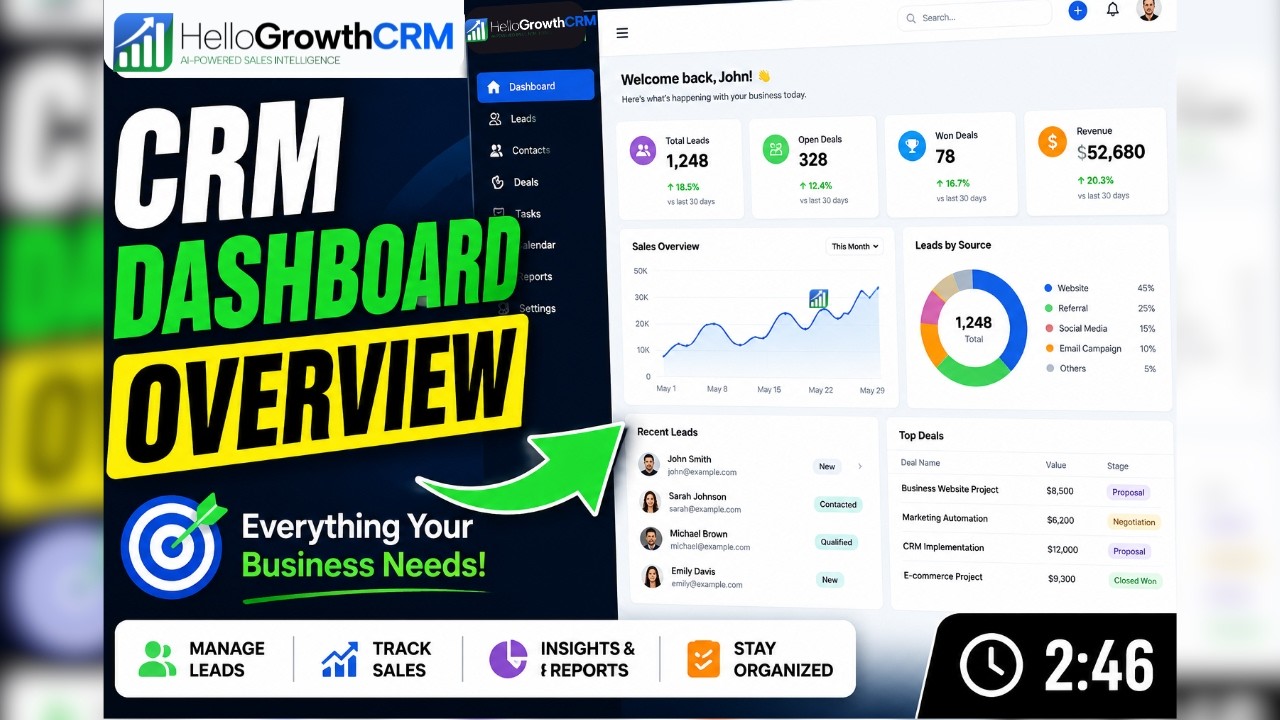
The CRM dashboard is included on all HelloGrowthCRM plans. Compare plans. Explore rep performance dashboards or sales forecasting for deeper revenue analytics.
Drill From a Lead Count to the Leads Behind It
A number on a dashboard tells a manager that something needs attention. The leads behind that number tell them what to do about it. HelloGrowthCRM's lead reports break your leads down by owner, by stage and by response, and each count drills down to the list of leads that make it up. If one rep's leads are still waiting on a response while the rest of the team is keeping up, the manager opens that exact list instead of exporting a spreadsheet and filtering it by hand.
The three cuts answer the questions that come up in every pipeline review. By owner: who is carrying the load, and who has room for more. By stage: where leads are piling up instead of moving. By response: which leads are getting a timely response and which are still waiting. Because each view ends in real lead records rather than a chart, the review finishes with named leads and a next step for each, which is the part that actually changes the numbers next week.
Lead Groups: Keep a Working Set of Leads Together
Some sets of leads matter as a set: the scans from last month's exhibition, a dealer's referrals, the accounts the team agreed to push before quarter end. Lead groups let you keep such a set together under one name, and the groups sit in the same views menu as your other lead views, so the set can be reopened in a moment rather than rebuilt from a filter each time. It is a simple way to make sure a list agreed in a meeting is the list that gets worked afterwards. For how leads are captured, owned and progressed, see lead management.